

.svg)
.webp)
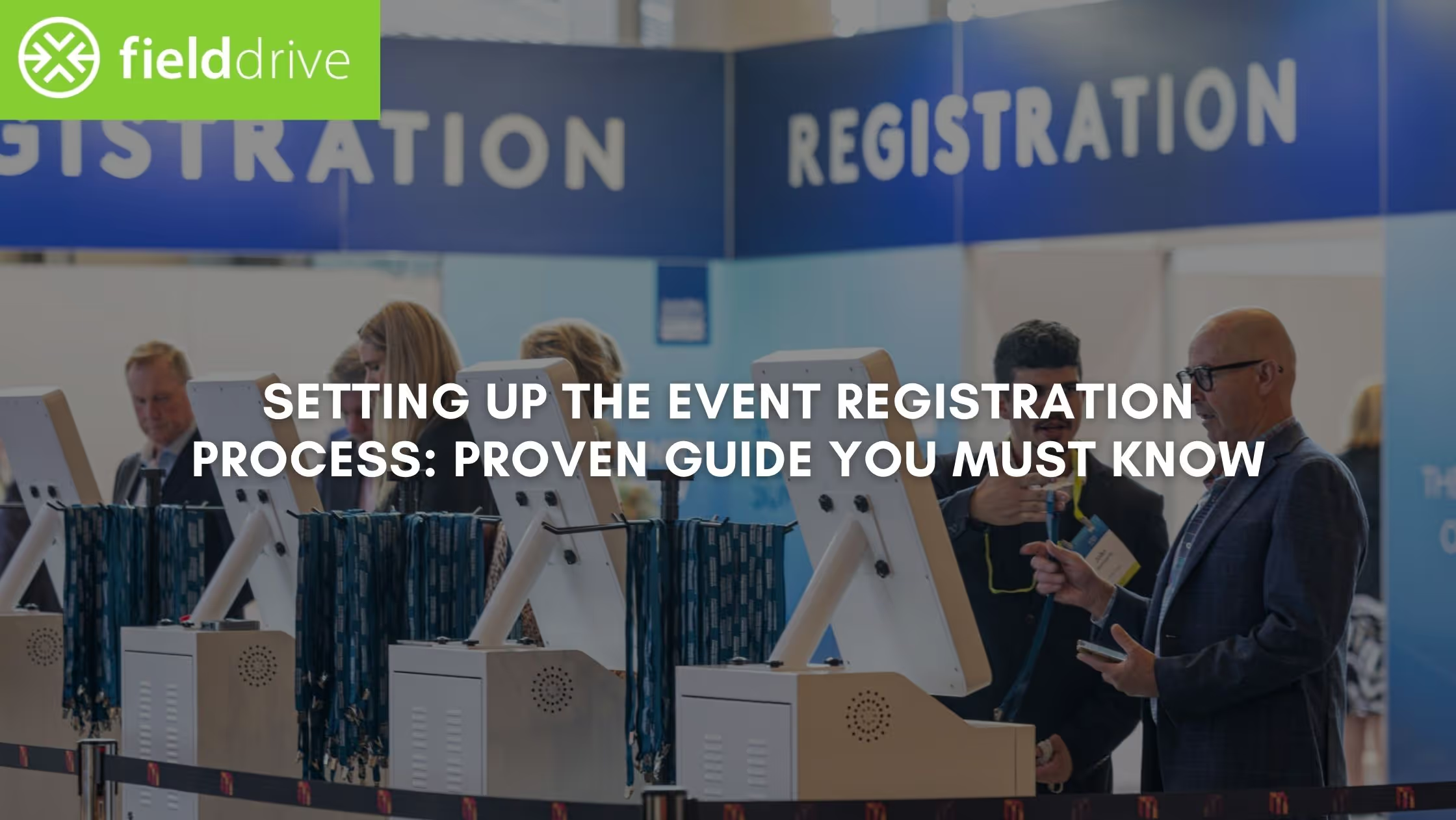
Every event starts with a simple yet critical moment: someone decides to attend and signs up. That first step sets the tone for everything that follows. That said, when the event registration process is clear and well structured, you gain reliable attendee data, understand who’s coming, and can plan logistics confidently. It also gives your attendees a smooth first interaction with your event, rather than confusion, delays, or multiple follow-up emails.
But the event registration process is much more than collecting names on a form. It’s where you define ticket types, capture the right attendee details, manage confirmations, and prepare everything your team needs for on-site operations.
In this article, we’ll break down the event registration process step by step. That will cover everything from defining goals and choosing the right registration tools to designing forms, promoting sign-ups, tracking conversions, and preparing for on-site check-in. You’ll also learn practical ways to optimize registration performance so your event runs smoothly even during peak hours.
Quick Snapshot
- Start with clear registration goals and a well-structured approach. Define the attendee data you actually need, align registration with the event type and size, and track key metrics such as conversion rates, form abandonment, and no-shows to inform better planning.
- Design a frictionless registration experience. Choose scalable software, create branded forms with only essential fields, structure ticket tiers clearly, and support flexible payment options to reduce drop-offs and improve completion rates.
- Drive registrations through promotion and optimization. Promote your landing page across email, social, and partner channels, and optimize for SEO. Also monitor conversion data, test form elements, and adjust campaigns based on real-time performance insights.
- Use automation and reminders to support attendee readiness. Automate confirmations, receipts, and reminder sequences so attendees receive clear instructions before arrival while your team avoids manual follow-up tasks.
- Prepare for peak arrivals and last-minute registrations. Use self-service check-in kiosks, on-site badge printing, and strategic placement points to reduce queues, handle walk-ins efficiently, and keep attendee flow moving.
Why the Event Registration Process Matters More Than You Think
Your registration process is often the first real interaction attendees have with your event. At its core, it is the process of collecting attendee information and confirming participation in an event. But in practice, the event registration process plays a much larger operational role.
When the experience feels smooth, professional, and easy to complete, it immediately signals that the event itself will be well organized. A clear event registration process builds confidence early, reduces confusion, and helps attendees feel certain they made the right decision to attend.
When thoughtfully designed, it benefits both your attendees and your event team throughout the entire event lifecycle.
For attendees, a strong event registration process:
- Makes sign-up quick and intuitive, reducing drop-offs during registration
- Creates a professional first impression of your event
- Provides clear confirmations, instructions, and expectations before arrival
For you, the event registration process helps:
- Manage capacity and resources so you’re not scrambling to add catering, seating, or materials at the last minute
- Capture accurate attendee data that supports personalization and better event planning
- Reduce administrative errors that can slow down check-in or cause confusion on-site
- Enable faster check-ins with cleaner, more complete attendee records
Example: Say you’re running a 1,500-person technology conference, and your event registration process captures ticket types, company information, and session preferences early. Your team can plan badge printing, allocate rooms based on session demand, and anticipate peak arrival times. Without that structure, you’re left guessing, often leading to long check-in queues, room overcrowding, or last-minute operational stress.

Mapping Your Event Registration Funnel to Reduce Drop-Offs
Before you can improve your event registration process, you need to understand how potential attendees move from discovering your event to actually registering. At this stage in the event lifecycle, your primary focus is attracting people to your event. But simply generating interest isn’t enough. To optimize results, you need visibility into where people lose momentum and abandon the process.
A helpful way to think about this is as a registration funnel. Imagine it as a small hole in a bucket: every step is a possible exit point where someone might drop off. By examining each stage closely, you can identify where friction occurs and refine your event registration process to convert more visitors into confirmed attendees.
A typical event registration funnel usually follows these stages:
- Impressions and views: This is the discovery stage. People encounter your promotional content through channels like your website, email campaigns, social media posts, or other outreach efforts. The priority here is distribution: making sure your event reaches the right audience.
- Event page visits: Interested prospects click through to your event landing page to learn more. At this point, your messaging and page structure matter. Clear information and strong calls to action encourage visitors to move forward in the event registration process.
- Registration form starts: Attendees begin filling out the registration form. This is a common drop-off point. Long forms, too many required fields, or poor mobile experiences can quickly discourage people from completing the process.
- Registration completions: The final stage is when attendees submit the form and officially register. Confirmation emails and registration acknowledgments help reassure attendees and maintain engagement before the event.
When you track these stages and optimize them over time, registration becomes a strategic lever that improves conversions, strengthens attendee data, and supports smoother operations.
Also Read: Your Ultimate Guide to Easy Event Registration Desk Setup
How to Set Up Registration for an Event: A Step-by-Step Framework That Holds Up
The best approach is to treat registration as an operational system rather than a standalone form. Below is a practical framework for building an event management registration process. It supports better planning before the event, better visibility during the campaign, and better execution on-site.
1. Start by Defining Your Event Goals and Registration Structure
Before you build a landing page or choose a platform, get clear on what your registration needs to accomplish. Different event types require different registration flows. A private executive lunch does not need the same fields, approvals, or ticket paths as a multi-day convention with breakouts, sponsors, and VIP access.
Your first job is to define what success looks like for this specific event.
What to clarify upfront:
- What kind of event are you running?
- Who are you trying to attract?
- What information do you actually need before the event?
- What decisions will registration data help you make later?
- Which metrics will tell you whether registration is working?
A well-planned event registration process collects exactly what you need and avoids asking for information that does not serve the attendee experience or event operations.
Why it matters: If you ask for too much, attendees may abandon the form. If you ask for too little, your team may miss critical information about session demand, dietary requests, badge details, or payment status.
Example by event type:
Metrics worth defining early:
- Registration conversion rate: How many landing page visitors actually register?
- Field completion rate: Are registrants filling in the fields your team depends on?
- No-show rate: How many registrants actually attend?
- Path adoption: Are attendees selecting the ticket or session paths you intended them to follow?
- Form abandonment rate: How many people start the form but do not complete it?
Key insight: Your goals should match your event size, audience, and commercial objectives.
2. Choose Registration Software That Matches the Complexity of Your Event
Once your goals are clear, the next step is choosing technology that can support them. This is where many teams make a costly mistake: they choose software based only on price or basic form functionality. Then they discover too late that it cannot support the workflows their event actually needs.
If you are wondering how to set up registration for an event, this is one of the most important decisions in the entire process. Here are the five areas you must consider before choosing a registration software.
- Usability for attendees: The registration flow should be easy to complete on desktop and mobile, with minimal friction.
- Usability for your team: Your internal team should be able to manage forms, pricing, reporting, and updates without needing workarounds.
- Customization: You may need branded pages, custom fields, conditional logic, and tailored confirmation emails.
- Payments and reporting: Secure payment collection, instant receipts, flexible payment methods, and real-time reporting are essential for most events.
- Integration capabilities: Your registration tool should connect cleanly with the rest of your event stack, especially if you rely on CRM, marketing, badge printing, or on-site systems.
Moreover, evaluate the provider beyond features. That's because technology matters, but so does the partner behind it. Ask the following:
- Is the support team responsive and experienced?
- Does the platform feel intuitive for the people who will use it daily?
- What training is available?
- Has the company evolved through product improvements over time?
- Can they support your event goals beyond the initial setup?

3. Build Ticket Types, Pricing Rules, and Payment Options That Match Buyer Behavior
Ticketing is not just a commercial choice. It is a strategic part of your event registration process because it shapes urgency, accessibility, attendee mix, and revenue timing. And the right structure helps you accommodate different attendee segments without creating confusion.
Common ticket options to consider:
- Early-bird tickets
- Standard tickets
- Student or nonprofit pricing
- Group discounts
- VIP or premium access packages
- Internal or partner-only access types
What a good ticket setup should do:
- Encourage early momentum
- Make pricing easy to understand
- Support team or group attendance
- Reduce checkout abandonment
- Accommodate corporate purchasing behavior
Payment setup checklist:
- Secure payment processing
- Multiple payment methods
- Clear pricing and fee visibility
- Transparent refund policy with trust badges visible
- SSL encryption and PCI compliance
- Immediate receipts and confirmations
- One-click payment for returning attendees
- Invoice options (where needed) for corporate buyers
Example: For a corporate summit, attendees may not be paying personally. Their company may require invoice terms or internal approval before purchase. If your registration setup only supports credit card payments, you may lose otherwise qualified registrants at the final step.
4. Create a Branded Registration Experience That Is Easy to Complete
Your registration page is where interest turns into action. It needs to look credible, load quickly, and guide visitors toward the next step without distraction. This is where many teams overcomplicate things. They try to impress with excessive content or dense form design, when the real objective is clarity.
What your page needs at a minimum:
- A dedicated event site or landing page aligned with brand colors and fonts
- A visible, high-priority registration CTA. For instance, “Save My Spot,” or “Claim My Seat.”
- Clear event details and value proposition
- Logical page structure with plenty of white space
- Fast load speed
- Strong mobile responsiveness
What the registration form should include:
Every field should serve a purpose tied to attendee experience or event operations.
Core fields: Full name, email address, company name, ticket type
Additional fields based on need: Session selection, dietary preferences, accessibility requirements, phone number, job title or company size, promo code, consent, and policy checkboxes
Form design best practices:
- Use dropdowns and checkboxes where possible.
- Group related fields together.
- Make required fields obvious.
- Use clear, simple language and high-resolution images.
- Add progress bars for multi-step forms.
- Support autofill on mobile.
- Minimize clicks and pages.
- Show only relevant questions when possible.
Pro tip: Personalization should simplify the experience, not make it heavier. Use conditional logic to show only the fields that apply to a specific ticket type or attendee path.
Also Read: Event Registration Form Essentials: Best Practices + Examples
5. Promote the Registration Landing Page Across Multiple Channels
Even the best-designed registration page will underperform if people do not reach it. Promotion is the engine that fills the funnel, and it should be structured around the channels your audience already uses.
This stage is especially important because the registration funnel is rarely linear. People may see your event on social media, revisit it later via email, and finally register after hearing about it from a speaker or partner.
A practical promotion mix may include the following:
- Email campaigns and newsletters
- Social posts across relevant channels
- Speaker, sponsor, and partner amplification
- Press releases and industry publications
- Website links and homepage placements
- Search-optimized content that supports visibility
What to watch closely:
- Which channels drive event page visits
- Which channels drive actual registrations
- Whether your CTA messaging is strong enough
- Whether the landing page traffic is converting efficiently
Why it matters: Distribution gets attention, but conversion happens on the landing page. Promotion and page experience need to work together for the event registration process to perform.
Pro tip: Do not treat every channel the same. Professional event content may work on LinkedIn, while more visual or community-oriented messaging may perform better elsewhere.
6. Automate the Communication That Happens After Registration
Once someone submits the form, the experience should continue without manual intervention. Confirmation, reminders, receipts, and updates should all flow automatically so your team is not chasing tasks that technology can handle for you.
This is one of the easiest ways to make your registration process feel more polished and reliable.
Automations worth setting up:
- Instant confirmation emails
- Calendar invites
- Payment receipts
- CRM updates in real-time
- Post-event follow-ups
What good post-registration communication should do:
- Confirm attendance immediately.
- Provide the next steps clearly.
- Keep registrants engaged between sign-up and show day.
- Reduce inbound questions.
- Support post-event follow-up while interest is still high.
7. Monitor Sign-ups in Real Time and Adjust Before Problems Grow
Registration should never be a “set it and forget it” workflow. Once the page is live, you need visibility into how it is performing so you can adjust before revenue slows or attendance goals slip. Real-time monitoring helps you understand how many people are registering, how they are getting there, and where they may be dropping off.
What to track in real time:
- Total registrations
- Conversion rate by traffic source
- Daily sign-up trends
- Peak registration times
- Drop-off points in the form
- Ticket type performance
- Demographic patterns, if relevant
- Capacity milestones
Why it matters: Without live visibility, you may continue investing in underperforming channels or miss early signs that momentum is slowing.
Actions you can take based on the data:
- Shift the budget away from channels that are not converting.
- Extend early-bird pricing if registrations stall.
- Launch targeted campaigns for underperforming attendee segments.
- Adjust messaging if page visits are high, but form starts are low.
- Simplify form fields if starts are high but completions are weak.
Example: If registrations for your executive track are lagging while general admission is strong, you may need a targeted campaign rather than a broader volume push.
8. Send Pre-Event Reminders That Help People Arrive Prepared
Reminder emails should do more than tell people the event is coming up. They should answer practical questions, reduce uncertainty, and make arrival easier. A well-timed reminder sequence improves readiness for attendance and reduces day-of confusion.
A simple reminder structure:
- Two weeks before: Parking and transportation details, hotel recommendations, accessibility information, venue basics
- One week before: Agenda highlights, speaker information, materials to review or bring, app download instructions
- 24–48 hours before: Check-in instructions, venue maps, last-minute updates, emergency contact information, weather, or travel reminders if relevant
Pro tip: Tailor reminders by attendee type where possible. VIPs, sponsors, speakers, and workshop participants may each need slightly different instructions.
9. Prepare for Last-Minute Registration and Self-Service Check-In
No matter how well you plan, some attendees will register late or arrive needing help. Your event registration process should account for that reality instead of forcing everyone through the same staffed desk. In this context, self-service registration and check-in options can reduce queues, improve speed, and give your on-site team more room to handle exceptions.
Self-service options can support attendee check-in, data verification, badge or material printing, last-minute registration, payment collection for walk-ins, and repeat-attendee convenience through preloaded data.
Strategic kiosk placement examples:
- Transportation hubs such as airports or train stations
- Event hotels
- Venue parking garages
- Venue entrance areas near registration desks
Why it matters: These placements can spread out demand before attendees reach the main registration area. That reduces pressure at peak arrival times and improves first impressions.
On-site badge printing also matters. Printing badges on-site instead of pre-printing everything can reduce waste, eliminate badge-sorting delays, allow last-minute updates, and speed up attendee processing at entry.
Finally, don't forget the human layer. That's because even with self-service, people still need guidance. A dedicated staff member can help attendees prepare QR codes, adjust phone brightness, answer quick questions, and keep the line moving.
Also Read: How fielddrive Improved Event Check-Ins and Badging for Burger King UK
Bonus Strategies to Increase Registrations and Keep Your Data Organized
Even after you’ve built a solid event registration process, there’s always room to improve conversions and simplify operations. Small adjustments in messaging, pricing strategy, and data management can significantly increase sign-ups while reducing friction for both attendees and your event team.
Below are practical best practices that help you drive early momentum, improve registration performance, and maintain clean attendee data throughout the event lifecycle.
1. Create Urgency That Encourages Faster Decisions
When attendees feel they can register at any time, they often delay their decision. Introducing a sense of urgency encourages people to act sooner rather than later. You can do this by adding time-sensitive elements directly into your registration page or promotional messaging.
- Add countdown timers to landing pages: Visual reminders of expiring offers often motivate faster action.
- Highlight limited availability: Messages like “Only 20 VIP spots remaining” can trigger FOMO and prompt hesitant attendees to complete registration.
Pro tip: Automate price changes or ticket limits using your event management platform so your team doesn’t have to track deadlines manually.
2. Encourage Early Registration to Improve Planning
Getting registrations early isn’t just good for attendance numbers; it helps you plan more effectively. When attendees commit earlier, your team can forecast demand, allocate resources, and adjust marketing strategies with greater confidence.
Here are a few ways to promote early sign-ups:
- Offer meaningful early-bird savings: The bigger the difference between early-bird and standard pricing, the stronger the incentive to register sooner.
- Clearly show the price difference: When attendees see exactly how much they save by registering early, they’re more likely to act immediately.
- Promote early discounts across channels: Highlight early registration offers in email campaigns, social media posts, and your event website.
3. Use Incentives to Make Registration More Appealing
Incentives can give potential attendees a compelling reason to commit earlier. Exclusive perks, access opportunities, or limited experiences can make registration feel more valuable.
Examples of effective incentives:
- VIP access opportunities: Offer early access to keynote sessions or exclusive networking events.
- Exclusive event perks: Provide special experiences or benefits that differentiate your event from competing events.
4. Continuously Test and Improve Your Registration Page
Even a well-designed event registration process can improve with small changes. Testing different elements of your form and landing page helps identify what resonates most with your audience.
Consider experimenting with:
- A/B testing different form layouts or headlines
- Trying alternative call-to-action wording or button colors
- Monitoring conversion rates to evaluate design changes
5. Keep Registration Data Centralized to Avoid Operational Confusion
One of the most common operational challenges occurs when registration data is scattered across multiple disconnected systems. When payment platforms, email lists, and check-in tools are misaligned, teams often struggle with inconsistent attendee counts.
For example, you might see:
- 200 confirmed payments in your ticketing system
- 150 subscribers in your email platform
- 170 attendees appearing in your check-in app
This disconnect can lead to confusion around capacity planning, inaccurate attendee lists, and communication gaps.
To avoid this, use event management software that keeps all registration data in a single system. Centralized information makes it easier to track attendance, communicate with registrants, and prepare for smooth check-in on event day.
Also Read: 10 Effective Strategies to Reduce Peak Event Registration Congestion
Final Thoughts
A well-designed event registration process does far more than collect attendee details. It shapes how people discover your event, how easily they commit to attending, and how prepared your team is when show day arrives. When registration is structured around clear goals, simplified forms, smart ticketing, and real-time monitoring, it becomes a powerful operational foundation.
This is where the right on-site event technology can enhance your registration workflow. fielddrive integrates with major registration and event management platforms, allowing attendee data to flow directly from registration to on-site operations. Combined with tools like touchless check-in kiosks, live badge printing, real-time analytics dashboards, and more, these integrations help you move attendees from registration to entry quickly.
If you want to set up an event registration process that translates into faster check-ins, cleaner attendee data, and a smoother arrival experience, explore fielddrive. From intelligent on-site workflows to actionable post-event insights, fielddrive helps you turn registration planning into operational success on show day.
FAQs
1. How early should we open registration for a conference or large event?
Most organizers open registration 3–6 months before the event to allow time for promotion, ticket tier changes, and demand forecasting. Early registration data helps you plan session capacities, catering quantities, and staffing before final logistics decisions are locked.
2. How do we manage waitlists effectively during the event management registration process?
Set up automatic waitlists when capacity is reached, and notify attendees when spots open. A good event management registration process allows you to prioritize upgrades, release tickets in batches, and avoid overselling sessions or event access.
3. How do we handle privacy and consent when collecting registration data?
Always include clear consent checkboxes for communications, data sharing, and photography permissions. Transparent privacy policies help build trust and ensure compliance with regulations like GDPR when collecting attendee contact and behavioral information.
4. Can attendees update their details after registration is completed?
Yes. Many platforms allow attendees to edit their profiles or update session selections after registering. This flexibility is important when travel plans, dietary requirements, or job roles change before the event.
5. Should repeat attendees have to fill out the registration form again?
Ideally, returning attendees should experience a faster process. Many systems allow saved profiles, prefilled data, or loyalty-based registration paths so repeat guests can confirm attendance quickly without entering the same information every time.
.svg)
.svg)
.svg)
Want to learn how fielddrive can help you elevate your events?
Book a call with our experts today


.svg)