

.svg)
.webp)
Walk-In Event Registration Process: 9 Steps for Smooth Onsite Check-In
Learn a 9-step walk-in event registration process to streamline onsite check-ins, capture clean data, and enhance attendee experience efficiently.

Event day can quickly become chaotic when attendees arrive without pre-registration. Long lines, manual paperwork, and delayed check-ins frustrate both guests and staff. In fact, 44% of trade show attendees stay for less than four hours, leaving little room for delays.
For event organizers, corporate planners, and venue managers, handling walk-ins efficiently is critical. A disorganized process not only slows check-ins but also affects data accuracy and overall attendee experience. Ensuring smooth entry helps maintain professionalism and creates a positive first impression.
In this blog, you'll discover key strategies, practical tools, and workflow optimizations to make your walk-in event registration process seamless and efficient.
Key Takeaways
- Strategic Impact: A reliable walk-in registration workflow shapes the overall event experience.
- Data Accuracy & Integrity: Accurate data capture prevents duplicates and supports marketing ROI.
- Technology-Driven Efficiency: Kiosks, mobile apps, and automated badge printing speed up check-ins.
- Streamlined Operations: Optimized layout and staff coordination reduce wait times and enhance satisfaction.
- Continuous Improvement: Analytics and no-show programs help improve future events and attendee engagement.
What an Effective Walk-in Event Registration Process Delivers
A well-planned walk-in registration process ensures that attendees can check in quickly and smoothly while providing organizers with accurate, actionable information. It plays a key role in improving both the attendee experience and operational efficiency.
Key Benefits:
- Fast, error-free sign-ups: Intuitive forms and simplified workflows reduce delays and minimize incomplete registrations.
- Clean CRM data: Proper field mapping and integrations deliver reliable data for marketing, reporting, and follow-ups.
- Smooth onsite check-in: Self-service kiosks, badge printing, and clear signage shorten wait times and improve attendee satisfaction.
- Consistency across events: A repeatable workflow supports multiple events without having to rebuild processes each time.
- Actionable analytics: Attendance and check-in insights help optimize future events and reduce no-shows.
To achieve these results consistently, organizers need a clear and structured workflow. Let’s explore a step-by-step approach to designing and managing a walk-in event registration process that is efficient, accurate, and attendee-friendly.
9 Key Steps for a Smooth Walk-In Event Registration Process
To achieve a seamless and reliable registration experience, organizers must follow a structured, multi-step workflow. Each step ensures accurate data capture, efficient check-ins, and improved attendee satisfaction.
Step 1. Define Requirements and Stakeholders
A reliable walk-in registration process begins with clear alignment on objectives, data ownership, and operational responsibilities. Defining these elements early prevents data gaps, approval delays, and inconsistent onsite execution.
Key Actions:
- Identify core stakeholders: Event marketing, CRM and IT teams, finance, legal, onsite operations, and sponsorship teams that require exhibitor data.
- Define registration data requirements: Specify mandatory and optional fields, attendee-type logic, consent handling, and region-specific compliance obligations.
- Map end-to-end data flow: Document how attendee data moves from walk-in registration to CRM records, badge printing, reporting, and analytics systems.
- Set measurable success criteria: Establish KPIs such as walk-in conversion rates, average check-in time, data accuracy thresholds, and no-show reduction targets.
Key Consideration: Conduct a structured kickoff session with all stakeholders to confirm data ownership, approval paths, and operational expectations before building any registration assets.
Step 2. Form Design and Approvals
The registration form is the foundation of the walk-in registration experience. Its structure directly affects completion rates, data accuracy, and the speed of onsite check-in.
Key Actions:
- Standardize form structure using templates: Maintain consistent field names, layouts, and instructional text across events to support clean data and repeatable workflows.
- Apply conditional logic by attendee type: Display only relevant fields to reduce form length and minimize friction during walk-in registration.
- Validate accessibility and mobile performance: Confirm readability, contrast, keyboard navigation, and responsiveness across devices commonly used on-site.
- Complete cross-team approvals: Marketing reviews messaging and calls to action, CRM teams validate field mapping and sync rules, and design confirms brand compliance.
Key Consideration: Design and test forms assuming most walk-in registrations will be completed on mobile devices or tablets, with short field lengths and large tap targets to speed completion and reduce errors.
Step 3. Payment and Policy Configuration
For paid events, payment setup and policy definition must be finalized early to avoid disputes, support issues, and onsite delays. Clear rules and transparent communication protect both the organizer and the attendee.
Key Actions:
- Configure payment options: Define accepted payment methods, group or volume pricing, discount codes, and currency handling based on attendee location.
- Establish refund and transfer rules: Set clear cutoff dates, name-change procedures, and eligibility criteria for ticket transfers.
- Enable fraud prevention controls: Implement transaction limits, monitoring thresholds, and alerts to reduce payment risk, especially for high-volume or international events.
Key Consideration: Display payment terms, refund policies, and transfer conditions prominently on the registration form and in confirmation emails to reduce confusion and minimize support requests.
Step 4. Quality Assurance and Pre-Launch Testing
Quality assurance is critical to preventing registration failures that surface onsite and disrupt attendee flow. A structured QA process ensures the walk-in experience functions reliably under real-world conditions.
Key Actions:
- Conduct end-to-end form testing: Validate performance across browsers, devices, operating systems, and low-bandwidth environments commonly encountered onsite.
- Verify system integrations: Confirm accurate CRM synchronization, UTM tracking, promo code behavior, and lead routing logic.
- Review confirmation and badge outputs: Test confirmation emails, calendar files, badge layouts, name formatting, and barcode generation.
- Simulate walk-in check-ins: Perform test registrations and onsite check-ins to identify workflow or hardware issues before launch.
Key Consideration: Run a controlled pilot with internal staff serving as walk-in attendees to uncover edge cases and resolve issues before registration opens to the public.
Step 5. Dry Run and Day-0 Monitoring
Walk-in registration fails when teams only test “happy paths.” You need a short dry run that mimics real onsite pressure, then live monitoring once doors open.
Key Actions:
- Run a 30–45 minute dry run with staff acting as walk-ins (typos, duplicates, missing fields, payment failures).
- Validate real throughput (registrations/minute, badges/minute) per station and per lane.
- Set live monitoring checks for the first 60–90 minutes: queue length, print failures, duplicate rate, and exception volume.
- Define fast fixes (add a station, switch to offline mode, open an overflow desk) with a clear owner for each.
Key Consideration: Monitor the first peak window closely. This is where walk-in volume and operational friction show up immediately.
Step 6. Onsite Readiness and Layout Planning
Walk-in registration succeeds or fails based on onsite preparation. Thoughtful layout design and staff readiness ensure steady attendee flow and reduce perceived wait times.
Key Actions:
- Design an efficient check-in layout: Separate walk-in and pre-registered lanes, ensure clear signage, and position kiosks for easy access.
- Prepare badge printing infrastructure: Confirm badge stock levels, backup supplies, printer calibration, and dedicated reprint stations.
- Train onsite staff: Prepare teams to handle name corrections, data mismatches, hardware issues, and escalation scenarios.
- Plan for assisted check-ins: Expect a portion of attendees to need manual support and assign dedicated staff accordingly.
Key Consideration: Use visual cues, such as color-coded signage and floor markings, to guide attendees and reduce congestion at high-traffic areas.
Step 7. Real-Time Check-In and Data Capture
Real-time check-in execution determines both attendee satisfaction and data reliability. Fast, accurate processing minimizes queues while ensuring records remain clean and usable.
Key Actions:
- Enable mobile and kiosk-based check-in: Support QR code scanning or ID lookup for quick attendee verification.
- Maintain real-time CRM synchronization: Ensure attendee records update instantly to prevent duplicates and reporting discrepancies.
- Support on-demand badge printing: Generate badges with accurate names, barcodes, and session entitlements at check-in.
- Resolve issues immediately: Empower onsite staff to address technical errors or data discrepancies without delaying queues.
Key Consideration: Equip staff with tablets or kiosks powered by fielddrive for instant CRM syncing, on-demand badge printing, and QR code scanning, keeping lines moving even during peak arrivals.
Step 8. Session Scanning and Attendance Tracking
For events with multiple sessions, workshops, or access-controlled areas, session-level tracking is essential for accurate reporting and informed future planning. Proper scanning ensures organizers understand how attendees engage beyond initial check-in.
Key Actions:
- Scan badges at session entry: Capture real-time attendance to measure engagement and manage room capacity effectively.
- Collect session-level engagement data: Identify high-demand sessions, underutilized content, and attendee movement patterns.
- Integrate attendance data with analytics systems: Sync session data with CRM, marketing, and event reporting tools to support deeper analysis.
Key Consideration: Pre-configure session-specific QR codes or barcodes to streamline scanning and reduce delays during high-traffic session transitions.
Step 9. Post-Event Analytics and No-Show Reduction
Walk-in registration delivers value beyond the event itself when data is analyzed to measure outcomes and improve future performance. Post-event analysis transforms registration data into actionable insights.
Key Actions:
- Review the complete registration funnel: Analyze page views, form starts, completions, walk-ins, and actual onsite attendance to identify drop-off points.
- Identify and segment no-show trends: Assess attendee types, channels, and ticket categories with higher non-attendance rates.
- Validate ROI and data accuracy: Confirm CRM synchronization, attribution logic, and reporting alignment across marketing and sales systems.
- Document operational learnings: Capture insights related to staffing, layout, technology, and workflows to refine future event execution.
Key Consideration: Regularly comparing registered attendees with actual check-ins enables more accurate forecasting, better staffing decisions, and targeted communication strategies that reduce no-shows over time.
Organizations adopting these best practices can achieve significant operational gains, as illustrated by the following real-world example.
Case Study: Routes partnered with fielddrive to streamline global aviation events using self-check-in kiosks and advanced badging systems. This integration simplified equipment setup, improved attendee check-in speed, and ensured consistent event experiences across locations. By utilizing fielddrive’s technology, Routes enhanced operational efficiency while supporting sustainable, high-quality events worldwide.

While analytics reveal what happened and why, the next challenge lies in addressing the operational gaps that commonly disrupt walk-in registration and learning how to prevent them.
Common Walk-In Registration Challenges and How to Resolve Them
Even well-planned events can face operational friction during walk-in registration. The key is to anticipate common failure points and apply targeted practices that address each issue directly.
1. High Attendee Volume Leading to Long Queues
Peak arrival windows, delayed session starts, and last-minute walk-ins can overwhelm registration counters and kiosks.
How to address it:
- Separate check-in lanes for pre-registered and walk-in attendees to prevent congestion.
- Deploy additional self-service kiosks during peak arrival periods.
- Use queue design and signage to guide attendees efficiently through the check-in area.
- Monitor throughput in real time and shift staff dynamically to high-traffic areas.
2. Duplicate Records and Incomplete Attendee Data
Manual data entry, unclear field logic, and a lack of real-time system synchronization increase the risk of duplicates and missing information.
How to address it:
- Enforce required fields with validation rules during walk-in registration.
- Enable real-time CRM synchronization to flag potential duplicates instantly.
- Use barcode or QR code lookup where possible to reduce manual entry.
- Train staff to verify attendee details before badge printing.
3. Late Registrants Causing Staffing or Material Shortages
Many attendees register onsite or shortly before sessions begin, increasing pressure on staff and badge inventory.
How to address it:
- Forecast walk-in volume using historical event data and early registration trends.
- Maintain buffer badge stock and backup printing supplies onsite.
- Assign flexible staff who can shift between check-in, reprints, and assistance lanes.
- Prepare contingency workflows for rapid badge creation and manual support.
4. Device, Network, or Badge Printer Failures
Hardware dependency, network congestion, or insufficient pre-event testing can disrupt onsite operations.
How to address it:
- Test all devices and printers under load before doors open.
- Maintain offline check-in capability to continue operations during network outages.
- Keep spare printers, cables, and badge supplies readily available.
- Define clear escalation paths for technical issues to minimize downtime.
5. Inconsistent Execution Across Multiple Events
Ad hoc processes, undocumented workflows, and varying staff experience levels create inconsistencies.
How to address it:
- Document a standard walk-in registration playbook for all events.
- Use the same registration templates, data models, and check-in workflows across event types.
- Conduct pre-event briefings to align staff on roles, tools, and escalation procedures.
- Review post-event analytics to refine and standardize future execution.
By directly mapping challenges to corrective actions, event teams can reduce operational risk, shorten wait times, and deliver a predictable, professional walk-in registration experience across events.
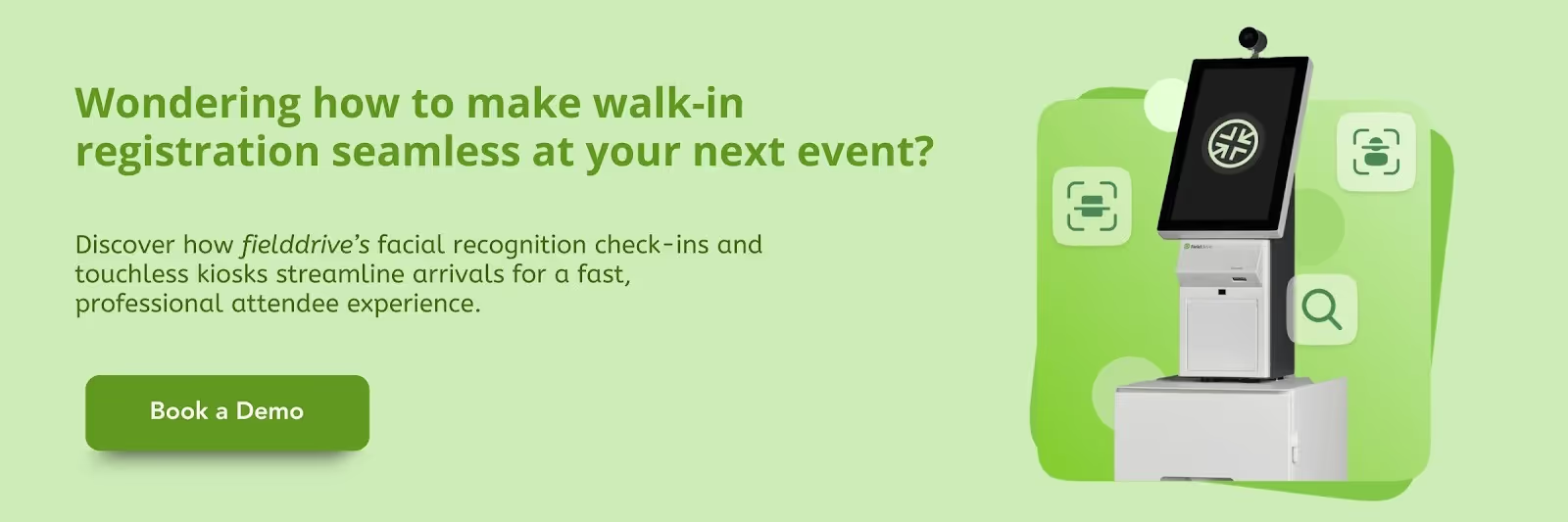
Next, let’s explore how fielddrive can streamline every stage of your walk-in event registration, from check-in to analytics, ensuring a smooth and efficient attendee experience.
Powering Efficient Walk-in Event Registration with fielddrive
Managing walk-in registrations requires systems that capture real-time data, handle high attendee volumes, and accommodate onsite variability without slowing operations. fielddrive supports this by unifying registration, check-in, badge printing, and analytics into one connected workflow that reduces manual effort, maintains data accuracy, and keeps onsite check-ins moving efficiently.
Here’s how fielddrive’s solutions support flawless execution:
- Facial Recognition Check-in: Entry becomes instant and contactless. No more long queues or manual identity checks; attendees walk in smoothly, boosting first impressions and reducing staffing load
- Touchless Check-in Kiosks: Offer multiple check-in options (QR code, name lookup, facial recognition) to quickly and flexibly manage high-volume footfall, even for last-minute attendees or walk-ins.
- Live Badge Printing Onsite: Print badges in seconds at check-in with full customisation (name, company, access level, etc.), eliminating pre-printed badge chaos and making late registrations or changes effortless.
- Session Scanning Solution: Tracks session and area attendance in real time, supporting capacity management, compliance requirements, and deeper engagement analysis.
- Analytics Platform: Consolidates check-ins, badge scans, session data, and leads into a single view, helping teams monitor throughput, identify no-shows, and measure event performance.
The effectiveness of these solutions is clear in real-world applications. Let's take a closer look.
Case Study: GlobalFoundries partnered with fielddrive to streamline onsite event check-ins for 500+ attendees across 15 events. Customized kiosks, on-demand badge printing, and real-time data integration reduced wait times, enhanced attendee experience, and ensured accurate registration data. This long-term collaboration demonstrates how integrated event tech creates efficient, professional, and scalable walk-in registration processes.
Contact us to learn how fielddrive can streamline your next event and enhance attendee check-in experiences.
Conclusion
An efficient walk-in event registration process streamlines onsite check-ins, reduces errors, and enhances attendee satisfaction. Strategic planning, clear workflows, technology integration, and trained staff are essential for smooth operations.
With fielddrive, organizers can deliver fast, touchless check-ins, instant badge printing, and real-time attendee insights. Its integrated platform simplifies on-site workflows, ensures accurate data, and helps teams manage high volumes effortlessly, creating a professional, seamless experience for attendees.
Experience the difference in your next event. Request a demo at fielddrive and see how you can streamline walk-in registrations, reduce no-shows, and enhance attendee satisfaction from arrival to post-event reporting.
FAQs
1. How can small events manage walk-in registrations effectively?
A. Use mobile check-in apps or tablets, assign 1–2 staff per entry, and employ digital forms to reduce paperwork and speed check-ins.
2. What’s the best way to avoid duplicate attendee records?
A. Integrate walk-in data with pre-registered lists, and use real-time verification systems to identify duplicates before badge printing.
3. How do I handle VIP or priority walk-in guests?
A. Assign a dedicated staff member and separate check-in counter to ensure swift, personalized service without slowing general check-ins.
4. Can walk-in registration data be integrated with CRM or analytics platforms?
A. Yes, modern registration systems sync with CRMs or analytics platforms, providing accurate attendee insights for post-event engagement.
5. What measures improve attendee satisfaction during walk-in registration?
A. Clear signage, multiple counters, digital check-ins, and trained staff reduce wait times and create a seamless, professional experience.
.svg)
.svg)
.svg)
Want to learn how fielddrive can help you elevate your events?
Book a call with our experts today


.svg)