

.svg)
.webp)
VIP event check-in: the best options for fast, secure arrivals
Discover the best VIP event check-in options for faster, more secure, and seamless arrivals. Learn how to combine dedicated VIP flows, onsite badge printing, smart verification, and effective exception handling for a smoother guest experience.
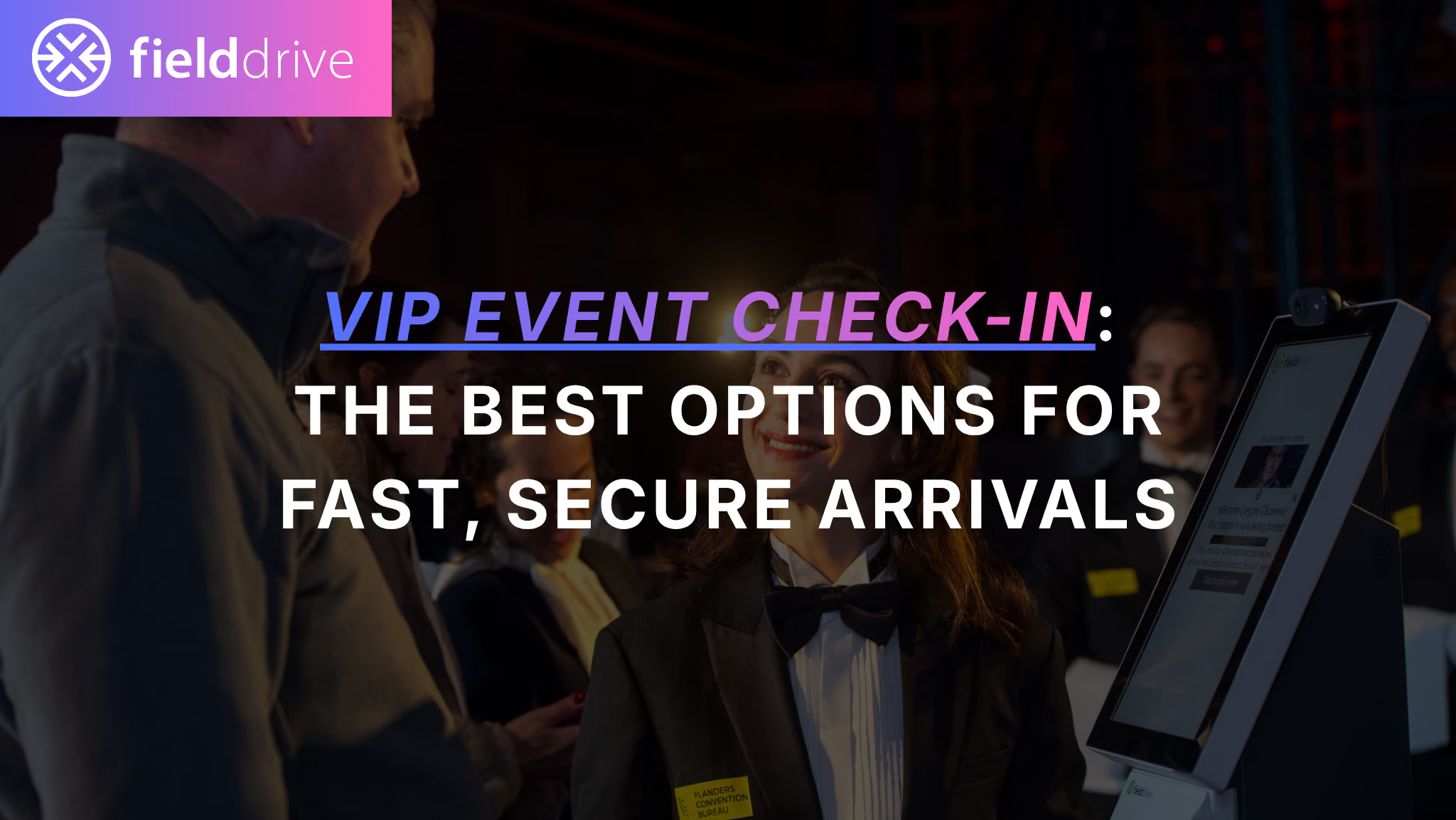
VIP event check-in needs to feel effortless for guests, even when the operation behind it is anything but simple.
Executives, speakers, sponsors, board members, and other high-profile attendees expect quick entry, privacy, and clear guidance. At the same time, event teams need to verify the right people, issue the correct credentials, manage access entitlements, and accommodate last-minute changes without bringing the entire queue to a halt.
For most conferences and corporate events, the best VIP event check-in setup combines a dedicated VIP lane, a fast verification method such as QR scanning, on-demand badge printing, and a separate staffed desk for exceptions.
The exact setup should then be adjusted according to your VIP volume, security requirements, arrival patterns, and venue layout.
What is the best VIP event check-in setup?
For most events, the strongest default setup is:
- A clearly marked VIP check-in lane
- QR code scanning or assisted name lookup for standard arrivals
- On-demand VIP badge printing
- A separate desk for replacements, access changes, and missing details
- Additional identity verification only for guests or areas that require it
- A manual and offline fallback if the primary workflow is disrupted
This structure creates two parallel paths:
The fast path handles VIPs whose registration details and credentials are ready.
The exception path handles name changes, missing QR codes, badge replacements, access upgrades, and other issues without blocking everyone else.
That separation often has a greater impact on the guest experience than adding more technology to a poorly designed queue.
What does VIP event check-in need to achieve?
VIP check-in is not simply general admission with a shorter queue. The service level, privacy expectations, and access requirements are usually different.
A strong VIP check-in process should provide:
Speed
VIP guests should be able to verify their registration, collect their badge, and continue into the venue without unnecessary waiting.
Privacy
Executives, speakers, celebrities, and other high-profile guests may need a quieter arrival area away from the main registration queue.
Accuracy
The badge and attendee record should reflect the correct guest category, sessions, dinners, lounges, backstage areas, or restricted zones.
Security
Verification should match the level of risk. Some events only require a QR code, while others may require ID or additional identity checks.
Flexibility
The team should be able to manage assistant replacements, name swaps, lost badges, access changes, and unexpected guests without rebuilding the entire process onsite.
Visibility
Organizers should be able to see which VIPs have arrived, which guests remain outstanding, and where operational issues are occurring.
Before selecting technology, define the service levels you want to maintain. These might include:
- Maximum acceptable waiting time during peak arrivals
- Target time for resolving exceptions
- Acceptable badge reprint rate
- Number of VIPs the setup must process during the busiest arrival window
The best VIP check-in options compared
In practice, these options are often combined. A VIP check-in area may use kiosks or staffed QR scanning as the primary arrival path, with on-demand printing and a staffed exception desk supporting the flow.
1. Dedicated staffed VIP check-in desk
A dedicated desk gives VIPs a separate place to check in with assistance from experienced event staff.
It works particularly well when:
- The number of VIPs is relatively manageable
- Guests have different access entitlements
- Hosted programmes involve dinners, transport, lounges, or private sessions
- The team expects name changes and replacements
- Personal service is part of the experience
The main risk is that one complicated case can block the entire desk. Avoid making a single staff member responsible for greeting guests, checking registration records, approving access changes, printing badges, and resolving disputes.
A stronger setup assigns clear roles:
- A greeter confirms the guest’s purpose and directs them
- A check-in team handles standard arrivals
- An exception specialist manages changes and approvals
- A badge handoff team confirms credentials and provides directions
Keep monitors positioned discreetly and avoid reading personal information loudly across the counter.
2. Staffed QR code express lane
A QR express lane is often the fastest practical option for VIP conference check-in.
Guests present the QR code from their registration email or mobile wallet. A staff member scans it, confirms the record, and initiates badge printing.
This works well when:
- Most VIPs are pre-registered
- Arrival volumes are moderate or high
- Guests are likely to have their confirmation available
- Organizers want speed without removing the human welcome
QR scanning is quick, but retrieving the QR code may not be. Dead batteries, poor connectivity, crowded inboxes, forwarded invitations, and incorrect confirmation emails can all create small delays that quickly accumulate.
Use staff with mobile scanners to identify and process ready guests before they reach the desk. Guests who cannot retrieve their QR code should be directed to name lookup or the exception desk rather than remaining in the express lane.
For events where a QR code alone does not provide enough assurance, it can be paired with another verification step for selected attendee categories.
3. VIP self-service check-in kiosks
Dedicated event check-in kiosks can help absorb concentrated VIP arrival peaks without requiring every check-in to be handled manually.
They are especially useful for:
- Keynote and reception arrival windows
- Large VIP or speaker groups
- Multi-day events
- Events with limited registration staff
- Guests who are already familiar with digital check-in
Kiosks can support QR scanning, name lookup, and other configured verification methods. After check-in, the guest’s badge can be printed onsite.
However, self-service should not mean staff-free. Keep one team member nearby to help guests use the kiosk and another person available to resolve registration or entitlement issues.
The kiosk assistant should keep the primary flow moving. They should not spend several minutes investigating one guest’s record while other attendees wait behind them.
Accessibility should also be considered. Maintain an assisted check-in option for guests who cannot comfortably use the kiosk.
4. On-demand VIP badge printing
Pre-printing VIP badges may appear efficient, but it creates a sorting puzzle whenever the guest list changes.
VIP programmes frequently involve:
- Executive replacements
- Speaker substitutions
- Sponsor upgrades
- Last-minute guest additions
- Access entitlement changes
- Badge reprints
- Changes to job titles or organizations
With live event badge printing, the current badge is produced when the guest arrives. This reduces the number of unused credentials in circulation and makes it easier to issue an accurate badge after a change.
fielddrive supports full-color, two-sided badges printed on demand, with an average print time of approximately six seconds per badge depending on the configuration and onsite conditions.
Badges can display information such as:
- Guest name and organization
- VIP, speaker, sponsor, board, or staff category
- Access zones
- Photographs
- QR codes
- Visual identifiers
- Event and sponsor branding
Keep standard printing separate from exception resolution. The printing team should produce approved badges, not decide whether a guest is entitled to an upgrade.
Set clear reprint rules before the event. When a badge is lost or replaced, record the reason and deactivate the previous credential where the system permits it.
.avif)
5. ID verification for higher-security VIP check-in
Some events need stronger identity verification for specific guests or restricted areas.
ID verification may be appropriate for:
- Government or defence events
- Executive meetings
- Restricted research or technology events
- Invite-only areas
- Speaker or staff credentials with elevated access
- VIPs entering controlled backstage or hospitality areas
It should not automatically be applied to every attendee simply because the technology is available. Additional checks increase processing time and may require more careful handling of personal information.
The verification rules should be proportionate to the risk. For example, an event may use QR scanning for the main VIP lounge but require an ID check before entering a restricted briefing room.
fielddrive’s onsite event check-in solution supports configurable verification workflows including QR scanning, manual name lookup, optional facial recognition, and ID scanning.
6. Opt-in facial recognition check-in
Facial recognition check-in can provide a fast, low-friction option for enrolled attendees who choose to use it.
It may be useful when:
- VIPs attend several days of the same event
- Guests repeatedly enter controlled areas
- QR retrieval frequently slows down arrivals
- Organizers want a hands-free check-in option
- The event has clearly defined secure zones
- Attendees have been informed and enrolled before arrival
Facial recognition should form one lane within a wider check-in setup, not the only route into the event.
A responsible workflow should include:
- Clear information before enrolment
- Explicit attendee consent
- A clearly marked biometric check-in lane
- A genuine non-biometric alternative
- Defined access and retention controls
- Staff trained to handle opt-outs and mismatches
Guests who prefer not to use facial recognition should be able to check in using QR scanning, ID verification where required, or manual name lookup.
Biometric requirements differ between jurisdictions. Organizers should involve their legal and privacy teams when planning biometric check-in and ensure that the workflow matches the relevant event location and attendee population.
More information about fielddrive’s approach to attendee and biometric information is available in the fielddrive Privacy Policy.
7. Pre-issued VIP credentials
RFID, NFC, mailed badges, and other pre-issued credentials can reduce work at the main registration area.
They are most useful when VIPs:
- Need repeated access to secure areas
- Enter through controlled gates
- Attend across several days
- Receive credentials as part of a hospitality package
- Complete registration before reaching the venue
However, pre-issued credentials do not eliminate exceptions. Lost badges, transfers, cancellations, and guest replacements still require an onsite process.
Create a clear lost-credential policy that covers:
- How the guest’s identity will be verified
- Who can approve a replacement
- Whether the old credential will be deactivated
- How the replacement will be logged
- Whether reprints are limited
Avoid leaving unclaimed VIP badges unattended or arranged where guest names and organizations are visible to the public.
8. Concierge or off-site VIP check-in
For high-touch executive programmes, VIP check-in may happen before the guest arrives at the venue.
Common locations include:
- Partner hotels
- Airport welcome desks
- Private transportation pickup points
- Speaker briefing locations
- Executive hospitality suites
This can create a polished arrival experience and reduce pressure at the venue entrance. However, the off-site location should be treated as a complete check-in point rather than a simple badge collection table.
It may need:
- Check-in devices
- Badge printers and supplies
- Secure access to registration data
- Trained staff
- Spare hardware
- A connectivity and synchronization plan
- A process for returning unused credentials
- An onsite fallback for changes and replacements
How to choose the right VIP event check-in method
The best setup depends on the operating conditions of the event rather than the prestige of the technology.
Consider the following factors.
VIP volume and arrival pattern
Determine how many VIPs are expected and when they are likely to arrive.
One hundred guests arriving over three hours require a very different setup from one hundred guests arriving in the fifteen minutes before a keynote.
Use the peak arrival window, not total registration, when estimating the number of lanes, kiosks, staff, and printers required.
Venue layout
Map the guest’s full journey:
- Where do they enter the building?
- Where does security screening happen?
- Where is the VIP check-in area?
- Where are badges collected?
- Where do guests go after check-in?
- Are there additional controlled areas inside the venue?
Place signage before guests reach a decision point. A sign positioned directly above the check-in desk is already too late if VIPs have joined the general queue.
Badge and access complexity
Determine whether the badge only identifies the guest or also controls access.
VIP credentials may need to communicate:
- Lounge eligibility
- Dinner access
- Backstage access
- Session permissions
- Transport arrangements
- Speaker status
- Sponsor level
- Security clearance
When access rules are complex, connect the badge design, attendee data, and scanning workflow rather than relying solely on staff recognition or badge color.
fielddrive Entry can support access control and attendee tracking across gated areas, sessions, and other event touchpoints.
Verification requirements
Use the lightest verification method that meets the event’s actual security requirements.
A practical hierarchy might be:
- QR code for fast standard verification
- Manual lookup when the QR is missing
- ID check for selected restricted-access guests
- Opt-in biometric verification where there is a clear operational or security case
Applying the strongest possible verification to every guest may create more friction without producing a meaningful security benefit.
Expected exception rate
Review previous event data or speak with the VIP management team to estimate how often the guest list changes.
High exception rates favour:
- On-demand printing
- Real-time attendee data synchronization
- Experienced exception staff
- Clear approval rules
- Manual lookup
- Easily configurable access entitlements
Integration requirements
VIP data may originate in a registration platform, CRM, membership system, spreadsheet, or hospitality management tool.
Disconnected systems can result in:
- Outdated guest lists
- Incorrect badge details
- Delayed access upgrades
- Duplicate records
- Missing check-in information
- Staff working from conflicting versions of the list
Use event technology integrations to keep registration records, badge information, and onsite attendance data aligned wherever possible.
Contingency requirements
Every VIP check-in plan needs a fallback.
Prepare for:
- Internet interruptions
- Scanner or tablet failures
- Printer issues
- Missing guest records
- Incorrect badge templates
- Power disruptions
- Delayed data synchronization
- Unexpected arrival peaks
Maintain spare devices, badge stock, tested printers, a manual lookup process, and a clearly defined escalation route.
Recommended VIP check-in process
1. Define VIP categories and access rules
List every relevant category, such as:
- VIP
- Executive
- Speaker
- Sponsor
- Board member
- Staff
- Hosted buyer
- Media
- Government guest
Define exactly what each category can access. Avoid relying on informal instructions that only one or two team members understand.
2. Design the fast path and exception path
The fast path should handle guests whose records are complete and approved.
The exception path should handle:
- Missing QR codes
- Name mismatches
- Replacements
- Lost badges
- Access disputes
- Unregistered guests
- Sponsor or VIP upgrades
- Incorrect job titles or organizations
Make sure guests can be moved from the fast path to the exception desk without walking against the direction of the queue.
3. Test with real scenarios
Do not test only the perfect journey.
Test:
- A correct QR code
- An incorrect or forwarded QR code
- A guest without a phone
- A name with special characters
- A missing record
- A speaker replacement
- A lost badge
- A last-minute access upgrade
- An offline check-in
- A failed printer
- A guest who declines biometric check-in
Use realistic badge templates and registration data during the test.
4. Assign clear onsite roles
A typical VIP check-in team may include:
- Greeter: Identifies VIPs and directs them to the correct lane
- Fast-path operator: Handles standard check-ins
- Kiosk assistant: Helps guests without investigating complex issues
- Exception resolver: Manages record changes and approvals
- Badge handoff staff: Confirms the credential and provides directions
- Escalation owner: Approves sensitive replacements or access changes
Each person should know where their responsibility ends. This prevents five people from gathering around one monitor while the queue quietly grows a tail.
5. Verify, print, confirm, and direct
For a standard arrival:
- Verify the guest through QR, name lookup, ID, or an opt-in biometric method.
- Confirm the correct attendee record.
- Print or issue the approved credential.
- Confirm relevant access entitlements.
- Direct the guest to the lounge, host, session, or next checkpoint.
6. Review live arrival data
During major arrival windows, monitor:
- Number of checked-in VIPs
- VIPs who have not arrived
- Queue length
- Average processing time
- Printer status
- Exception volume
- Reprints
- Check-ins by entrance or lane
Real-time visibility helps teams add staff, redirect arrivals, or contact an outstanding speaker before the programme begins.
7. Measure what happened
After the event, review:
- Peak VIP arrival periods
- Number and type of exceptions
- Badge reprint rate
- Average resolution time
- Equipment utilization
- Number of unused pre-printed credentials
- Most common data errors
- Arrival rates by VIP category
These insights can improve staffing, equipment planning, registration communications, and guest-list management for the next event.
Common VIP check-in mistakes
Mixing VIPs into the general queue
Even when VIPs use the same technology, a separate lane or entrance provides greater privacy and protects the expected service level.
Handling exceptions in the fast lane
A name replacement or access dispute should not hold up twenty guests whose records are ready.
Depending on one verification method
Guests lose emails, phones run out of battery, and scanners fail. Keep manual lookup and an escalation process available.
Underestimating printing capacity
Calculate capacity using the busiest arrival period, not the total number of guests. Keep spare printers and tested supplies nearby.
Using unclear reprint rules
Lost VIP badges can create access and fraud risks. Verify the request, log the reason, and deactivate the original credential where possible.
Relying on outdated guest lists
Last-minute changes should reach the onsite team quickly. Use live synchronization where possible and define a clear cut-off and update process when it is not.
Making facial recognition the only option
Biometric check-in should be optional and supported by a practical alternative.
Placing signage too late
Place directions at entrances, corridor intersections, security checkpoints, escalators, and other decision points, not only at the registration desk.
Giving every staff member approval authority
Define who can approve replacements, VIP upgrades, restricted-area access, and badge reprints before the doors open.
.avif)
How fielddrive supports VIP event check-in
fielddrive brings together the hardware, software, integrations, and onsite expertise needed to design VIP check-in around the event’s actual arrival flow.
Depending on the requirements of the event, a fielddrive setup can include:
- Dedicated self-service or assisted check-in kiosks
- QR scanning, manual lookup, ID verification, and optional facial recognition
- Live, full-color event badge printing
- Badge templates for different attendee and access categories
- Walk-in, replacement, and reprint workflows
- Access control and attendee tracking
- Live visibility into arrivals and onsite activity
- Integrations with registration platforms, CRMs, and event systems
- Onsite planning, deployment, and event-day support
- Backup and offline workflows based on the selected setup
Rather than treating VIP check-in as a single desk or device, fielddrive helps teams design the full onsite flow, from the guest’s arrival point to verification, badge collection, access, and reporting.
Frequently asked questions about VIP event check-in
What is VIP check-in at an event?
VIP event check-in is a dedicated arrival and registration process for guests such as executives, speakers, sponsors, board members, celebrities, and hosted attendees. It prioritizes faster entry, greater privacy, accurate badge issuance, and the correct access entitlements.
What is the fastest VIP event check-in method?
For most conferences, a dedicated QR code express lane with on-demand badge printing is one of the fastest practical options. A separate exception desk is essential so missing QR codes and guest-list changes do not slow the main line.
Should VIPs have a separate check-in entrance?
A separate entrance is useful when the venue supports it, particularly for high-profile or security-sensitive guests. When a separate entrance is not possible, use a clearly marked VIP lane away from the general registration queue.
When should an event use VIP check-in kiosks?
VIP kiosks are useful when arrivals occur in concentrated peaks, when staffing is limited, or when the event has a large number of pre-registered VIPs. Keep an assistant and an exception desk nearby.
Should VIP badges be pre-printed or printed onsite?
On-demand printing is generally more flexible when names, job titles, guests, or access permissions may change. Pre-printing may work for a stable guest list, but organizers should keep an onsite printing option available for changes and replacements.
How should VIP name swaps be handled onsite?
Move the guest to a separate exception desk. Verify the replacement, obtain approval from the designated owner, update the registration record and access entitlements, print a new badge, and invalidate the previous credential where possible.
Is facial recognition required for secure VIP check-in?
No. Facial recognition is one possible verification method, but it should be optional and used only when it provides a clear benefit. QR scanning, ID verification, and staffed lookup can also support secure VIP check-in.
How can events protect VIP privacy during check-in?
Use a separate arrival area where possible, position screens discreetly, avoid announcing personal information, restrict staff access to attendee records, and apply stronger verification only where necessary.
What is the best backup plan if the internet goes down?
Prepare an offline or locally available attendee lookup process, compatible offline printing, spare devices, tested badge templates, and a manual escalation procedure. Confirm the offline capabilities of the selected system before the event.
How can organizers prevent VIP badge fraud?
Tie badge issuance to a verified attendee record, keep unclaimed credentials secure, define reprint rules, record replacement reasons, deactivate lost credentials where possible, and use appropriate access-control scanning for restricted areas.
Can fielddrive integrate with an existing registration platform?
Yes. fielddrive connects with a range of registration platforms, CRMs, event systems, and other data sources so onsite check-in and badge printing can use current attendee information.
Build the VIP check-in flow before the queue arrives
The best VIP event check-in experience is not created by choosing the most sophisticated verification method. It comes from designing a flow that can handle both expected arrivals and inevitable exceptions.
For most events, begin with a dedicated VIP lane, a clear fast path, on-demand badge printing, and a staffed exception desk. Add kiosks, ID verification, facial recognition, pre-issued credentials, or off-site check-in only when the event’s volume, security profile, and guest journey justify them.
When the lane design, attendee data, technology, staff roles, and backup plan work together, VIP arrivals feel calm and effortless, even while the operation behind them is quietly juggling flaming torches.
Talk to fielddrive’s onsite experts about designing a VIP event check-in setup around your venue, guest list, security requirements, and arrival patterns.
.svg)
.svg)
.svg)
Want to learn how fielddrive can help you elevate your events?
Book a call with our experts today


.svg)