

.svg)
.webp)
Think of a conference where attendees never miss a session, can network seamlessly, and get live updates straight to their devices. That’s what modern conference app software delivers. But with so many platforms out there, finding the right one can feel overwhelming.
Some promise a lot but overcomplicate workflows, while others simplify management but lack critical features for engagement or analytics.
This guide highlights the 25 best conference app software solutions for 2026. You’ll discover which platforms excel at attendee networking, session management, personalized agendas, and real-time event insights.
By the end, you’ll know which apps truly enhance the conference experience, streamline operations, and empower organizers to run smarter, smoother, and more connected events.
Key Takeaways
- Conference app software centralizes agendas, networking, and engagement features so organizers and attendees stay aligned at every stage of the event.
- Whova works well for attendee networking and community-building, while Cvent excels in enterprise-level registration and detailed event workflows.
- Eventbrite remains a strong choice for ticketing and simple event setups, whereas Splash is ideal for branded event pages and marketing-driven campaigns.
- Real-time insights from these apps help organizers understand engagement, session demand, and attendee behavior to refine event strategy with confidence.
- fielddrive elevates every conference app by delivering fast check-ins, instant badge printing, and real-time attendee tracking that make onsite operations seamless.
What Is a Conference App Software? Relevance in 2026
Conference app software centralizes every aspect of a conference, including registration, agendas, networking, live polling, speaker updates, and session tracking into a single, easy-to-use app for both organizers and attendees.
Instead of juggling emails, spreadsheets, and multiple tools, organizers and participants gain a unified system that keeps everything connected in real time.
Here’s why professional conference app software matters today:
- Centralized engagement: Manage registration, schedules, networking, and attendee communication in one platform.
- Hybrid and virtual ready: Seamlessly support in-person, virtual, and hybrid conferences without confusion.
- Real-time insights: Track session attendance, engagement, and audience feedback instantly.
- Operational efficiency: Reduce manual tasks, streamline workflows, and ensure smoother event execution.
In short, conference app software gives organizers control, improves attendee experiences, and enables conferences that feel polished, interactive, and effortless from start to finish.
The Best 25 Conference App Software for Organizations in 2026
For organizers running professional conferences, summits, workshops, or hybrid events, selecting the right conference app software can transform attendee experiences and streamline operations.
This guide highlights the top conference app software solutions trusted in 2026. You’ll be able to:
- Compare platforms based on features, engagement tools, and supported event formats
- Identify which apps suit your audience size, event type, and hybrid or virtual needs
- Understand how each solution enhances attendee interaction, session tracking, and real-time insights
By the end, you’ll know exactly which conference app software can help you deliver polished, interactive, and smoothly managed events without the headache of juggling multiple tools:
1. fielddrive
fielddrive enhances conference experiences by working alongside conference app software to streamline onsite operations and attendee management. It powers the execution layer with fast check-ins, badge printing, access control, and real-time attendee tracking, complementing app-based schedules, networking, and engagement tools.
By integrating with leading conference apps and registration platforms, fielddrive ensures that onsite processes run smoothly without disrupting digital workflows. Teams in 50+ countries provide the reliability, speed, and scalability needed for conferences of any size or location.
Best For: Conference organizers, corporate teams, and agencies who want seamless onsite operations that integrate with their conference app for professional, high-impact events.
Key Features:
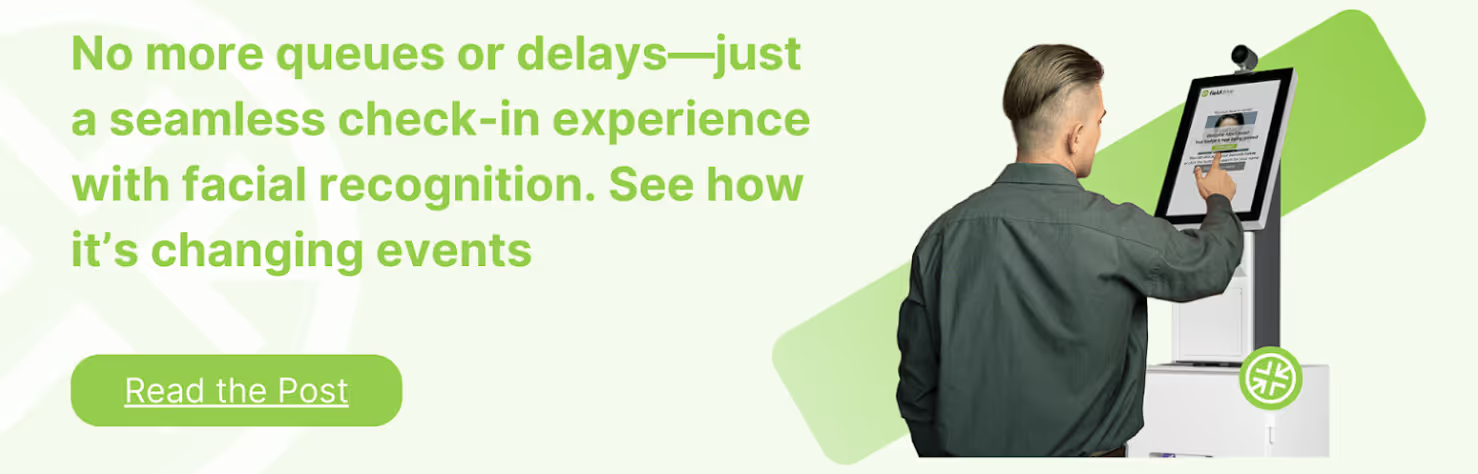
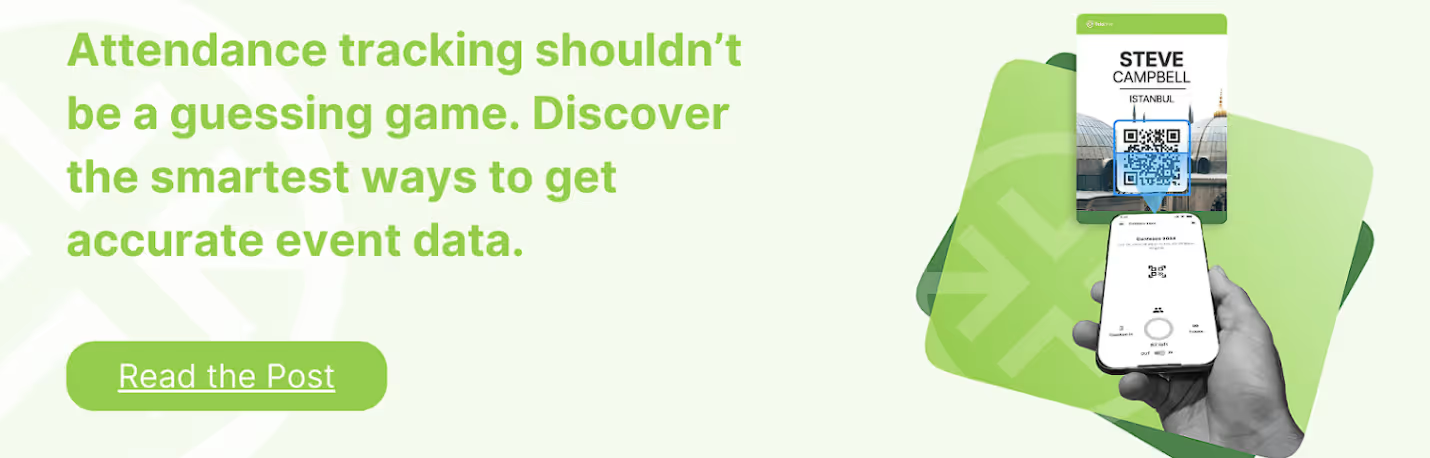
- Facial recognition and QR check-ins for fast attendee entry
- On-demand badge printing in ~6 seconds
- Real-time attendee flow and movement insights
- Session and access control for secure areas
- Exhibitor lead capture tools
- Integrations with major conference apps and registration platforms
- Global onsite specialists in 50+ countries
- GDPR-compliant, secure data handling
Potential Cons:
- Requires coordination with app providers to fully leverage integration
- Onsite team availability may vary in less-serviced regions
- Some features may overlap with app functionality
Takeaway: By combining fielddrive’s onsite technology with a conference app, organizers can deliver professional, smooth, and fully connected experiences that keep both staff and attendees happy.
2. Zoom
Zoom is a globally recognized video communication platform that has become a staple for virtual and hybrid conferences. It allows organizers to host live sessions, breakout rooms, webinars, and interactive meetings for attendees across the world, making large-scale international events more accessible and scalable.
Best For: Virtual and hybrid conferences, global webinars, and international team meetings.
Key Features:
- High-quality video and audio for large audiences
- Breakout rooms and interactive session tools
- Integration with calendar and registration systems for smooth attendee management
Potential Cons:
- Limited in-person event support
- Advanced features may require paid plans
- Engagement tools are basic compared to dedicated conference apps
Takeaway: Zoom empowers organizers to connect attendees globally, making hybrid and fully virtual conferences seamless and inclusive.
3. Eventify
Eventify is a versatile conference app software designed to centralize event management for organizers hosting global conferences and hybrid events. Its platform integrates registration, agendas, networking, and live polling into a single app, enhancing attendee experience across borders.
Best For: Professional conference organizers running hybrid or fully virtual events internationally.
Key Features:
- Centralized event registration, agenda, and session tracking
- Attendee networking, messaging, and engagement tools
- Live polls and Q&A for interactive sessions
Potential Cons:
- Customization may require technical support
- Analytics tools are not as advanced for large-scale events
- Smaller user base compared to mainstream apps
Takeaway: Eventify helps global conference teams manage hybrid events efficiently while keeping attendees engaged and connected.
4. Whova
Whova is an all-in-one conference app software that supports international event organizers with registration, attendee engagement, agenda management, and networking. Its award-winning mobile app makes global conferences more interactive and streamlined for both organizers and participants.
Best For: Small to mid-sized international conferences seeking high attendee engagement.
Key Features:
- End-to-end registration and ticketing with session management
- Networking features including attendee messaging and community boards
- Sponsor and exhibitor management with live analytics
Potential Cons:
- Interface can feel crowded for new users
- Advanced customization options take time to implement
- Documentation may be overwhelming for first-time users
Takeaway: Whova centralizes logistics and engagement, helping organizers deliver connected, well-run international events.
5. Dialpad
Dialpad is a cloud-based communication platform that enables international conference organizers to manage voice, video, and messaging across global teams and virtual events. Its AI-powered tools enhance attendee interactions and streamline event communication in real-time.
Best For: Virtual conferences, hybrid meetings, and global team collaboration.
Key Features:
- Voice, video, and messaging integration for international teams
- AI transcription and real-time call analytics
- Easy integration with calendar and registration platforms
Potential Cons:
- Primarily focused on communication rather than full event management
- Advanced analytics and AI features require higher-tier plans
- Limited attendee engagement tools compared to dedicated conference apps
Takeaway: Dialpad keeps international teams connected and simplifies communications for hybrid and virtual conferences.
6. Microsoft Teams
Microsoft Teams is a widely used collaboration and conferencing platform that supports global conference organizers with live events, webinars, and hybrid sessions. Its integration with Microsoft 365 tools makes it a reliable choice for large-scale professional gatherings.
Best For: Corporate conferences, hybrid meetings, and internal global events.
Key Features:
- Live events and webinars for large international audiences
- Integration with Office 365 for workflow and productivity
- Breakout rooms, chat, and Q&A for interactive sessions
Potential Cons:
- Not a dedicated conference app, so attendee engagement features are basic
- Complex setups for large external events
- Customization options for branding are limited
Takeaway: Microsoft Teams allows organizers to run secure, large-scale virtual and hybrid conferences with strong integration into workplace tools.
7. Hopin
Hopin is a cloud-based virtual and hybrid conference platform designed to bring global events online with ease. Organizers can host multi-stage events, networking sessions, and expo halls for attendees worldwide.
Best For: International virtual conferences, trade shows, and hybrid events.
Key Features:
- Multi-stage events and breakout sessions
- Virtual expo halls for exhibitors and sponsors
- Networking tools like video networking and attendee matchmaking
Potential Cons:
- Can become expensive for large-scale events
- Advanced features may have a learning curve for new users
- Occasional platform performance issues with very large audiences
Takeaway: Hopin provides a versatile virtual environment that helps international organizers create interactive, large-scale online conferences.
8. Guidebook
Guidebook is a mobile-first conference app platform that helps international organizers centralize event agendas, attendee engagement, and networking in one branded app. Its simplicity and flexibility make it popular for professional conferences globally.
Best For: International conference organizers focused on mobile-first attendee experiences.
Key Features:
- Customizable mobile event apps with agendas and session tracking
- Attendee networking and messaging features
- Push notifications and in-app announcements for real-time updates
Potential Cons:
- Limited analytics compared to enterprise-level platforms
- Less robust for hybrid event streaming
- Advanced customization may require technical support
Takeaway: Guidebook ensures attendees stay informed and engaged, making international conferences easier to navigate on mobile devices.
9. RingCentral
RingCentral is a cloud communications platform that supports global conference organizers with video, messaging, and team collaboration tools. Its reliable infrastructure makes it suitable for international virtual and hybrid conferences.
Best For: Virtual conferences, hybrid meetings, and global team collaboration.
Key Features:
- High-quality video conferencing and messaging for worldwide attendees
- Integration with calendars and registration tools
- Team collaboration with real-time file sharing and chat
Potential Cons:
- Not a dedicated conference app; attendee engagement features are basic
- Limited branding and customization options for events
- Advanced analytics require higher-tier plans
Takeaway: RingCentral helps international organizers run seamless virtual and hybrid events while keeping global teams connected.
10. Webex
Webex by Cisco is a professional conferencing platform that supports large-scale international meetings, webinars, and virtual events. Its robust security and scalability make it a go-to solution for enterprise-level global events.
Best For: International corporate conferences, webinars, and hybrid meetings.
Key Features:
- Secure video conferencing and webinar capabilities
- Breakout rooms, Q&A, and polling for attendee engagement
- Integrations with enterprise tools for workflow management
Potential Cons:
- Limited customization for branding event apps
- Can be complex for smaller teams to set up
- Engagement features less extensive than dedicated conference apps
Takeaway: Webex provides a secure, scalable platform for running professional international conferences, ensuring smooth participation for attendees worldwide.
11. GoToMeeting
GoToMeeting is a widely used video conferencing and collaboration tool that also supports hybrid conference setups. Its reliable platform allows organizers to host virtual sessions, integrate with calendars, and manage attendee participation seamlessly.
While not a full-fledged conference app, it pairs well with event management and networking tools to deliver smooth virtual experiences.
Best For: Hybrid conferences, corporate meetings, and virtual sessions requiring stable video and audio.
Key Features:
- High-quality video and audio for virtual sessions
- Calendar and workflow integrations for scheduling ease
- Screen sharing and collaborative meeting tools
Potential Cons:
- Limited networking and engagement features compared to full conference apps
- No native event registration or attendee management
- Customization options are minimal
Takeaway: GoToMeeting works best as a reliable video backbone for hybrid events when used alongside dedicated conference apps.
12. Google Meet
Google Meet provides a simple, secure video conferencing platform suitable for professional events and hybrid sessions. It integrates tightly with Google Workspace, making scheduling, invites, and collaboration straightforward for organizers and attendees.
Best For: Small to mid-sized hybrid conferences and internal corporate events.
Key Features:
- Seamless integration with Google Calendar and Gmail
- Real-time captions and screen sharing
- Secure, browser-based meetings without extra downloads
Potential Cons:
- Limited attendee engagement tools
- No built-in event registration or agenda management
- Lacks advanced analytics for event organizers
Takeaway: Google Meet is best for virtual session delivery within a broader conference ecosystem rather than as a standalone conference app.
13. Aventri
Aventri is a full-featured conference app software that streamlines event planning, attendee engagement, and data analytics. It helps organizers manage everything from registration to post-event reporting, making it ideal for large international events.
Best For: Corporate conferences, trade shows, and global professional events.
Key Features:
- Event registration, ticketing, and attendee management
- Mobile event app with personalized agendas and networking tools
- Data analytics for engagement and ROI insights
Potential Cons:
- Can be complex for first-time users
- Pricing may be higher for smaller events
- Customization requires time and effort
Takeaway: Aventri is a robust all-in-one conference app for professional organizers seeking streamlined workflows and deeper attendee engagement.
14. Bizzabo
Bizzabo is a comprehensive conference app software designed to enhance attendee experience and streamline event management. It combines registration, networking, agenda planning, and analytics into one platform, making it ideal for international and hybrid conferences.
Best For: Large-scale corporate conferences, trade shows, and global professional events.
Key Features:
- End-to-end event management with registration and ticketing
- Mobile app for personalized agendas, networking, and live polling
- Advanced analytics for attendee engagement and event ROI
Potential Cons:
- Can be complex for first-time users
- Higher pricing for smaller events
- Some customization options require learning curve
Takeaway: Bizzabo is perfect for organizers looking to centralize operations while boosting attendee interaction and insights.
15. Swapcard
Swapcard is a conference app software focused on networking and engagement. Its AI-powered matchmaking and agenda management help attendees connect with relevant contacts and navigate events efficiently.
Best For: Hybrid and virtual conferences, expos, and networking-heavy professional events.
Key Features:
- AI-driven attendee matchmaking and networking suggestions
- Interactive agendas and session management
- Sponsor and exhibitor engagement tools
Potential Cons:
- Can feel feature-heavy for smaller events
- Limited offline functionality without mobile app
- Pricing may be steep for mid-sized events
Takeaway: Swapcard excels at connecting attendees and enhancing interaction, making it ideal for networking-focused events.
16. Coreapps
Coreapps is a versatile conference app software that enables event organizers to manage agendas, attendees, and communications through a mobile-first platform. It’s particularly useful for professional conferences seeking streamlined attendee engagement.
Best For: Professional conferences, corporate gatherings, and trade shows.
Key Features:
- Customizable mobile event apps for agendas and notifications
- Attendee tracking and engagement analytics
- Integration with registration and CRM systems
Potential Cons:
- Fewer advanced networking features compared to competitors
- May require technical support for full customization
- Limited global support for international events
Takeaway: Coreapps is a practical solution for organizers who want a simple, mobile-focused platform to manage attendees and agendas efficiently.
17. SocialLadder
SocialLadder is a conference app software focused on engagement and audience activation. It helps organizers drive attendee participation through gamification, social sharing, and real-time interaction tools.
Best For: Marketing-driven conferences, brand activations, and audience engagement-focused events.
Key Features:
- Gamification and social media integration to boost engagement
- Real-time polls, surveys, and feedback collection
- Analytics dashboard for measuring attendee interaction
Potential Cons:
- Limited core event management features
- May not scale well for large multi-day conferences
- Some integrations require extra setup
Takeaway: SocialLadder is ideal for organizers prioritizing attendee engagement and social activation over full-scale event operations.
18. Teamwork
Teamwork is a project and event management platform that can support conference planning through task coordination, timeline tracking, and collaboration tools. It’s best suited for teams needing structured workflows for professional events.
Best For: Corporate conferences, internal events, and projects requiring detailed team coordination.
Key Features:
- Task management and workflow tracking for event teams
- Calendar and milestone management for scheduling
- Collaboration tools for multi-team coordination
Potential Cons:
- Limited native attendee-facing features
- Not a dedicated conference app for attendees
- Requires integration for registration or engagement tools
Takeaway: Teamwork supports organizers with planning and coordination but is best used alongside attendee-focused conference apps.
19. Zkipster
Zkipster is a professional event software focused on guest list management, check-ins, and seating arrangements. It’s widely used for conferences, galas, and VIP events where smooth onsite operations are essential.
Best For: Corporate conferences, galas, and exclusive networking events.
Key Features:
- Digital guest lists with fast check-in and QR scanning
- Seating chart management for sessions and dinners
- Integration with CRM and registration platforms
Potential Cons:
- Limited attendee engagement features beyond check-in
- Not built for hybrid or virtual event functionality
- Pricing may be high for smaller events
Takeaway: Zkipster is perfect for organizers prioritizing seamless check-ins, guest management, and event flow, especially for high-profile or exclusive conferences.
20. ExpoPass
ExpoPass is a conference app software designed to simplify onsite management and attendee engagement for professional events. It offers mobile apps, badge printing, check-ins, and session tracking, making it a reliable choice for organizers who want smooth execution without unnecessary complexity.
Best For: Mid-size conferences, trade shows, corporate events, and multi-session professional gatherings.
Key Features:
- Mobile event app with schedules, speaker info, and push notifications
- Fast onsite check-ins and badge printing
- Lead retrieval tools for exhibitors and sponsors
Potential Cons:
- Limited advanced networking tools compared to newer platforms
- Branding customization isn’t as deep as some premium competitors
- Virtual event capabilities are basic
Takeaway: ExpoPass is a dependable conference app software for organizers who want streamlined onsite tools and a clean, easy-to-use mobile app to support attendees and exhibitors.
21. Zoho Meeting
Zoho Meeting is a web-based conference app software designed for hosting online meetings and webinars. It focuses on simplicity, reliability, and integration with the broader Zoho ecosystem, making it suitable for professional conferences and corporate sessions.
Best For: Small to mid-sized virtual conferences, webinars, and corporate meetings.
Key Features:
- Secure video conferencing and webinar hosting
- Integration with Zoho CRM and productivity tools
- Screen sharing, recording, and attendee analytics
Potential Cons:
- Limited advanced attendee engagement features
- Fewer customization options compared to dedicated conference apps
- May not scale well for very large events
Takeaway: Zoho Meeting is a reliable choice for organizers who want straightforward virtual conferencing with CRM integration.
22. Hubilo
Hubilo is a comprehensive conference app software focused on enhancing virtual, hybrid, and in-person event experiences. It offers tools for networking, engagement, and analytics to keep attendees connected and organizers informed.
Best For: Virtual and hybrid conferences, trade shows, and corporate events.
Key Features:
- Networking lounges and AI-powered matchmaking
- Interactive sessions, polls, and gamification
- Detailed analytics on engagement and attendee behavior
Potential Cons:
- Can be overwhelming for first-time users
- Mobile app experience may vary by device
- Higher costs for large-scale events
Takeaway: Hubilo excels at creating interactive, engaging conference experiences across multiple formats.
23. Floor
Floor is a conference app software designed for event networking and virtual expo experiences. It helps organizers provide attendees with a visually immersive, interactive environment for discovering sessions, exhibitors, and connections.
Best For: Trade shows, expos, and networking-focused conferences.
Key Features:
- Interactive floor maps for navigating virtual and hybrid events
- Real-time chat and meeting scheduling with exhibitors or peers
- Analytics on booth visits, session attendance, and engagement
Potential Cons:
- Limited core event management tools
- Focused primarily on networking rather than full event planning
- May require integration with registration or scheduling platforms
Takeaway: Floor is ideal for conferences emphasizing networking and exhibitor interactions, delivering a visually rich, interactive attendee experience.
24. ON24
ON24 is a leading conference app software built for organizations that prioritize high-quality digital experiences. It specializes in webinars, virtual conferences, and digital engagement, offering tools that help organizers educate, nurture, and convert audiences at scale.
Best For: Large virtual conferences, enterprise webinars, and digital summits.
Key Features:
- Interactive webinar and virtual event environments
- Engagement tools like Q&A, polls, surveys, and breakout rooms
- Robust analytics for attendee behavior and content performance
Potential Cons:
- Pricing can be high for smaller teams
- Interface may feel complex for new organizers
- Best suited for virtual, and not in-person conferences
Takeaway: ON24 is a powerful choice for content-heavy virtual conferences that rely on strong engagement and analytics.
25. Zuddl
Zuddl is a flexible conference app software built for hybrid and virtual events. It helps organizers deliver branded, customizable experiences with features for attendee engagement, sponsor visibility, and multi-track sessions.
Best For: Hybrid conferences, multi-session events, and branded virtual experiences.
Key Features:
- Customizable virtual stages and expo areas
- Built-in engagement tools: chat, polls, Q&A, reactions
- Sponsor and exhibitor dashboards with performance insights
Potential Cons:
- Setup can take time due to customization options
- Occasional device-based compatibility inconsistencies
- Primarily focused on virtual/hybrid, limited onsite tools
Takeaway: Zuddl is ideal for organizers who want creative control and strong branding across hybrid and virtual conference environments.
Also Read: AI-Powered Personalization with Event AI Tools: The Next Frontier in Event Marketing
How to Choose the Right Conference App Software
Picking the right conference app software can transform how attendees experience your event, especially when managing schedules, networking, and real-time engagement.
Here are the factors that matter most:
- Event Needs & Scale: Start by identifying what your event actually requires. Large trade shows may need advanced matchmaking and exhibitor tools, while smaller professional conferences may only need agendas, check-ins, and push notifications.
- Usability & Interface: A clean, intuitive mobile app is essential. Your attendees should be able to navigate sessions, maps, and updates without friction. Test the app experience from both organizer and attendee perspectives.
- Engagement & Networking Tools: Stronger apps include features like live polling, Q&A, AI-powered matchmaking, and messaging. These tools keep attendees involved and help them build valuable connections.
- Integration Capabilities: Your conference app should connect easily with registration platforms, CRM systems, and marketing tools. Seamless data flow helps organizers avoid manual work and ensures accurate attendee information.
- Customization & Branding: Look for apps that allow branding, personalized agendas, sponsor visibility, and flexible UI elements, helping your event stand out and feel cohesive.
- Analytics & Insights: Real-time dashboards on session attendance, engagement levels, and exhibitor interactions help organizers measure event success and improve future planning.
- Support & Reliability: Strong customer support, quick issue resolution, and dependable performance during peak traffic are must-haves, especially for onsite-heavy events.
Focus on platforms that offer intuitive navigation, strong engagement features, and integrations with your existing workflows. Choosing a solution that balances functionality, scalability, and ease of use ensures your conference runs smoothly, both onsite and online.
Final Thoughts!
Choosing the right conference app software can feel daunting, but the real difference comes from picking a tool that actually fits your event’s size, goals, and audience expectations. The right app doesn’t just manage schedules or send notifications; it brings your event to life with smooth navigation, meaningful networking, and clear communication.
This is where fielddrive adds value. While it isn’t a conference app itself, it strengthens the onsite experience that every conference app depends on, including speedy check-ins, instant badge printing, access control, and accurate attendee tracking. With fielddrive working alongside your chosen software, your event feels organized, efficient, and consistent from the moment attendees arrive.
If you want cleaner onsite workflows and a more reliable conference-day setup, book a demo with fielddrive and discover how stress-free event operations can be.
FAQ’s
1. How do conference apps work offline?
Many top conference apps offer offline access to agendas, speaker info, and session materials, syncing updates when internet connectivity returns. This ensures attendees stay informed during poor network conditions or in venues with limited Wi-Fi coverage.
2. Can conference apps translate content in real time?
Yes, advanced conference apps increasingly provide real-time translation of sessions, chats, and Q&As, supporting multiple languages to engage global audiences effectively and foster inclusivity.
3. What privacy protections do conference apps offer?
Leading apps incorporate encryption, granular permission settings, and compliance with data privacy regulations like GDPR to safeguard attendee information, ensuring secure registrations and communications.
4. How do conference apps enhance networking beyond chat functions?
Apps include AI-powered matchmaking, virtual business card exchanges, interactive meetups, and video calls, facilitating richer, more meaningful connections compared to basic messaging.
5. What insights do conference apps provide to event organizers?
They offer detailed analytics on attendee engagement, popular sessions, networking activities, and feedback, enabling organizers to optimize content, sponsors, and future event planning.
.svg)
.svg)
.svg)
Want to learn how fielddrive can help you elevate your events?
Book a call with our experts today


.svg)