

.svg)
.webp)
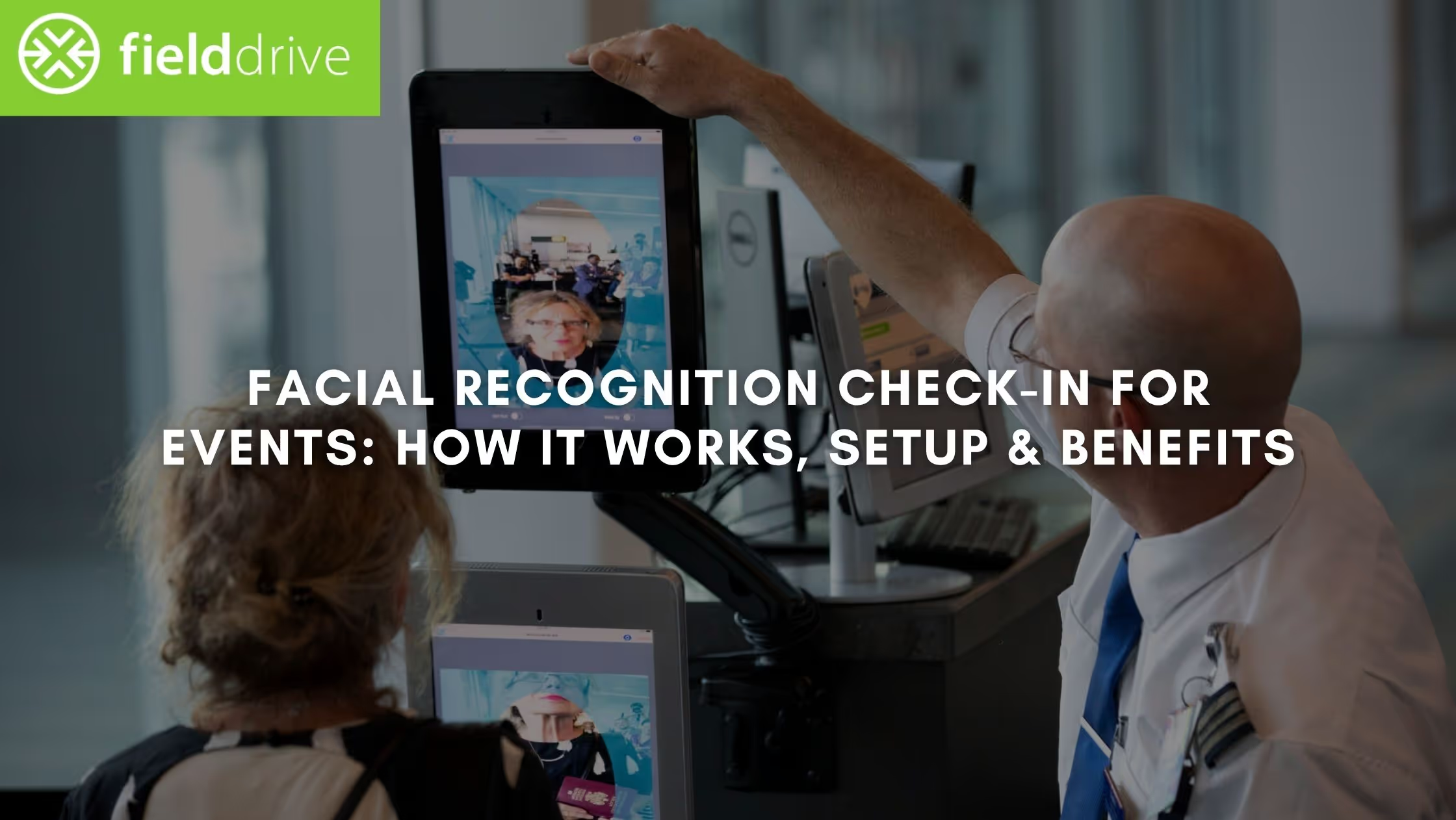
Introduction
Long queues, slow badge pick-ups, and last-minute chaos at entry points can set the wrong tone before your event even begins. If you’re responsible for attendee experience, you already know that check-in is where everything either works—or falls apart.
That’s exactly why facial recognition check in is gaining traction across large-scale events. According to the National Institute of Standards and Technology, top facial recognition algorithms now achieve over 99.5% accuracy, making them reliable enough for high-volume identity verification.
But accuracy alone doesn’t solve operational challenges. You still need the right setup, flow design, and execution to make it work in a real event environment. In this article, you’ll learn how facial recognition check-in works, how to implement it step by step, and how to decide if it’s the right fit for your event.
Key Takeaways
- Facial recognition check in works best when entry speed, access control, and attendee volume make manual or QR-based check-in too slow to manage reliably.
- A successful setup depends on clean registration data, consent capture, hardware placement, and a fallback flow for unmatched attendees.
- Compared to QR check-in, facial recognition reduces attendee dependency at entry and handles peak arrival pressure more efficiently.
- The right solution should support fast matching, instant badge printing, real-time visibility, GDPR-compliant data handling, and smooth integrations..
- fielddrive helps reduce check-in time, eliminate queues, and maintain smooth attendee flow through fast verification, instant badging, and real-time insights.
Why Traditional Event Check-In Breaks at Scale
At smaller events, manual or QR-based check-in can still hold up. But once attendee volume increases, these systems start to fail in predictable ways, because they rely too heavily on human intervention and sequential processing.
1. Queue Formation Becomes Unavoidable
Traditional check-in works in a linear flow: scan → verify → print → move.
Even a 10–15 second delay per attendee quickly compounds into long queues when hundreds arrive within a short window.
Peak-time clustering makes this worse. Most attendees arrive:
- 15–30 minutes before sessions
- Right after breaks
- At opening hours
This creates bottlenecks that no amount of staffing can fully absorb.
2. Staff Dependency Slows Everything Down
Manual verification and QR scanning require staff at every step:
- scanning tickets
- resolving errors
- printing badges
The more attendees you have, the more staff you need and even then, consistency becomes a problem.
Result:
- uneven processing speed
- human errors
- longer wait times during peak surges
3. Data Sync Delays Impact Entry Flow
QR systems depend on real-time validation. If your system lags or struggles with syncing:
- check-ins slow down
- duplicate scans happen
- manual overrides increase
This creates friction at the entry point and breaks the flow.
4. No Real-Time Visibility Into Entry Flow
Most traditional systems don’t give you:
- live queue length
- check-in rate per minute
- entry bottleneck alerts
So teams react late instead of adjusting in real time.
5. Badge Printing Creates a Second Bottleneck
Even after successful check-in, badge printing can slow things down:
- pre-printed badge lookup takes time
- manual sorting leads to delays
- errors require reprints
This creates a second queue after the first one.
What This Means Operationally
If your check-in system depends on:
- manual verification
- sequential processing
- staff-heavy workflows, it will struggle the moment the scale increases.
That’s where facial recognition changes the equation; not by replacing one step, but by redesigning the entire entry flow.
Let’s break down exactly what it solves from an operational standpoint.
What Facial Recognition Check-In Actually Solves
Facial recognition check-in doesn’t just make entry faster, it fixes the structural issues that cause delays, inconsistencies, and poor visibility at scale. Instead of optimizing individual steps, it removes friction across the entire check-in flow.
- Removes stop-and-go entry flow: Eliminates the need for QR scanning and manual verification, allowing attendees to move through continuously instead of waiting in batches.
- Handles peak arrival without system breakdown: Enables parallel processing across kiosks or lanes, preventing bottlenecks when large groups arrive at the same time.
- Eliminates dependency on attendee readiness: No reliance on phones, QR codes, or connectivity—attendees are identified instantly using pre-registered data.
- Improves accuracy and access control: Biometric matching ensures correct attendee identification, reducing duplicate entries and enforcing access permissions consistently.
- Removes badge printing delays and adds real-time visibility: Triggers instant badge printing upon identification while giving teams live data on check-in rates and entry flow.
Facial recognition check in doesn’t just speed up entry, it creates a system that can handle scale without breaking under pressure.
To understand how this works in practice, let’s walk through the full check-in flow inside a real event setup.
How Facial Recognition Check-In Works in a Real Event
Facial recognition check-in is not a single-step feature; it's a connected flow that starts before the event and continues through entry, access control, and data capture. When implemented correctly, each stage feeds into the next, creating a smooth and predictable check-in experience on-site.
1. Pre-Registration and Photo Capture
The process begins during registration. Attendees are asked to upload a clear photo or capture one as part of the sign-up flow. This image is then linked to their registration data, ticket type, and access permissions.
For this to work reliably, teams need to:
- ensure photo quality guidelines are clear
- collect consent for biometric use
- map attendee data correctly (name, company, ticket tier, sessions)
This step is critical because the accuracy of the entire system depends on the quality of this initial data.
2. Data Sync and System Preparation
Once registration closes or stabilizes, attendee data is synced with the check-in system. This includes:
- facial data (converted into secure templates)
- registration details
- access permissions
At this stage, teams also configure:
- check-in points (kiosks, tablets, or camera lanes)
- badge templates
- session access rules
Everything is connected into a single system so that identity verification, badge printing, and access control work together in real time.
3. Onsite Facial Recognition at Entry
When attendees arrive, they approach a check-in kiosk or camera-enabled entry point. The system captures their facial image and compares it with the pre-registered database.
This process happens in seconds:
- the system detects the face
- extracts key features
- matches them against stored profiles
Once a match is found, the attendee is automatically checked in without needing to scan a code or confirm details manually.
4. Instant Badge Printing
As soon as the attendee is verified, the system triggers badge printing. The correct badge is generated based on their registration data, including:
- name and company
- access level
- session permissions
Because this is automated, there is no need for manual lookup or sorting through pre-printed badges. This keeps the flow moving without creating a second queue after check-in.
5. Session Access and Movement Tracking
Facial recognition can also be extended beyond entry to manage access across the venue. Attendees can be verified again at:
- session rooms
- VIP areas
- restricted zones
This ensures that only authorized attendees enter specific areas while also capturing attendance data for each session.
6. Real-Time Data and Post-Event Insights
Every check-in and movement is recorded in real time. This gives teams visibility into:
- how many attendees have entered
- peak entry times
- session attendance patterns
After the event, this data can be used to evaluate:
- entry efficiency
- attendee behavior
- overall event performance
When all these steps are connected, check-in becomes a continuous process rather than a series of manual interactions. Attendees move through entry without stopping, badges are issued instantly, and teams have full visibility into what’s happening at every point.
Now that the flow is clear, the next step is understanding how to implement this setup correctly for your event.
How to Implement Facial Recognition Check-In (Step-by-Step)
A facial recognition check in setup only works when the system is planned end-to-end, not added as a last-minute feature. The focus should be on data quality, flow design, and how each component connects during live entry.
Step 1: Structure Registration for Reliable Identity Matching
Everything starts with how attendee data is collected. Your registration flow must support photo capture, but more importantly, it must ensure that each image is usable for real-time matching.
This means setting clear expectations around photo quality and linking each attendee’s image to the correct profile, ticket type, and access permissions. If the data layer is inconsistent, you will see mismatches and manual overrides at entry, which slows down the entire process.
Consent handling also needs to be built into this step so attendees understand how their data will be used before they arrive onsite.
Step 2: Connect Attendee Data to Onsite Outputs
Facial recognition is not just about identifying a face; it needs to trigger actions instantly. Once a match is made, the system should know exactly what to do next.
This requires mapping attendee profiles to:
- badge formats and printing rules
- access permissions for zones or sessions
- any special categories such as VIP or staff
Without this mapping, teams end up manually correcting outputs like badges or access rights, which defeats the purpose of automation and slows down entry flow.
Step 3: Build the Right Hardware and Entry Layout
The hardware setup should reflect how attendees will physically move through the venue. This includes deciding how many check-in points are needed, where they should be placed, and how badge printing is integrated into the flow.
Solutions like fielddrive are built specifically for this stage, helping teams align hardware, check-in points, and attendee flow based on real event conditions. This ensures the setup is planned as a system, not as isolated components.
For example, a high-volume morning entry requires multiple parallel lanes with dedicated printers, while a staggered arrival event may need fewer but more flexible stations. Space constraints, queue direction, and staff positioning also play a role in how efficiently the system performs.
A well-planned layout ensures that the technology supports movement instead of creating new bottlenecks.
Step 4: Design for Exceptions, Not Just the Ideal Flow
No system will match every attendee instantly. Some will arrive without photos, some may not match on the first attempt, and others may opt out of facial recognition altogether.
If these cases are not planned for, they disrupt the main entry line.
A separate fallback flow such as QR or manual check-in, should be defined in advance, along with a clear process for handling these exceptions. This keeps the primary lanes moving while still accommodating edge cases without confusion.
Step 5: Test the Full Flow Under Real Conditions
Testing should simulate how the system behaves during actual event conditions, not just whether individual components work.
This includes validating:
- how quickly matches happen under load
- whether badge printing triggers without delay
- how access permissions are applied across zones
- how fallback flows are handled
During the event, teams should monitor check-in performance and adjust lanes or staffing if entry patterns shift. This ensures that small issues are corrected early before they affect attendee experience.
Facial recognition check in performs best when it is treated as a connected system across data, hardware, and flow; not as a standalone feature at the entry point.
The next step is understanding when this level of setup actually makes sense for your event, and when a simpler approach might be more effective.
When Should You Use Facial Recognition (and When You Shouldn’t)
Facial recognition check in is not a default upgrade for every event. It works best when the operational complexity justifies automation and when entry speed, control, and accuracy directly impact attendee experience.
Choosing the right setup depends on scale, audience type, and how critical check-in performance is to your event.
Here’s how to decide if facial recognition check-in is the right fit for your event:
Once you’ve determined where facial recognition check-in makes sense, the next decision is choosing between facial recognition and QR-based check-in, since both serve different operational needs depending on your event setup.
Facial Recognition vs QR Code Check-In: Which One Fits Your Event?
Both facial recognition check in and QR-based check-in are widely used, but they solve different operational needs. The right choice depends on event scale, attendee behavior, and how much control you need at entry.
Here’s a side-by-side comparison to help you decide:
Now that you understand the trade-offs, the next step is knowing what to look for when selecting a facial recognition check-in solution for your event.
What to Look for in a Facial Recognition Check-In Solution
Choosing a facial recognition check in solution is not just about the recognition feature itself. The real value comes from how well the system performs under pressure, integrates with your setup, and supports your event flow without adding complexity.
Use this checklist to evaluate whether a solution is actually built for real event conditions:
Speed and Processing Time
- Can the system verify attendees within seconds under high volume?
- Does performance remain stable during peak arrival periods?
- Is there any lag between recognition and next actions (like badge printing)?
Badge Printing Integration
- Does the system support instant, on-demand badge printing?
- Can it automatically trigger printing after identification?
- Are badge formats customizable based on attendee type?
Offline Capability
- Can the system function without a stable internet connection?
- Does it store and sync data once connectivity is restored?
- Is check-in reliability maintained in low-network environments?
Data Accuracy and Matching Reliability
- How accurate is the facial matching under real event conditions?
- Can it handle variations like lighting changes or slight appearance differences?
- What happens when a match fails—does it slow down the main flow?
Integration with Event Systems
- Does it integrate with your registration platform or CRM?
- Can it sync attendee data, session access, and check-in status in real time?
- Does it support existing workflows without requiring major changes?
Access Control and Permissions
- Can the system enforce access rules for VIP areas or sessions?
- Is attendee data mapped to permissions automatically?
- Can access be updated dynamically if needed?
Real-Time Analytics and Visibility
- Does it provide live data on check-in rates and attendee flow?
- Can you monitor bottlenecks as they happen?
- Are post-event insights detailed enough to improve future events?
Privacy and Compliance (GDPR and Beyond)
- Is attendee data stored securely and processed compliantly?
- Are facial images converted into encrypted templates?
- Is consent management built into the system?
Ease of Setup and Onsite Execution
- How much time is required to set up the system before the event?
- Does it come with onsite support or require internal expertise?
- Is the system easy for staff to manage during live operations?
Fallback and Exception Handling
- Is there a clear backup option for unmatched attendees?
- Can QR or manual check-in be integrated smoothly?
- Does the fallback process avoid disrupting the main entry flow?
While these criteria help you evaluate different options, the real difference comes from how the solution is planned and executed. So let's look at how fielddrive simplifies facial recognition check-in in real event environments.
How fielddrive Simplifies Facial Recognition Check-In for Events?
fielddrive is an onsite event technology platform built specifically for high-volume events, focusing on check-in, badging, and real-time attendee data. Its facial recognition check-in system is designed to deliver fast, touchless entry while maintaining strong security and accuracy.
With fielddrive 2.0, the approach goes beyond just providing tools, fielddrive works as an intelligence-driven partner, helping teams design entry flow early, execute onsite operations, and analyse performance post-event.
What fielddrive Offers:
- Facial recognition check-in built for events: Designed specifically for event environments, enabling fast, automated attendee verification without manual steps
- Touchless self-check-in kiosks: Allows attendees to check in quickly without staff dependency, improving entry flow and reducing queues
- Instant, on-demand badge printing: Triggers badge printing immediately after identification, eliminating pre-printed badge handling and delays
- Real-time data and analytics dashboards: Tracks check-ins, attendee movement, and flow in real time to help teams manage operations during the event
- Seamless integrations with event platforms: Connects with registration systems and CRMs to sync attendee data and streamline workflows
- GDPR-compliant security and consent-driven data handling: Ensures biometric data is processed securely with privacy-first practices
fielddrive simplifies facial recognition check-in by combining fast execution with early-stage planning, so entry flows are designed to work before attendees even arrive.
Conclusion
Facial recognition check in transforms event entry into a faster, more controlled system that can handle scale without delays. When implemented correctly, it improves flow, reduces manual effort, and strengthens access control. The impact depends on how well the setup aligns with your event’s operational needs.
fielddrive brings this together with a design-first approach through fielddrive 2.0. It supports planning, onsite execution, and real-time tracking, helping teams run smoother check-in operations without last-minute fixes.
Book a demo to reduce check-in queues, speed up entry, and run a smoother, data-driven event experience.
FAQs
1. How accurate is facial recognition check-in at events?
Facial recognition systems used in events can achieve very high accuracy, often above 99% under controlled conditions. Accuracy depends on factors like image quality, lighting, and camera positioning. Modern systems use AI-based matching to reduce false matches and improve reliability. However, having a fallback check-in option is still important to handle edge cases.
2. What happens if facial recognition fails for an attendee?
If the system cannot match an attendee’s face, they are typically redirected to a fallback check-in method such as QR code or manual verification. This ensures that entry flow is not disrupted for others. Most setups include a dedicated exception lane to handle these cases quickly. Proper pre-registration and testing help minimize such occurrences.
3. Is facial recognition check-in secure for attendee data?
Facial recognition systems usually convert images into encrypted biometric templates rather than storing raw photos. These templates are difficult to reverse-engineer, making them more secure than traditional credentials. Compliance with regulations like GDPR ensures that consent, storage, and usage are handled properly. Security ultimately depends on the provider’s data practices and infrastructure.
4. Can facial recognition check-in work in low-light or crowded environments?
Yes, but performance depends on the quality of cameras and system design. Advanced systems are built to handle varying lighting conditions and moderate crowd density. However, extreme lighting issues or obstructed faces can affect match accuracy. Proper hardware placement and testing in real conditions help maintain consistent performance.
5. How long does it take to set up facial recognition check-in for an event?
Setup time varies based on event size, but most implementations require a few days to a few weeks. This includes configuring registration workflows, syncing attendee data, and setting up onsite hardware. Testing the system under real conditions is a critical part of the timeline. Early planning ensures smoother execution and fewer issues on event day.
.svg)
.svg)
.svg)
Want to learn how fielddrive can help you elevate your events?
Book a call with our experts today


.svg)