

.svg)
.webp)
Which Lead Retrieval App Is Best for Small Exhibitors? A Practical Comparison
A practical guide to choosing the best lead retrieval app for small exhibitors, covering badge scanning, offline lead capture, lead qualification, exports, and organizer-approved workflows. It positions fielddrive Leads as a strong onsite lead capture solution for exhibitors that need fast scanning, structured qualification, and clean follow-up data.
.avif)
Small exhibitors don’t need more event tech. They need a lead retrieval app that helps booth teams capture the right attendee details quickly, qualify leads without slowing down conversations, and export clean data for follow-up.
That sounds simple until the expo floor opens.
Wi-Fi gets patchy. Booth staff get busy. Notes get missed. Badge scans may or may not return full attendee details depending on the event’s setup. And by the time the show ends, your sales team needs more than a list of names.
In most cases, the best lead retrieval app for small exhibitors is the organizer-approved tool for that event, because it is most likely to connect directly with the attendee registration database behind the badge. But that doesn’t mean every tool is equally useful.
This guide breaks down what small exhibitors should prioritize in an event lead retrieval app, compares common lead retrieval platforms, and explains how tools like fielddrive Leads support faster, more structured onsite lead capture at trade shows, conferences, and in-person events.
TL;DR: Best lead retrieval app for small exhibitors
The best choice is usually the official lead retrieval app provided or approved by the event organizer.
That is the tool most likely to retrieve real attendee data from badge scans.
For small exhibitors, prioritize:
- Offline lead capture
Scan now, sync later when internet is available. - Fast scan-to-save workflow
Booth staff should be able to scan, qualify, and save a lead in seconds. - Simple lead qualification
Use Hot/Warm/Cold status, a few dropdown questions, and short notes. - Clean exports
CSV, XLS, Excel, or email exports should be easy to access during or immediately after the event. - Clear data rules
Confirm what attendee fields you receive, whether attendees can opt out, and how long lead data remains available.
Where fielddrive Leads fits:
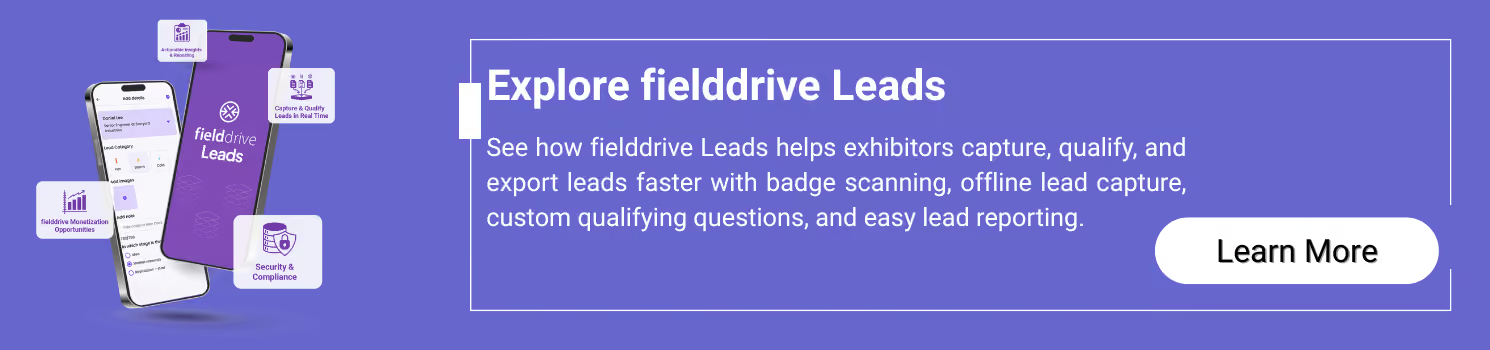
The fielddrive Leads app is a strong fit for in-person events where exhibitors need fast event badge scanning, offline lead retrieval, custom qualifying questions, lead reporting, and an onsite lead capture workflow that can connect with a broader event check-in and badging setup.
What is a lead retrieval app?
A lead retrieval app is a tool exhibitors use to capture attendee information onsite, usually by scanning a QR code or barcode on an event badge.
Once scanned, the attendee can be saved as a lead and enriched with details such as:
- lead status
- notes
- product interest
- buying timeline
- follow-up action
- booth staff owner
For small exhibitors, the goal is not just to collect as many scans as possible. The goal is to leave the event with follow-up-ready data that sales can actually use.
A good event lead capture solution helps teams move from casual booth conversations to clean, structured sales follow-up.
What a lead retrieval app is not
A lead retrieval app is not always the same as a business card scanner, attendee app, or registration platform.
It is not just a business card scanner
Business card scanning can be useful as a fallback, but it usually does not pull attendee data from the event registration database. Badge-based lead retrieval is often faster and more consistent when the event supports it.
It is not always the event app
Some event platforms include lead capture inside the event app. Others provide a separate exhibitor lead capture app. Exhibitors should confirm which workflow the organizer is using before purchasing licenses.
It is not the full registration system
The registration or check-in system is what organizers use to register attendees, issue badges, and manage onsite entry. Lead retrieval is the exhibitor-side workflow used to capture leads from those badges.
The two lead retrieval models exhibitors usually encounter
1. Organizer-approved lead retrieval
This is the most common model at trade shows and conferences.
The organizer selects the event technology provider, and exhibitors either receive or purchase lead retrieval licenses for that specific event.
This is usually the safest option because the app is connected to the event’s badge and attendee database.
2. Exhibitor-owned lead capture
Some exhibitors use their own lead capture tool across multiple events. This can work well for:
- manual forms
- business card scanning
- QR-to-form workflows
- product interest surveys
- internal sales qualification
However, exhibitor-owned tools may not retrieve badge data if the event badge QR code is only readable by the organizer’s approved system.
That is why small exhibitors should always ask the organizer what tool can scan official event badges before choosing anything else.
What small exhibitors should prioritize
Small exhibitors usually have limited booth staff, limited devices, and limited time with each attendee. The best lead retrieval app is the one that works quickly in real booth conditions.
1. Setup should take minutes, not hours
A small booth team should not need a complicated configuration process.
Look for:
- simple login
- clear scan button
- easy device setup
- minimal admin work onsite
- quick access to leads and exports
If the setup feels too complex, booth staff may avoid using the app consistently.
2. Offline mode matters
Expo hall connectivity is unpredictable. Wi-Fi may drop. Cellular coverage may be weak. Some venues become signal caves once thousands of people arrive.
A good offline lead retrieval app should support offline capture, so booth staff can keep scanning even when the device temporarily loses internet.
Ask:
- Can the app scan leads offline?
- Does it show whether leads have synced?
- Does the app require internet for initial login?
- What happens if the device stays offline for several hours?
For example, fielddrive Leads supports offline mode and automatically syncs data once the device reconnects. Initial login still requires internet, so exhibitors should log in and test devices before the show floor opens.
3. Lead qualification should be simple
Small teams should avoid complicated qualification forms.
The best setup is usually:
- Hot/Warm/Cold status
- 2–5 dropdown questions
- one short note field
- optional follow-up action
Dropdowns are better than long free-text fields because they keep data clean and make exports easier to use.
A strong small-booth qualification setup may include:
- Product interest
- Buying timeline
- Role
- Follow-up request
- Sales owner
The key is speed. If the form takes too long, booth staff will skip it.
4. Exports should be easy to access
A lead retrieval app is only useful if the team can export and act on the data quickly.
At minimum, look for:
- CSV or XLS export
- end-of-day export access
- email export or portal download
- lead status and notes included in the export
Better workflows may also include:
- team-level access
- lead deduplication
- CRM integration
- analytics or reporting dashboard
For small exhibitors, even a clean spreadsheet can be enough, as long as it includes the right fields.
5. Data rules should be clear before the event
Not every badge scan returns the same information.
Depending on the event’s privacy settings, consent model, and organizer configuration, exhibitors may receive different fields such as:
- name
- company
- job title
- phone number
- country
- registration type
Sometimes attendees can opt out of sharing certain details. Sometimes the organizer limits what exhibitors receive.
Ask the organizer:
- What fields will we receive from each scan?
- Can attendees opt out of sharing details?
- How long will we have access to our leads?
- Can we export leads during the event?
- Are there any restrictions on how we use the data?
This matters because lead quality depends not only on the app, but also on the event’s data-sharing setup.
Lead retrieval app comparison for small exhibitors
Before comparing platforms, remember this:
Capabilities can vary by event setup, contract, license type, and organizer configuration. Always confirm final details with the event organizer or vendor before purchasing.
Quick recommendations by exhibitor scenario
The best lead retrieval tool depends on how your booth team works, how many people are scanning, and how quickly sales needs the data.
Scenario A: 1–2 booth staff and simple end-of-day follow-up
Choose a tool that gives you:
- fast badge scanning
- Hot/Warm/Cold lead status
- short notes
- simple CSV or XLS export
- easy access to leads after the event
Avoid overbuilding your qualification process. A tiny booth form with three useful fields is better than a monster form nobody fills out.
Where fielddrive Leads fits:
fielddrive Leads works well when small booth teams need fast trade show lead retrieval, simple qualification, and downloadable lead reports without creating a complicated onsite process.
Scenario B: Patchy Wi-Fi and busy expo halls
Choose a tool that supports offline lead capture.
Look for:
- offline scanning
- clear sync status
- automatic sync when internet returns
- login tested before the event opens
- support contact in case devices fail onsite
The biggest mistake is assuming the venue internet will behave. It often will not. Expo Wi-Fi is a tiny weather system with opinions.
Where fielddrive Leads fits:
fielddrive Leads supports offline lead retrieval and sync, making it useful for busy in-person halls where connectivity can be inconsistent. Exhibitors should log in while internet is available before the show begins.
Scenario C: Same-day or next-morning sales follow-up
Choose a tool that lets you export usable data quickly.
Look for:
- lead status
- dropdown qualifiers
- booth staff owner
- notes
- clean spreadsheet export
- consistent fields for CRM upload
Avoid relying only on free-text notes. Sales teams need structure, not a cryptic graveyard of half-typed booth comments.
Where fielddrive Leads fits:
fielddrive Leads helps standardize onsite lead capture through custom qualifying questions, making it easier to hand sales a cleaner, more useful lead file after the event.
Scenario D: Exhibiting at multiple events
Choose a workflow that keeps your lead data consistent across shows.
Look for:
- repeatable lead statuses
- reusable qualification questions
- clear data retention rules
- simple booth staff onboarding
- export formats your team can process easily
Different events may use different lead retrieval tools, but your internal qualification model should remain consistent.
Where fielddrive Leads fits:
fielddrive is especially useful when lead retrieval is part of a broader onsite event technology setup, including event check-in and badging, attendee tracking, and reporting. This can help organizers and exhibitors create a more connected onsite data flow.
Questions to ask the event organizer before buying lead retrieval
Before comparing apps, ask the organizer these questions:
- Is lead retrieval included with the booth, or sold separately?
- Is badge scanning limited to a specific app or vendor?
- What attendee fields will we receive from each scan?
- Can attendees opt out of sharing their details with exhibitors?
- Does the app support offline scanning?
- Does initial login require internet?
- How many devices or users are included per license?
- Can we export leads during the event?
- What export formats are available?
- How long will we have access to lead data after the event?
- Who provides onsite support if the app or device has an issue?
- Can we add custom qualifiers, notes, ratings, or statuses?
These questions matter because the app is only one part of the workflow. The organizer’s badge setup, data-sharing rules, and license structure can all affect what your booth team actually receives.
Small exhibitor lead retrieval checklist
Use this before the show opens.
- Confirm which app can scan official event badges.
- Check what attendee fields each scan returns.
- Log in on every device before doors open.
- Run a 10-scan test.
- Confirm whether the app works offline.
- Set three lead statuses:
- Hot
- Warm
- Cold
- Define what each status means.
- Add no more than five qualifiers.
- Use dropdowns wherever possible.
- Add one short note prompt, such as: “What did they ask for?”
- Assign a booth staff owner for each device or scanning workflow.
- Decide when exports will happen.
- Run an end-of-day export after day one.
- Check whether exported fields are clean and useful.
- Prepare follow-up templates before the event.
- Create a fallback plan for attendees without badges.
A good fallback plan might include manual lead entry, business card capture, or a QR-to-form on a tablet.
What should small exhibitors include in their lead qualification form?
Keep it simple.
A practical lead qualification form may include:
Lead status
- Hot
- Warm
- Cold
Product interest
- Product A
- Product B
- Product C
- General inquiry
Buying timeline
- Immediate
- 1–3 months
- 3–6 months
- 6+ months
- Researching only
Role
- Decision-maker
- Influencer
- Researching
- Partner
- Other
Next step
- Book demo
- Send pricing
- Send product info
- Follow up after event
- Add to nurture
Notes
Use one short prompt:
What did the attendee ask for?
This keeps lead capture fast while giving sales enough context to follow up properly.
Common lead retrieval mistakes small exhibitors should avoid
Mistake 1: Buying before checking badge compatibility
Not every app can scan every event badge. Always confirm which tool is approved for badge data retrieval.
Mistake 2: Asking too many qualification questions
Booth staff are not filling out a tax return. Keep qualification short.
Mistake 3: Waiting until after the show to test exports
Test export access before or during day one. The worst time to discover a permissions issue is after the booth has been dismantled.
Mistake 4: Assuming email addresses are guaranteed
Attendee data depends on organizer settings, privacy rules, and opt-out options.
Mistake 5: Capturing scans without context
A badge scan without status, interest, or next step is a weak lead. Add just enough qualification to make follow-up meaningful.
.avif)
FAQ
What is lead retrieval at a trade show?
Lead retrieval is the process of capturing attendee information as sales leads, usually by scanning the QR code or barcode on an attendee badge. Exhibitors can then add notes, ratings, qualifiers, and follow-up actions.
What is the best lead retrieval app for small exhibitors?
The best lead retrieval app for small exhibitors is usually the official app approved by the event organizer, because it is most likely to retrieve attendee data from event badges. Exhibitors should compare offline capture, qualification fields, export options, and support before choosing.
What is an exhibitor lead capture app?
An exhibitor lead capture app is a tool booth teams use to scan attendee badges, save leads, add notes, qualify prospects, and export lead data for sales follow-up.
Do exhibitors always get attendee email addresses?
No. The fields exhibitors receive depend on the event organizer’s settings, privacy rules, and attendee consent or opt-out options. Always confirm what data is shared before the event.
Can lead retrieval work without Wi-Fi?
Yes, if the app supports offline lead capture. Offline mode lets booth staff scan and save leads locally, then sync data once the device reconnects to the internet.
Is a business card scanner enough?
Sometimes. A business card scanner can work as a fallback for smaller conversations, but it usually does not connect to the event’s attendee registration database. Badge scanning is often faster and more consistent when supported by the organizer.
How many lead qualification questions should a small exhibitor use?
Use 2–5 questions. For most small booths, lead status, product interest, buying timeline, next step, and one short note field are enough.
How quickly should exhibitors follow up with leads?
Hot leads should ideally be followed up within 24 hours. Warm leads can usually be contacted within 48–72 hours. Cold leads can be added to a nurture sequence.
Can fielddrive Leads be used only for lead retrieval?
Yes. fielddrive Leads can support exhibitor lead retrieval workflows, while fielddrive also offers broader onsite solutions such as event check-in kiosks, badge printing, attendee tracking, onsite support, and event data and analytics.
Conclusion: how to choose the right lead retrieval app in 10 minutes
Small exhibitors should not choose lead retrieval software based only on the longest feature list.
Choose the tool that:
- works with the event’s official badges
- captures leads quickly
- works offline when needed
- supports simple qualification
- exports clean data
- gives sales enough context to follow up
Here is the 10-minute decision process:
- Ask the organizer which app can retrieve badge data.
- Confirm what attendee fields you will receive.
- Check whether offline capture is supported.
- Review export options and access timing.
- Set three lead statuses and a few dropdown qualifiers.
- Run a 10-scan test before the show opens.
- Export leads at the end of each event day.
- Follow up while the conversation is still fresh.
For small exhibitors, the best lead retrieval app is not necessarily the most complex one. It is the one your booth team will actually use all day, and the one that gives your sales team clean, useful data after the event.
If you want an event lead capture solution built for in-person environments, with fast badge scanning, offline lead retrieval, custom qualifying questions, lead reporting, and the option to connect with fielddrive’s broader onsite event technology ecosystem, fielddrive Leads is a strong option to evaluate for your next trade show or conference.
.svg)
.svg)
.svg)
Want to learn how fielddrive can help you elevate your events?
Book a call with our experts today


.svg)