

.svg)
.webp)
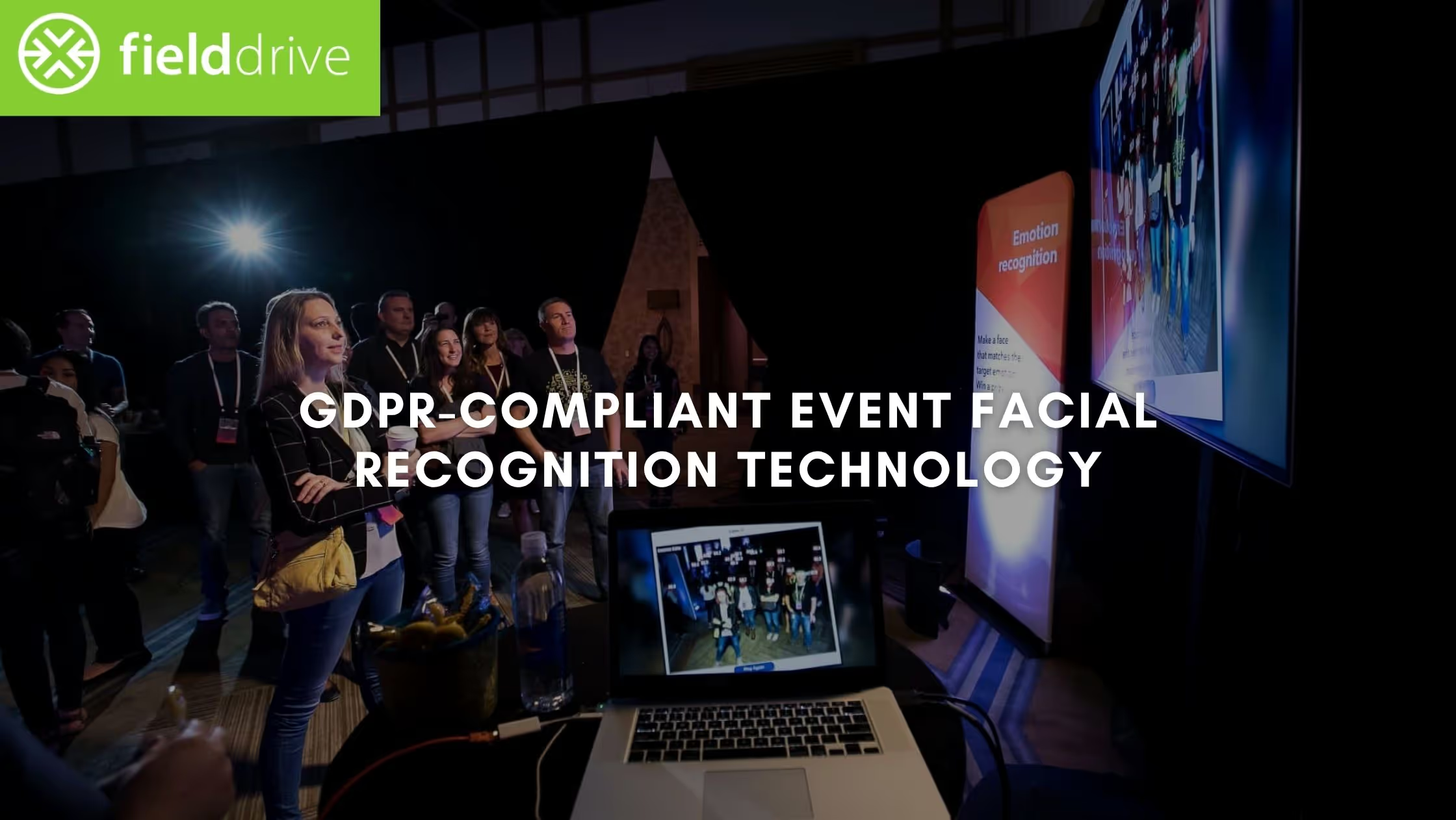
Your event does not begin with the keynote. It begins at the entrance. It takes just 7 seconds for an attendee to form a first impression, and that judgment is often made while standing in a queue that should not exist.
You already know the pattern. Lines grow. Staff tries to keep up. Attendees arrive excited and enter frustrated. In 2026, a 20-minute check-in queue is not just a logistical failure; it is a brand liability that degrades your event’s NPS before the first session even starts. It also carries a cost. More staff at the desk, more manual errors, and less reliable attendance data for sponsors and stakeholders.
Facial recognition event check-in replaces this slow process with instant identity verification. Attendees walk in, get recognized, and move forward in seconds. Events using this approach report up to 50% faster check-ins, reducing queue pressure while improving the accuracy of attendance data used for sponsor reporting and performance tracking.
This guide moves past the “cool factor.” It focuses on the operational reality of GDPR-compliant facial recognition and the specific use cases where automated flow drives measurable ROI, from high-volume trade shows to controlled VIP access.
Key Takeaways:
- Faster Entry: Facial recognition check-in reduces queue time and moves attendees through entry in seconds
- Lower Operational Load: Smaller teams manage entry points with fewer errors and less coordination effort
- Stronger Revenue Impact: Faster speed-to-lead and verified engagement data improve conversion and sponsor retention
- Better Control: Access to VIP zones and sessions is enforced without badge sharing or manual checks
- Reliable Performance: Local processing and fallback options keep the entry running even during network issues
What Is Facial Recognition Event Check-In?
Facial recognition event check-in is a consent-based, GDPR-compliant identity system that uses purpose-built kiosks and cameras to verify attendees in seconds and connect registration form data directly to onsite operations.
At its core, this is a 1:1 verification model. Each attendee is matched only against their own pre-registered biometric template, an encrypted mathematical hash of their facial features, not a stored image. This distinction reduces both legal exposure and reputational risk.
What This System Actually Does
This is the shift. Facial recognition is not a check-in feature. It is the system that connects purpose-built hardware, entry points, and attendee data into a single flow, removing friction at scale while turning engagement into measurable business outcomes.
To evaluate feasibility, you need to look at the full event operational flow, from data capture during registration to on-site badge printing.

How Facial Recognition Works at Events (Step-by-Step)
A facial recognition system is not just a camera at the entrance. It is a coordinated data exchange between your registration platform, onsite server, and purpose-built kiosks. What happens at check-in is only the visible output of a process that begins well before the event.
For decision-makers, this flow determines three things: speed at entry, data accuracy, and operational risk.
Phase 1: Registration and Data Tokenization
The process begins during registration, not onsite.
Attendees are offered an opt-in for facial recognition event check-in during the standard sign-up process.
- Consent and capture: Attendees provide a selfie during registration. No image is collected without explicit opt-in.
- Template creation: Facial landmarks are mapped and converted into a biometric template.
- Encryption: The template is converted into an encrypted mathematical hash. The system stores data, not images.
Result: Verified, consent-based identity data ready for instant onsite matching.
Phase 2: Onsite Detection and One-to-One Verification
When the attendee arrives, the system shifts from digital record to physical presence.
- Face detection at kiosk: Purpose-built kiosks detect a face as the attendee approaches.
- One-to-one matching: The system compares the live scan only against the attendee’s pre-registered biometric template stored in the local event database.
- Instant verification: A match is confirmed in seconds, triggering the attendee’s record without manual input.
Result: Identity is confirmed instantly without queues, manual search, or staff dependency.
Phase 3: Immediate Onsite Output
Once verified, the system triggers actions without delay.
- Live badge printing: A full-color badge is printed at the kiosk, often within 6 seconds, removing the need for pre-printing or manual sorting.
- Access activation: The attendee’s profile becomes active across sessions, zones, and lead capture systems.
Result: The attendee does not experience check-in. They experience entry.
Phase 4: Data Sync and Post-Event Control
The system continues working after entry is complete.
- Live reporting: Organizers see check-in volume, entry speed, and crowd distribution in real time, allowing immediate adjustments to staffing and entry points.
- Data lifecycle control: Biometric templates are stored only for the required duration and removed in line with GDPR and CCPA requirements.
Result: Full visibility during the event, with controlled data handling after it ends.
The Fail-Safe Layer: What Happens When Things Go Wrong
At scale, the risk is not recognition accuracy. It is an operational failure.
- Local server processing: The system runs on on-site infrastructure. If connectivity drops, kiosks continue to verify attendees and print badges without interruption.
- Fallback check-in options: Kiosks include QR scanning as a backup. If an attendee has not opted in or a match is not found, entry continues without delays or separate queues.
Result: Entry flow remains stable under peak load and technical disruption.
This is how facial recognition works in practice. It is not a feature added at the entrance. It is a structured system that starts at registration, executes at the kiosk, and continues through every interaction on-site.
Now that the mechanics are clear, you can focus on where facial recognition drives outcomes that matter to your event performance.
Where Facial Recognition Actually Impacts Event ROI
Facial recognition creates value by removing friction at critical points in the attendee journey and replacing manual processes with verified, instant actions. The impact is not uniform across the event. It shows up where delays, errors, or lack of visibility directly affect experience, revenue, or control.
The following use cases highlight where this system delivers measurable outcomes:
1. High-Volume Check-In and Entry Flow
Entry is where most events fail first. Delays here affect perception, session attendance, and staff load within minutes.
When identity verification is automated at purpose-built kiosks, entry flow stabilizes even during peak arrival windows.
- Instant identity verification reduces queue buildup during high-traffic periods
- Faster throughput clears entry areas in minutes instead of prolonged delays
- Fewer onsite staff required reduces hiring, training, and coordination overhead
- Lower dependency on large teams simplifies event logistics and planning
- Consistent entry experience improves attendee satisfaction from the start
Strategic insight: Entry is not just a cost center. It is one of the most complex operational points to manage.
2. VIP Access and Controlled Experiences
Premium access points are tied directly to revenue and brand perception. Manual validation creates delays and opens the door to unauthorized access.
Automated access control protects exclusivity without slowing down movement.
- Automatic access to VIP lounges, paid zones, and restricted areas
- No repeated checks or staff intervention at each entry point
- Eliminates credential sharing and badge swapping
- Preserves the value of premium and invite-only experiences
Strategic insight: Exclusivity only works if access is controlled without friction.
3. Exhibitor Lead Capture and Speed-to-Lead
Lead capture only creates value when it converts into a pipeline. Delays between interaction and follow-up reduce conversion probability.
This is not passive tracking. Leads are captured through active interactions such as badge scans or verified touchpoints, with facial recognition accelerating the process.
- Leads are captured instantly at the point of interaction
- Exhibitors can share documents and marketing materials immediately
- Follow-up can begin during the event, not after it ends
- Faster response time increases conversion likelihood and pipeline velocity
Strategic insight: The first vendor to follow up usually wins. Speed defines conversion.
4. Session Access and Attendance Control
Session management is a capacity and compliance problem, not just an access problem. Overcrowding, inaccurate counts, and unverified attendance affect safety, reporting, and accreditation.
Facial recognition enforces entry while maintaining accurate, real-time visibility.
- Walk-through entry using kiosks or sensors without stopping or scanning
- Enforces capacity limits for rooms and restricted sessions
- Tracks verified attendance for reporting, credits, or compliance needs
- Prevents unauthorized entry without slowing down access
Strategic insight: If you cannot trust your attendance data, you cannot trust your event reporting.
5. Attendee Flow and Engagement Analytics
Most teams rely on estimates to understand attendee movement. This limits decision-making during and after the event.
When attendee movement is captured passively, patterns become visible without interrupting the experience.
- Clear visibility into crowd distribution across zones
- Identification of congestion points as they develop
- Insights into how different attendee segments move through the event
- Stronger sponsor reporting based on verified engagement patterns
Strategic insight: Visibility drives better decisions. Guesswork limits growth.
Each of these use cases points to the same outcome. Facial recognition delivers value where manual processes break under pressure, where data lacks precision, and where control is difficult to maintain at scale.

These use cases highlight operational improvements, but the real question is how they translate into measurable business outcomes for your event.
Facial Recognition ROI: Cost, Data, and Revenue Impact
Facial recognition changes how your event operates at a structural level. It removes manual checkpoints, reduces dependency on large teams, and replaces assumptions with verified data. The result is not just faster entry. It is a shift in how you scale operations, measure performance, and justify event spend.
This impact shows up across four core ROI pillars.
Operational Leverage → Scale output without scaling headcount
You are not just reducing staff. You are reducing coordination complexity.
- Smaller onsite teams with less dependency on temporary staff
- Lower overhead across hiring, travel, training, and supervision
- Fewer failure points caused by human error during peak load
What this means: You can handle larger events with the same team, without increasing operational strain.
Throughput and Experience → More attendees processed, fewer drop-offs
Entry speed directly affects how attendees experience your event.
- High-volume entry without queue buildup during peak hours
- Sessions start on time with fewer late arrivals
- Consistent first impression across all entry points
What this means: Better attendee experience without increasing operational pressure.
Revenue Velocity → Faster speed-to-lead, higher conversion
The gap between interaction and follow-up defines pipeline performance.
- Leads are available immediately after interaction
- Sales teams engage while intent is still high
- Shorter response time increases deal progression
What this means: You are not just capturing leads. You are accelerating revenue.
Sponsor ROI and Retention → From estimated reach to verified engagement
Sponsors do not renew based on attendance numbers. They renew based on proof of engagement.
- Verified attendance and interaction data replaces manual estimates
- Clear visibility into who engaged, where, and for how long
- Stronger post-event reporting supports renewal conversations
What this means: When sponsors trust the data, they are more likely to rebook.
Risk and Continuity → Fewer operational failures during live events
Most event failures happen at scale, not in planning.
- Systems continue running even if connectivity drops
- Controlled access reduces unauthorized entry
- Stable entry flow during peak load conditions
What this means: Fewer disruptions when the event is live and least forgiving.
These gains do not operate in isolation. When entry improves, data improves. When data improves, reporting improves. When reporting improves, revenue conversations become easier. That is where the impact compounds.
A strong business case must also account for potential risks, including data handling, infrastructure readiness, and attendee acceptance.
Privacy, Compliance, and Risks in Facial Recognition
Trust is the foundation of any biometric system. Before adopting facial recognition, senior stakeholders need to evaluate technical constraints, legal obligations, and attendee perception. In 2026, the main risk is not camera accuracy. It is how data is handled and whether the on-site setup can support consistent performance.
If these factors are ignored, issues surface quickly. Entry slows down, data becomes unusable, or compliance gaps appear after the event. The following areas require careful attention:
- Data consent and compliance:
The distinction between opt-in and opt-out determines whether your data can be used at all. Regulations such as GDPR and CCPA require clear, documented permission before any biometric processing. If consent is not captured properly during registration, the entire dataset becomes a legal risk.
- Hardware and lighting conditions:
Entry points are sensitive to environmental changes. Direct sunlight, shadows, or inconsistent lighting can affect recognition accuracy. Purpose-built kiosks with controlled lighting conditions are necessary to maintain stable throughput.
- Attendee perception and opt-out paths:
Even with full compliance, some attendees may be uncomfortable with facial recognition. Making it the only entry option creates resistance. A parallel option, such as QR-based check-in, keeps the experience accessible without slowing down the flow.
- Network and infrastructure reliability:
Systems that depend entirely on cloud connectivity introduce a single point of failure. If the network drops, entry stops. Local processing allows kiosks to continue operating without interruption.
- Late-stage deployment risk:
Facial recognition cannot be added at the last minute. It requires early coordination between registration data and onsite systems. Delays in setup often lead to mismatches and entry issues.
Risk management is not about avoiding technology. It is about designing the system correctly from the start. When these factors are addressed early, the system operates as a predictable part of event operations rather than a point of failure.
Addressing these challenges requires a structured approach, starting with how you design and deploy the system from the beginning.
How to Implement Facial Recognition with fielddrive
Implementation is where most event teams struggle. The issue is not the technology itself, but how late it is introduced into the planning process.
With fielddrive, facial recognition is part of a connected onsite system that includes facial recognition check-in, touchless check-in kiosks, event badge printing, lead retrieval, session tracking, analytics, and third-party integrations. The goal is not to add another tool, but to connect entry, access, and data into a single flow that works under pressure.
Here’s how to implement facial recognition with fielddrive without disrupting your event:
Step 1: Define the Onsite Flow Early
Facial recognition works best when it is mapped to attendee movement, not added as a feature.
- Goal: Identify where speed and control matter most
- Action: Map entry points, VIP zones, and session access areas
- Focus: Separate high-volume entry from high-value access
Outcome: A clear plan for where fielddrive systems remove friction or enforce control.
Step 2: Capture Consent and Data During Registration
Everything depends on the quality of data collected before the event.
- Goal: Drive high opt-in rates for facial recognition
- Action: Add a clear, consent-based “Express Check-in” option during registration
- Focus: Connect with your existing registration platform through fielddrive’s third-party integrations
Outcome: Clean, consent-driven data flows directly into onsite systems without manual syncing.
Step 3: Deploy Purpose-Built fielddrive Kiosks
Performance at entry depends on how hardware and software work together.
- Goal: Maintain fast recognition and badge output under load
- Action: Deploy fielddrive’s touchless check-in kiosks with built-in facial recognition and badge printing
- Focus: Use a single system instead of disconnected scanners, printers, and tablets
Outcome: Faster processing with consistent performance. Check-in times can drop by up to 50%.
Step 4: Activate the Full Onsite Stack
Facial recognition is only one part of the system.
- Goal: Connect entry, access, and engagement data
- Action: Use fielddrive’s ecosystem, including facial recognition check-in, event badge printing solution, lead retrieval app, session scanning solution, and analytics platform
- Focus: Ensure each attendee interaction feeds into a single data layer
Outcome: Every touchpoint contributes to a complete and accurate event dataset.
Step 5: Set Up Data Security and Lifecycle Control
Legal approval depends on how biometric data is handled.
- Goal: Meet GDPR and CCPA requirements
- Action: Define how biometric templates are encrypted, stored, and deleted
- Focus: Maintain clear consent records and post-event data removal
Outcome: Reduced legal risk with a consent-driven system backed by strong data protection.
Step 6: Design Entry Points for Physical Conditions
Even the best system depends on physical placement.
- Goal: Maintain stable recognition throughout the day
- Action: Position kiosks to avoid harsh lighting and entry congestion
- Focus: Use controlled kiosk environments for consistent detection
Outcome: Reliable performance across different venue conditions.
Step 7: Test for Peak Load and Fail-Safe Conditions
The system must perform under maximum pressure.
- Goal: Confirm stability during peak entry periods
- Action: Simulate high-volume check-in and test response times
- Focus: Use local processing to avoid dependency on venue's internet
Outcome: Entry continues without interruption, even during connectivity issues.
Step 8: Use Data to Prove and Improve ROI
The value of the system continues after check-in.
- Goal: Turn attendee movement into measurable outcomes
- Action: Analyze attendance, engagement, and flow data through the analytics platform
- Focus: Support sponsor reporting and future event planning
Outcome: Stronger ROI visibility and better decision-making for future events.
fielddrive is not a standalone check-in tool. It is the system that connects entry, access, lead capture, and analytics into one operational layer. Teams that adopt it early build events that run predictably under pressure. Teams that delay it create complexity that they have to manage manually.
Conclusion
Facial recognition is no longer a future concept for events. It is a practical system that solves three persistent problems at once: slow entry, unreliable data, and operational strain. When planned early and deployed correctly, it replaces manual effort with controlled flow and gives you data you can actually use.
The difference is not the technology itself. It is whether it is treated as an add-on or as part of how the event is designed. Teams that build around it reduce friction, improve reporting, and create experiences that feel organized from the first touchpoint.
If you want to see how this would work for your event setup, the next step is simple.
Book a demo with fielddrive to map your on-site flow, assess feasibility, and see how facial recognition can be deployed without disrupting your current stack.
FAQs
1. What happens if an attendee’s face is not recognized at the kiosk?
Recognition failures are rare when registration data is captured correctly, but fallback paths are always required. If a match is not found, the attendee can complete check-in using a QR code or registration lookup at the same kiosk. There is no need to move them to a separate desk or create a secondary queue. This keeps the entry flow consistent even when exceptions occur.
Most issues come from poor image quality during registration, not the onsite system itself. Clear instructions during sign-up reduce this risk significantly. The goal is not to eliminate fallback options, but to make them fast enough that they do not disrupt overall flow.
2. How long does it take to set up facial recognition for an event?
Set up timelines that depend on event size and data readiness, not just the technology. For mid to large-scale events, planning typically starts several weeks in advance to align registration data, consent flows, and onsite logistics. The technical setup on-site is relatively fast, but preparation is where most of the work happens. Late decisions create data gaps and reduce opt-in rates.
Early planning allows better placement of kiosks and smoother coordination across teams. The system itself is quick to deploy, but the surrounding workflow needs time to be defined properly. Teams that start early avoid last-minute adjustments and entry delays.
3. Can facial recognition be used for smaller events, or is it only for large-scale conferences?
While the biggest gains appear at high-volume events, smaller events can also benefit in specific scenarios. VIP-only gatherings, paid workshops, or invite-only experiences often require strict access control and accurate attendance tracking. In these cases, facial recognition reduces manual checks and removes the need for staff at entry points.
The decision is less about event size and more about complexity. If the event involves multiple access levels, paid sessions, or high-value attendees, the system can still provide clear benefits. It is not limited to large conferences; it applies wherever control and accuracy matter.
4. How do attendees respond to facial recognition at events?
Response depends on how the option is presented, not just the technology itself. When attendees are given a clear opt-in choice and understand the benefit, adoption rates are typically high. Most participants value faster entry and reduced waiting time. Resistance usually appears when the system feels forced or unclear. Providing an alternative check-in method removes that friction.
Communication during registration plays a key role in setting expectations. When attendees understand that their data is consent-based and short-lived, acceptance increases. The experience tends to feel convenient rather than intrusive when handled correctly.
5. Does facial recognition replace other event technologies like badges or scanning apps?
Facial recognition does not replace every system; it changes how they are triggered. Badges, session tracking, and lead capture still exist, but they are activated automatically after identity is confirmed. This reduces the need for repeated scanning or manual validation at each step. The result is fewer interruptions during the attendee journey.
Systems like lead capture apps and session tracking tools continue to operate, but with cleaner and more accurate data. Instead of removing existing tools, facial recognition connects them into a single flow. This improves consistency without forcing teams to abandon their current setup.
.svg)
.svg)
.svg)
Want to learn how fielddrive can help you elevate your events?
Book a call with our experts today


.svg)