

.svg)
.webp)
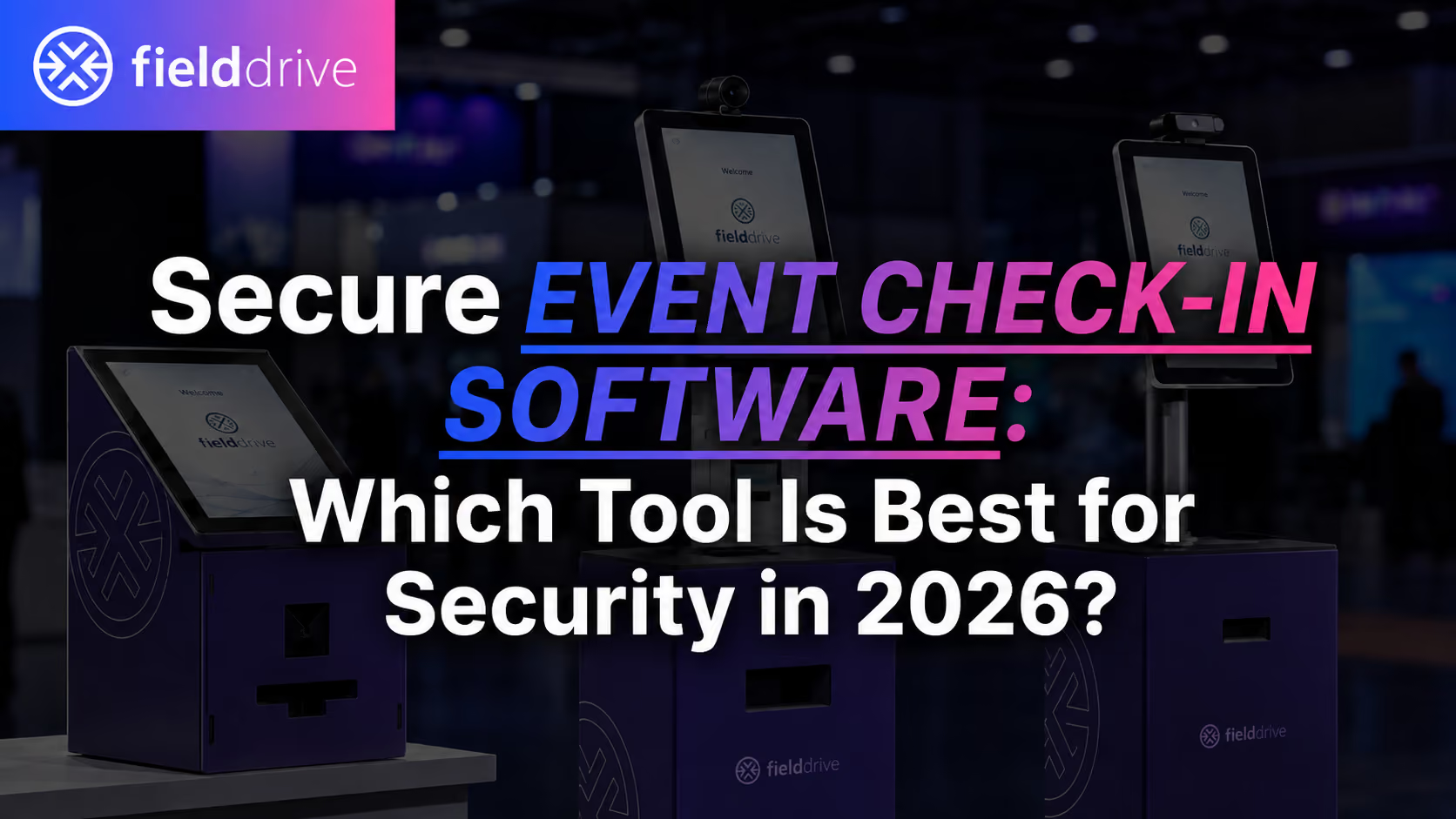
Event check-in is where identity, access control, badge issuance, and attendee data all collide under real onsite pressure.
A secure event check-in tool should do more than protect data in the cloud. It should help event teams prevent duplicate check-ins, unauthorized badge reprints, badge swapping, unlocked devices, uncontrolled exports, and risky manual workarounds when queues start building.
For high-volume or high-security events, the best event check-in software is usually the one that combines identity verification, controlled badge printing, role-based access, audit logs, device security, offline resilience, data protection, and onsite support.
This guide breaks down what “secure check-in” really means for in-person events, the security controls buyers should evaluate, and how fielddrive fits into that conversation with secure onsite check-in, facial recognition, and newly unveiled ID/document verification capabilities.
TL;DR
- Secure event check-in is not just about encryption. It includes identity verification, badge control, device lockdown, auditability, and onsite workflows.
- The biggest real-world risks are often operational: badge fraud, duplicate check-ins, uncontrolled reprints, shared staff logins, and devices left unlocked.
- Look for role-based access control, audit logs, badge reprint controls, offline mode, and clear data retention policies.
- Facial recognition can strengthen identity checks, but it also introduces biometric data responsibilities. Consent, opt-out options, encryption, and deletion policies matter.
- ID/document verification adds another layer of assurance for events where identity accuracy is critical.
- fielddrive supports multiple check-in options, including QR scanning, facial recognition, and ID scanning, and publicly states fast badge printing at around 6 seconds per badge. (fielddrive.com)
- fielddrive’s facial recognition check-in is positioned as consent-driven, with opt-out options and biometric data encryption. (fielddrive.com)
- fielddrive’s privacy policy states that attendee personal data is retained for 15 days from event termination, then anonymized or deleted, and that attendee biometric personal data may include submitted photos and facial geometries. (fielddrive.com)
What “security” means in event check-in
Security at check-in has two sides:
- Physical access security: making sure the right person receives the right badge and access level.
- Information security and privacy: protecting attendee data, biometric data, and event records while proving who did what.
A tool can have strong cloud security and still create onsite risk if:
- Staff share logins.
- Badge reprints are not controlled.
- VIP, staff, or exhibitor badges can be reissued without approval.
- Tablets can be exited out of the check-in app.
- Attendee data can be exported without logs.
- Offline data is stored locally without clear handling rules.
- Facial recognition is used without consent or fallback options.
In other words, secure event check-in is not one feature. It is a connected operating model.
It includes the technology, the devices, the badge workflow, the staff permissions, the data rules, and the onsite support model holding the whole thing together.
The best secure event check-in tool: what to look for
The best secure event check-in software should help event teams answer seven core questions:
- Can we verify attendee identity accurately?
- Can we prevent duplicate check-ins and badge fraud?
- Can we control who prints, reprints, edits, or exports data?
- Can we secure devices used onsite?
- Can we operate safely during internet issues?
- Can we protect attendee and biometric data properly?
- Can we prove what happened after the event?
For smaller events, a simple check-in app may be enough. For large conferences, trade shows, corporate events, association meetings, VIP events, or regulated industries, security needs to extend across the full onsite flow.
That is where onsite-focused providers like fielddrive become especially relevant, because secure check-in is not only about the software screen. It is also about kiosks, badge printers, scanning workflows, fallback options, integrations, onsite teams, and post-event data handling.
Key security controls for event check-in software
1. Identity verification
For many events, security starts with a basic but important question:
Is this attendee really the person attached to this registration?
Common risks include:
- Attendees checking in under someone else’s name.
- Duplicate check-ins using the same registration.
- Badge swapping after check-in.
- Unauthorized access to VIP, staff, speaker, press, or exhibitor areas.
- Manual overrides during busy arrival periods.
Secure event check-in software should support identity checks that match the event’s risk level.
For standard events, QR code scanning and name lookup may be enough. For higher-security events, stronger identity layers may be needed, such as facial recognition or ID/document verification.
fielddrive’s check-in ecosystem supports multiple check-in options, including QR scanning, facial recognition, and ID scanning. (fielddrive.com) This flexibility matters because not every event needs the same level of verification. A public trade show, a medical congress, a financial services event, and a VIP summit may all need different entry flows.
2. ID/document verification
ID/document verification is becoming more important for events where attendee identity needs to be checked with higher confidence.
This can matter for:
- High-security corporate events.
- Government or public-sector events.
- Financial services and healthcare events.
- VIP programs.
- Restricted-access conferences.
- Age-restricted or credential-sensitive experiences.
- Events where badge misuse could create safety, compliance, or reputational risk.
fielddrive has newly unveiled ID/document verification as part of its next-generation onsite check-in direction. The value is not just “checking an ID.” The value is adding another assurance layer to the onsite flow without forcing teams to build a manual security bottleneck at the entrance.
In a secure check-in setup, ID/document verification can help organizers:
- Match attendees to their registration more confidently.
- Reduce impersonation risk.
- Strengthen access control for restricted areas.
- Support security teams with a cleaner verification workflow.
- Reduce the need for ad-hoc manual checks during peak arrival times.
The key is to use ID/document verification where it makes sense. Not every event needs it. But for high-security or high-trust environments, it can become an important part of the onsite security stack.
3. Facial recognition check-in
Facial recognition can help speed up check-in while strengthening identity assurance, especially at high-volume events where QR codes, phone issues, and manual lookup slow down entry.
fielddrive publicly describes its facial recognition check-in as a way to reduce check-in friction, improve attendee experience, and support secure onsite flows. Its facial recognition page also states that the feature is attendee consent-driven, includes an opt-out option, and uses biometric data encryption. (fielddrive.com)
That matters because facial recognition is not just another convenience feature. It involves biometric data, which needs careful handling.
A responsible facial recognition setup should include:
- Clear attendee consent.
- An alternative check-in method for attendees who opt out.
- Secure biometric data processing.
- Defined retention and deletion policies.
- Strong access controls.
- Clear communication before the event.
- Staff training for fallback scenarios.
fielddrive’s facial recognition flow gives attendees alternative options if they do not want to use facial recognition, including QR code check-in or manual name lookup. (fielddrive.com)
That opt-out path is important. For event organizers, it keeps the experience inclusive. For security and privacy teams, it helps avoid a “biometrics or nothing” model.
4. Biometric data security
Biometric data needs to be handled with more care than standard event registration data because it is uniquely tied to an individual.
fielddrive’s privacy policy identifies attendee biometric personal data as including original photos submitted by participating attendees and facial geometries created from those photos. fielddrive uses biometric data encryption and GDPR-compliant, multi-layered security measures.
For buyers, the important questions are:
- Is facial recognition optional?
- Is attendee consent captured clearly?
- What biometric data is stored?
- How is that data encrypted?
- Who can access it?
- How long is it retained?
- Is there a clear deletion or anonymization process?
- What fallback flow exists for attendees who do not opt in?
The safest way to evaluate biometric check-in is not to ask, “Does the vendor offer facial recognition?”
A better question is:
Can the vendor offer facial recognition in a way that protects attendee choice, event security, and data privacy at the same time?
5. Badge issuance and reprint controls
Badge printing is one of the most overlooked parts of event security.
That is a problem because badges are the physical credential attendees carry around the venue. If badge issuance is not controlled, the rest of the security stack can quickly unravel.
Common badge risks include:
- VIP badges reprinted without approval.
- Staff badges created outside the approved list.
- Exhibitor badges passed around.
- Lost badges replaced without proper verification.
- Duplicate badges issued during busy check-in windows.
- Manual badge edits made without logs.
Secure badge printing should include:
- One-person-one-badge logic.
- Duplicate check-in detection.
- Controlled reprint permissions.
- Reprint logs.
- Badge templates tied to attendee type or access level.
- Scannable badge IDs for access validation.
- Clear fallback workflows for lost or incorrect badges.
fielddrive supports high-speed onsite badge printing, with its homepage publicly stating fully colored, two-sided badges at a print rate of 6 seconds per badge. (fielddrive.com)
That speed has a security benefit too. When check-in lines move quickly, staff are less likely to bypass controls, skip verification steps, or improvise risky manual workarounds just to keep the queue moving.
6. Access control and attendee movement
Secure event check-in does not stop after the badge is printed.
For many events, the real security challenge begins inside the venue:
- Can attendees enter only the sessions they are registered for?
- Can VIP areas be restricted?
- Can staff validate access at doors?
- Can organizers monitor attendee flow in real time?
- Can restricted zones be protected without creating delays?
This is where event access control and attendee tracking become part of the security conversation.
A strong onsite setup should connect check-in data, badge data, and access permissions. That way, the badge is not just a name tag. It becomes a controlled credential for entry points, sessions, zones, and event experiences.
For high-security events, this connection between check-in and access control is essential.
7. Role-based access control and least privilege
Not every staff member should have the same level of access.
A check-in staffer may need to search attendees and print badges. A supervisor may need to approve reprints. An admin may need to export data or update templates. Those should not all be the same permission level.
Look for event check-in software that supports:
- Role-based access control.
- Separate permissions for check-in, reprints, edits, exports, and admin actions.
- Individual staff accounts instead of shared logins.
- Access limits by event, role, team, or function.
- Clear staff offboarding after the event.
This matters because many event security issues come from over-permissioned users, not technical attacks.
The principle is simple:
Give people enough access to do their onsite job, but not enough access to accidentally create a security problem.
8. Audit logs
Security without audit logs is guesswork.
If something goes wrong, organizers need to know:
- Who checked in an attendee?
- Who reprinted a badge?
- Who changed a badge template?
- Who exported attendee data?
- Which device performed the action?
- When did it happen?
- Was the action successful or failed?
Audit logs help event teams investigate incidents, review onsite activity, and improve future workflows.
For secure event check-in software, audit logs should cover:
- Check-ins.
- Badge reprints.
- Manual overrides.
- Data exports.
- Permission changes.
- Badge template edits.
- Integration or sync activity.
- Device activity where applicable.
For high-risk events, auditability should be part of procurement from the start, not an afterthought.
9. Kiosk and device security
Check-in software often runs on tablets, kiosks, scanners, or rented devices. Those devices should be treated as part of the security environment.
A secure device setup should include:
- Single-app or kiosk mode.
- Device lockdown.
- Staff authentication.
- Remote wipe capabilities.
- Clear local storage rules.
- Secure device handover and return processes.
- Physical supervision during event hours.
- Post-event device data clearing.
This is especially important for mobile-only check-in apps, where staff may use shared tablets or personal devices.
Onsite-focused kiosk providers can reduce this risk by giving organizers a more controlled hardware environment. fielddrive’s check-in offering includes dedicated kiosks, which helps bring the device layer into the planned onsite flow rather than leaving teams to improvise with unmanaged devices. (fielddrive.com)
10. Offline mode and local data handling
Internet problems are common at event venues.
That makes offline mode important, but offline mode is also a security topic.
A vendor should be able to explain:
- What attendee data is stored locally during offline operation.
- Whether local data is encrypted.
- How offline check-ins sync when connectivity returns.
- How duplicate check-ins are prevented during outages.
- How local data is cleared after the event.
- What happens if a device is lost while offline.
fielddrive publicly states offline printing mode as part of its badge printing capabilities in the original draft, and its onsite model is built around keeping check-in and badging operational even when venue conditions are imperfect.
The goal is not just uptime. The goal is secure continuity.
A good offline mode keeps the event moving without forcing staff to abandon security controls.
11. Attendee data security and retention
Event check-in systems process sensitive operational data. Depending on the event, this may include:
- Name.
- Email.
- Phone number.
- Organization.
- Job title.
- Badge type.
- Ticket category.
- Session access.
- Attendance history.
- Lead retrieval interactions.
- Facial recognition enrollment data, if used.
fielddrive’s privacy policy states that attendee personal data is retained for 15 days from the termination date of the event for which the customer entered into a contract with fielddrive. It also states that fielddrive processes that data under customer instructions and anonymizes or deletes the data after the retention period. (fielddrive.com)
That is important because indefinite retention increases risk.
For any event check-in vendor, buyers should ask:
- What attendee data is collected?
- What data is required versus optional?
- Who controls the data?
- How long is it retained?
- Can retention be customized?
- What happens after the retention period?
- Is the data deleted, anonymized, or archived?
- Which sub-processors are involved?
fielddrive also publishes a sub-processor list that includes the name, location, and processing activity of third-party data processors. (fielddrive.com)
That kind of transparency helps procurement and security teams understand where event data may be processed as part of service delivery.
Feature comparison table: secure event check-in software
How different vendor types approach check-in security
1. All-in-one event platforms
All-in-one event platforms often have strong central systems for registration, attendee management, permissions, reporting, and digital event workflows.
Their strengths may include:
- Centralized user management.
- Enterprise procurement documentation.
- Broad integration ecosystems.
- Registration and event management tools in one place.
However, buyers should still ask how those controls translate onsite.
Important questions include:
- How are badge reprints controlled?
- Are check-in actions logged?
- Are devices locked down?
- Is offline mode supported?
- Who manages onsite printers and kiosks?
- What happens when venue internet fails?
- Are access permissions enforced at the badge scanning level?
A platform may be strong for registration and still need careful evaluation for physical onsite security.
2. Virtual or hybrid-first platforms used onsite
Virtual and hybrid-first platforms can be strong for digital engagement, content delivery, livestreams, and attendee networking.
But when used for physical event check-in, buyers should verify:
- Whether onsite check-in is native or partner-supported.
- Whether badge printing is included.
- Whether access control is strong enough for restricted zones.
- Whether onsite teams are available.
- Whether device management is part of the service.
- Whether check-in continues smoothly during connectivity issues.
For simple events, this may be enough. For high-volume onsite events, the physical workflow needs closer scrutiny.
3. Mobile-only check-in apps
Mobile check-in apps can work well for smaller events with lower risk and lighter onsite needs.
Their strengths include:
- Quick setup.
- Low hardware requirements.
- Familiar smartphone or tablet interface.
- Lower operational overhead.
But security watch-outs include:
- Shared staff devices.
- Weak device lockdown.
- Limited badge printing governance.
- Manual badge handling.
- Less control over reprints.
- Higher dependence on staff training.
- Riskier fallback behavior during peak arrival.
Mobile-only check-in may be practical, but for larger events, security depends heavily on staff discipline and process design.
4. Onsite specialists with hardware, software, and support
Onsite event technology specialists are often stronger when the security risk is tied to the physical event environment.
This category focuses on:
- Check-in kiosks.
- Badge printing.
- QR scanning.
- Facial recognition.
- ID/document verification.
- Session scanning.
- Access control.
- Attendee tracking.
- Onsite support.
- Post-event analytics.
fielddrive fits into this category.
Its strength is not just that it offers check-in software. It brings together onsite hardware, event badge printing, multiple check-in methods, scanning, analytics, and support into one connected onsite flow.
For events where security depends on both technology and execution, that connected model matters.
Where fielddrive fits in secure event check-in
fielddrive is best understood as an onsite event technology partner for secure, high-volume, in-person event operations.
Its onsite stack includes:
- Self-check-in kiosks.
- QR code check-in.
- Facial recognition check-in.
- Newly unveiled ID/document verification.
- On-demand badge printing.
- Access control and scanning workflows.
- Attendee tracking.
- Lead retrieval.
- Event analytics.
- Onsite support.
For security-focused event teams, fielddrive is especially relevant because it connects identity, badge issuance, access control, and onsite data into one flow.

fielddrive’s security-relevant strengths
Multiple identity options
fielddrive supports different check-in methods, including QR scanning, facial recognition, and ID scanning.
This helps organizers choose the right verification level for each event. A lower-risk conference may rely on QR code check-in. A high-security event may use facial recognition, ID/document verification, or layered checks for specific attendee groups.
Newly unveiled ID/document verification
fielddrive’s newly unveiled ID/document verification capability adds another layer for events where identity assurance matters.
This is useful for events that need stronger control over who enters, who receives a badge, and who gets access to restricted areas.
Facial recognition with attendee choice
fielddrive’s facial recognition check-in is designed to speed up onsite entry while supporting security and privacy expectations. Its public facial recognition page states that the feature is consent-driven and includes an easy opt-out option. (fielddrive.com)
That makes it easier for organizers to offer facial recognition without forcing every attendee into the same check-in path.
Biometric data protection
fielddrive states that its facial recognition technology uses biometric data encryption and GDPR-compliant, multi-layered security measures. (fielddrive.com) Its privacy policy also identifies the types of biometric personal data involved, including original attendee photos and facial geometries created from those photos. (fielddrive.com)
For organizers evaluating facial recognition, this gives security and procurement teams clearer areas to review during vendor assessment.
Attendee data retention
fielddrive’s privacy policy states that attendee personal data is retained for 15 days from event termination and then anonymized or deleted. (fielddrive.com)
That is important for organizers who want a defined post-event data handling process rather than indefinite storage.
Fast badge printing
fielddrive publicly states that its kiosks print fully colored, two-sided badges at around 6 seconds per badge.
This matters for security because speed supports compliance. When check-in flows move quickly, onsite teams are less likely to skip controls, handwrite badges, bypass approval steps, or create duplicate credentials to reduce queues.
Sub-processor transparency
fielddrive publishes a sub-processor list with processor names, locations, and processing activities.
For procurement and data protection teams, this helps clarify which third parties may support service delivery.
Which event check-in tool is best for security?
The best tool depends on the event’s risk profile.
For high-security events
Prioritize:
- ID/document verification.
- Facial recognition with consent and opt-out options.
- Badge reprint controls.
- Access control.
- Role-based permissions.
- Audit logs.
- Device lockdown.
- Clear biometric data handling.
- Onsite support.
fielddrive is a strong fit to evaluate here because it combines secure onsite check-in, badge printing, facial recognition, ID/document verification, and onsite operational support.
For large conferences and trade shows
Prioritize:
- Fast badge printing.
- Multiple check-in options.
- Offline resilience.
- Device security.
- Access control.
- Real-time visibility.
- Scalable onsite support.
fielddrive is especially relevant for high-volume events because its model is built around moving attendees through check-in quickly while keeping badge issuance and onsite data connected.
For corporate events and VIP programs
Prioritize:
- Strong identity checks.
- Controlled badge issuance.
- Restricted area access.
- Secure attendee data handling.
- Professional onsite support.
- Clear escalation workflows.
fielddrive’s ID verification, facial recognition, and controlled onsite badging can support these requirements.
For smaller, low-risk events
Prioritize:
- Basic QR check-in.
- Simple staff permissions.
- Minimal data collection.
- Device lockdown.
- Clear deletion after the event.
A lightweight check-in app may be enough, provided the organizer does not need advanced badge controls, biometric check-in, ID verification, or onsite hardware support.
Security questions to ask vendors
FAQ
What is secure event check-in software?
Secure event check-in software helps event teams verify attendee identity, issue badges safely, control access permissions, protect attendee data, and track onsite activity. It should include controls such as identity verification, badge reprint governance, role-based access, device security, audit logs, and clear data retention policies.
What is the biggest security risk in event check-in?
The biggest risks are usually operational rather than technical. Common issues include badge fraud, duplicate check-ins, uncontrolled badge reprints, shared staff logins, unlocked devices, and manual workarounds during busy arrival periods.
Is facial recognition necessary for secure event check-in?
Not always. Facial recognition is useful for events that need faster identity matching or stronger access assurance, especially at high volume. But it should be optional, consent-led, and supported by alternative check-in methods such as QR code scanning or manual lookup.
How does fielddrive handle facial recognition security?
fielddrive describes its facial recognition check-in as consent-driven with an opt-out option. It also states that its facial recognition technology uses biometric data encryption and GDPR-compliant, multi-layered security measures. (fielddrive.com)
What biometric data does fielddrive process?
fielddrive’s privacy policy identifies attendee biometric personal data as including original photos submitted by participating attendees and facial geometries created from those photos. (fielddrive.com)
How long does fielddrive retain attendee data?
fielddrive’s privacy policy states that attendee personal data is retained for 15 days from the termination date of the event, after which the data is anonymized or deleted. (fielddrive.com)
Why does ID/document verification matter for event security?
ID/document verification helps strengthen identity assurance at check-in. It is especially useful for high-security events, VIP programs, restricted-access conferences, and events where badge misuse could create safety, compliance, or reputational risks.
How can organizers prevent badge fraud?
Organizers can reduce badge fraud by using controlled badge printing, duplicate check-in detection, reprint permissions, reprint logs, scannable badge IDs, access control rules, and stronger identity verification where needed.
Why is offline mode a security issue?
Offline mode keeps check-in running during venue internet issues, but it also means attendee data may be stored locally for a period of time. Organizers should ask how offline data is encrypted, synced, and cleared after the event.
What should buyers ask about attendee data security?
Buyers should ask what attendee data is collected, how it is encrypted, who can access it, where it is processed, how long it is retained, whether sub-processors are used, and whether data is deleted or anonymized after the event.
Conclusion
Secure event check-in is not a single feature. It is the combination of identity verification, badge control, access permissions, device security, data protection, auditability, and onsite execution.
For low-risk events, a simple QR-based check-in app may be enough. But for high-volume conferences, corporate events, VIP programs, trade shows, and security-sensitive environments, organizers need a more complete onsite security model.
That means looking beyond basic check-in and asking harder questions:
Can the tool verify identity?
Can it prevent badge fraud?
Can it control reprints?
Can it protect biometric and attendee data?
Can it operate securely when the internet fails?
Can it support the onsite team when pressure hits?
fielddrive is built for this onsite reality. With secure check-in kiosks, fast badge printing, facial recognition, newly unveiled ID/document verification, attendee tracking, access control workflows, analytics, and onsite support, fielddrive gives event teams a stronger way to manage secure onsite entry from the first scan to the final post-event report.
For organizers evaluating secure event check-in software in 2026, fielddrive is worth shortlisting when the goal is not just to check attendees in, but to protect the integrity of the entire onsite event flow.
.svg)
.svg)
.svg)
Want to learn how fielddrive can help you elevate your events?
Book a call with our experts today


.svg)