

.svg)
.webp)
Best Lead Capture Tools for Trade Show Booths
A practical comparison of the best lead capture tools for trade shows, covering badge scanning, offline capture, qualification, CRM handoff, and exhibitor reporting. The guide separates organizer-connected lead retrieval from universal exhibitor-owned tools to help teams choose the right fit for their event workflow.

Key takeaways
- Best organizer-connected tool: fielddrive Leads for offline capture, qualification, exhibitor reporting, and organizer visibility.
- Best universal tool: Captello for cross-event capture, enrichment, CRM connectivity, and attribution.
- Best for Cvent users: Cvent iCapture for consistent capture across third-party trade shows.
- Best for high-traffic booths: Swapcard for its Quick Scan workflow.
- Rankings use category-specific must-have features, not arbitrary numerical scores.
A badge scan tells you who visited your booth. It does not necessarily tell your sales team why that person mattered.
The best trade show lead capture tools go further. They help booth teams qualify prospects while conversations are still fresh, capture notes and buying context, continue working when venue connectivity struggles, and move useful information into sales workflows before interest cools.
That distinction matters because effective lead retrieval is not simply about collecting more scans. It is about turning booth interactions into qualified opportunities that exhibitors can actually follow up on.
For a deeper look at the process itself, fielddrive's guide to event lead retrieval covers capture, qualification, follow-up, and ROI in more detail.
Read more: Explore the event lead retrieval guide
There is also one important distinction to understand before comparing products: not all trade show lead capture tools are built for the same buyer.
Some are connected to the organizer's event technology and retrieve registered attendee information through the event's badge system. Others are purchased by exhibitors and designed to work across trade shows run by different organizers.
That is why we have evaluated the two categories separately.
Our methodology: How we ranked trade show lead capture tools
We divided the products into two categories.
Organizer-connected lead retrieval tools operate through or alongside the event's technology environment. They give exhibitors access to lead capture while allowing organizers to manage the broader program.
Universal lead capture tools are typically purchased by the exhibiting company and designed to provide a consistent workflow across different events and organizers.
Each category has its own must-have features.
We only treat a capability as available when current public product information supports it. Where functionality depends on event configuration, permissions, plans, or cannot be verified broadly, we mark it as Varies or Confirm rather than assuming availability.
The ranking does not reward a platform simply for having more features. We prioritize the capabilities that affect real booth workflows: capture speed, qualification, offline reliability, follow-up readiness, reporting, and the ability to operate effectively in the platform's intended buying model.
What is trade show lead capture software?
Trade show lead capture software helps exhibitors collect and qualify information about people they meet at their booth.
The process typically begins by scanning an attendee badge or QR code. Depending on the platform, representatives may also be able to scan business cards, capture contact information manually, or use other identifiers.
A good system then lets booth teams add context such as:
- Lead status or priority
- Product interest
- Qualification answers
- Conversation notes
- Buying timeline
- Follow-up requirement
- Sales owner
- Next step
That context is the difference between a list of contacts and a useful sales pipeline.
Instead of merely answering "Who visited the booth?", the lead data should help sales understand what the prospect cared about, how serious the opportunity was, what happened during the conversation, and what needs to happen next.
If you are developing the qualification workflow itself, fielddrive's Exhibitor Lead Retrieval Guide covers pre-event setup, qualifiers, booth-team training, and follow-up planning.
Read more: Read the Exhibitor Lead Retrieval Guide
Best organizer-connected lead retrieval tools
Organizer-connected lead retrieval is particularly useful when the event organizer wants to provide exhibitors with a consistent way to scan attendees, qualify prospects, retrieve their lead data, and measure booth activity.
For organizers, the technology can become part of the overall exhibitor experience rather than another system every booth has to source independently.
Must-have features for organizer-connected lead retrieval
For this category, we looked for:
- Reliable badge and QR scanning
- Connection with event attendee data
- Fast lead qualification
- Offline lead capture
- Mobile or dedicated scanning options
- Exhibitor dashboards and reports
- Organizer-level visibility
- Lead exports or integration options
- Ability to support multiple exhibitors
- Value beyond simple contact capture
1. fielddrive Leads
Best for trade show organizers that want lead retrieval connected to the wider onsite experience
fielddrive Leads is built around a straightforward onsite workflow: scan, qualify, share, and follow up.
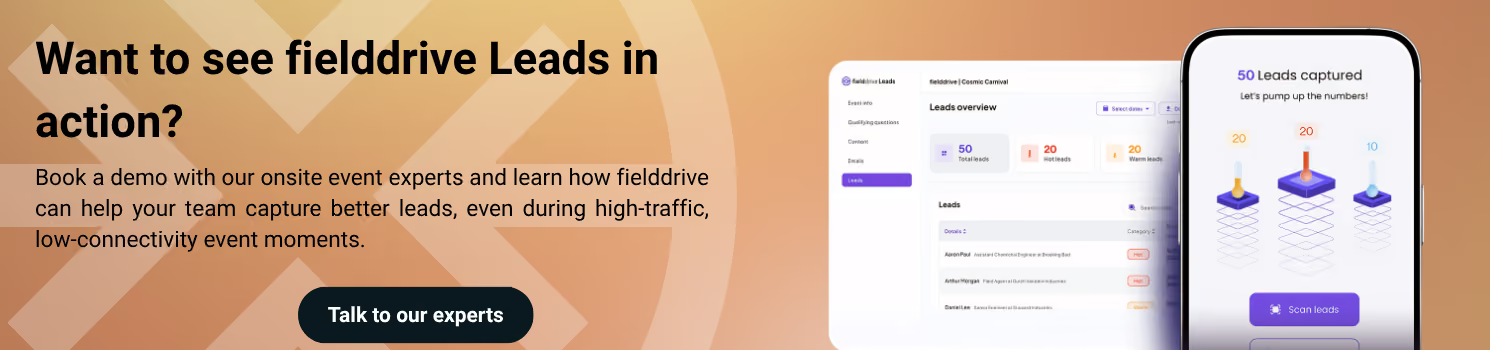
Booth teams can scan attendee badge QR codes using their own iOS or Android devices or a dedicated handheld scanner. Representatives can then answer custom qualification questions, add conversation notes and interest tags, and categorize leads as hot, warm, or cold.
Lead capture can continue offline and sync automatically once the device reconnects, which helps protect the booth workflow when venue Wi-Fi becomes unreliable.
Exhibitors can also share digital brochures, product sheets, presentations, and other materials directly from the app. Real-time dashboards show captured leads and booth activity while reports can be exported for sales follow-up.
Key capabilities
- Fast QR badge scanning
- iOS and Android BYOD
- Dedicated handheld scanner option
- Offline lead capture and synchronization
- Custom qualification questions
- Notes and interest tags
- Hot, warm, and cold categorization
- Digital asset sharing
- Real-time exhibitor dashboards
- Exportable lead reports
- Organizer-level visibility
The larger advantage for organizers is that Leads does not have to operate as an isolated booth scanner.
It can sit alongside fielddrive's onsite check-in and badging environment, attendee tracking, and analytics.
When used with fielddrive Insights, organizers can also analyze leads captured, exhibitor activity, qualifier trends, follow-up readiness, exhibitor performance, and hot/warm/cold lead breakdowns alongside other onsite event data.
This makes fielddrive particularly relevant for organizers trying to connect exhibitor value with the rest of the onsite experience, rather than treating lead retrieval as an isolated add-on.
Consideration: fielddrive Leads is strongest where the lead retrieval deployment is connected with the event's attendee and onsite technology setup. A company looking for one independent application to carry into unrelated events may be better served by a universal lead capture platform.
2. Swapcard Lead Capture
Best for high-traffic booths at events already using Swapcard
Swapcard integrates Lead Capture into its mobile event environment.
Exhibitors with Lead Capture access can scan attendee badges and business cards, score contacts, add notes, and manage captured leads through the app. Access is controlled by the event organizer.
Its most interesting booth-specific feature is Quick Scan mode.
During high-traffic periods, staff can scan a badge and immediately return to the camera without completing a full qualification form. Multiple visitors can therefore be captured rapidly, with qualification completed later when booth traffic slows.
Swapcard also supports offline scanning. Badge scans can be stored locally when the network is unavailable and synchronized after connectivity returns. However, there are operational limitations, including the risk of losing unsynchronized scans if the app is deleted before they are synced.
Key capabilities
- Badge and QR scanning
- Business card scanning
- Lead qualification
- Lead scoring
- Notes
- Quick Scan mode
- Offline capture
- Contact synchronization
- Mobile capture
- CRM and marketing integrations
Consideration: Lead Capture depends on organizer permissions and the Swapcard event environment. It is not a universal scanner an exhibitor can assume will operate independently at every event.
3. Cvent LeadCapture
Best for exhibitors at events already managed through Cvent
Cvent LeadCapture allows exhibitors to scan attendee badges or business cards using a mobile device, add notes and ratings, create custom qualification questions, and export leads on demand.
Its strongest advantage is ecosystem fit.
For events already being managed on Cvent, LeadCapture connects the exhibitor workflow with the attendee and event environment rather than requiring a separate capture platform.
Exhibitors can access lead quantity and quality through the Exhibitor Portal, while CRM and marketing-system integrations can support faster follow-up.
Key capabilities
- Badge scanning
- Business card capture
- Notes and lead ratings
- Custom qualification questions
- On-demand lead exports
- CRM handoff
- Exhibitor Portal reporting
- Real-time lead visibility
- Multi-user booth capture
Consideration: Cvent explicitly distinguishes LeadCapture from iCapture. LeadCapture is designed for events managed through Cvent, while iCapture is intended for third-party trade shows and external events that a company attends.
4. Whova Lead Retrieval
Best for straightforward mobile lead retrieval at Whova-powered events
Whova integrates lead retrieval into its event app, giving exhibitors a relatively simple way to collect leads without separate scanner hardware.
Exhibitors can scan attendee QR codes using a phone, manually enter a contact if needed, view collected leads, and export lead information.
Whova also provides lead scoring and reporting around exhibitor lead activity.
Key capabilities
- Mobile QR scanning
- Manual lead entry
- Lead management
- Lead scoring
- Spreadsheet exports
- Exhibitor reporting
- Integration with the wider Whova event experience
Consideration: Whova Lead Retrieval is tied to Whova-powered events. Public documentation is less explicit about a broad offline capture workflow, so that should be confirmed for the event setup before treating it as a requirement.
Best universal lead capture tools for exhibitors
Universal lead capture software solves a different problem.
It is generally better suited to companies that exhibit at events run by multiple organizers and want the same capture process, qualification fields, CRM mappings, and reporting structure everywhere.
Must-have features for universal trade show lead capture software
For this category, we prioritized:
- Ability to work across unrelated trade shows
- Badge and QR capture
- Alternative capture methods
- Offline lead capture
- Custom qualification
- Notes and context
- CRM or marketing automation handoff
- Lead routing and follow-up
- Consistency across events
- Reporting and attribution
Universal lead capture comparison
1. Captello
Best for enterprise teams that want universal capture plus revenue attribution
Captello ranks first in the universal category because its lead capture workflow extends from capture through enrichment, action, and attribution.
Its Universal Lead Capture system can recognize badges, badge QR codes, business cards, LinkedIn QR codes, and contact information on paper. Captello states that the same capture workflow can be used across different event and registration environments.
Offline capture is supported, with records synchronized when connectivity returns. Captello also connects captured information with enrichment, CRM and marketing automation workflows, behavioral intelligence, and pipeline attribution.
Key capabilities
- Universal badge capture
- QR scanning
- Business card capture
- Offline capture
- Lead qualification
- Data enrichment
- CRM connectivity
- Marketing automation integrations
- Follow-up workflows
- Pipeline attribution
- Event revenue reporting
Consideration: Captello's broader enrichment and attribution environment is likely to deliver the most value for organizations with established event marketing and revenue operations. Smaller teams looking primarily for scan-and-export functionality may not need the full stack.
2. Cvent iCapture
Best for companies exhibiting regularly at third-party trade shows
Cvent iCapture is designed specifically around events a company attends, rather than events the company organizes through Cvent.
It gives booth teams one capture process across different trade shows and supports badges, name tags, business cards, photographs, and manual capture. The same lead form can be used across those capture methods.
Cvent says iCapture integrates with more than 130 badge providers and can route qualified leads into systems such as Salesforce, HubSpot, Marketo, and Eloqua. Leads can be routed based on information collected onsite, while analytics connect events and representatives to pipeline performance.
Cvent also documents offline lead capture with synchronization when connectivity is restored.
Key capabilities
- Consistent cross-event workflow
- Badge and name-tag scanning
- Business card capture
- Manual entry
- Offline capture
- Qualification forms
- Lead enrichment
- CRM and MAP integrations
- Automated routing
- Event and rep performance analytics
- Pipeline attribution
Consideration: The platform is particularly attractive to established trade show and field-marketing teams that want standardized processes across a large event calendar.
3. momencio
Best for teams that want capture connected to post-event engagement
momencio approaches event lead capture as the start of a longer engagement journey.
The platform can be used as a primary scanner across events and supports badges, QR codes, business cards, and other capture methods. Its current product documentation states that capture methods work offline, with locally stored data synchronizing after reconnection.
momencio also combines capture with AI-based enrichment, native CRM integrations, voice and text notes, content engagement, and subsequent behavioral tracking.
That makes it particularly relevant where marketing wants to understand not only who was scanned, but what the person did after the booth interaction.
Key capabilities
- Badge and QR capture
- Business card capture
- Offline lead capture
- Lead enrichment
- Voice and text notes
- Qualification
- CRM integrations
- Follow-up content
- Engagement tracking
- Event attribution
Consideration: Companies primarily looking for a lightweight booth scanner may find that a significant part of momencio's value sits in the post-capture engagement layer.
4. Popl
Best for teams that want straightforward universal capture and CRM handoff
Popl is designed to give teams a portable capture workflow across trade shows, conferences, and other in-person interactions.
The platform supports badge scans, QR codes, business cards, qualification forms, tags, and notes. Its badge scanner can operate offline, storing records locally and synchronizing them after connectivity returns.
Popl also emphasizes CRM synchronization and lets booth teams connect meeting-booking tools so a conversation can move directly into a scheduled follow-up.
Key capabilities
- Badge scanning
- QR capture
- Business card capture
- Offline scanning
- Qualification forms
- Lead tags and notes
- CRM synchronization
- Meeting booking
- Lead routing
- Team and event reporting
Consideration: Popl is particularly compelling as a portable exhibitor-owned workflow. Organizers looking for registration-linked control and reporting across every exhibitor may prefer an organizer-connected system.
Cross-platform trade show lead capture comparison
The distinction between the two categories becomes clearer when the platforms are placed side by side.
Confirm does not mean a feature is unavailable. It means current public documentation does not support treating it as universally available across every deployment.
How to choose the right lead capture tool for a trade show
The fastest way to narrow the field is to start with one question:
Who controls the lead capture workflow?
If you are organizing the trade show
Start with organizer-connected lead retrieval.
Your exhibitors need reliable capture and qualification, but you also need attendee-data connectivity, manageable deployment, reporting, support, and visibility across the exhibition.
fielddrive Leads, Swapcard, Cvent LeadCapture, and Whova belong in this category.
For organizers, this also creates an opportunity to treat lead retrieval as part of the exhibitor value proposition rather than a basic scanner rental. fielddrive's guide to improving exhibitor ROI explains how lead retrieval can contribute to that broader outcome.
If your company exhibits at many unrelated trade shows
Prioritize a universal lead capture platform.
The value comes from consistency. Your team can reuse the same qualification fields, rep workflows, CRM mappings, ownership rules, and reporting structure even when the event organizer changes.
Captello, Cvent iCapture, momencio, and Popl are designed around that problem.
If CRM speed is the priority
Do not evaluate the scanner in isolation.
Ask how quickly the complete record reaches sales, including qualification responses, notes, ownership, event attribution, and next steps.
A fast scan followed by two days of spreadsheet cleanup is not a fast lead process.
fielddrive's guide to exhibitor lead CRM integration covers field mapping, routing, sync latency, attribution, and the operational problems that often appear between the booth and the CRM.
Additional reading: Read the exhibitor lead CRM integration guide
If venue Wi-Fi makes you nervous
Treat offline capability as a requirement.
But do not stop at:
"Does the app work offline?"
Ask what that actually means.
Can representatives:
- Scan a lead?
- Add qualification data?
- Add notes?
- View attendee information?
- Save the record securely?
- Continue for several hours?
- Synchronize automatically afterward?
- Resolve duplicates cleanly?
Different products use the word offline to describe very different workflows.
If your booth gets sudden traffic spikes
Measure what happens between scans.
A system can read a QR code quickly but still slow representatives down by requiring a full qualification flow before the camera becomes available again.
Swapcard's Quick Scan mode and Cvent iCapture's group lead parking capabilities show two different approaches to this problem. Both separate immediate capture from deeper qualification when booth traffic becomes intense.
What features should a trade show lead capture tool have?
Fast badge scanning
Lead capture should fit around the conversation rather than becoming the conversation.
Do not measure scanner recognition speed alone. Measure the complete:
scan → save → ready for next visitor
workflow under realistic booth traffic.
Lead qualification
A badge tells you who someone is.
Qualification tells you why they matter.
Useful fields might include product interest, buying timeline, existing solution, decision-making role, priority, intended next step, and sales ownership.
Keep the qualification form short enough that representatives will actually use it.
For teams setting up qualifiers for the first time, fielddrive's lead qualification guide goes deeper into the data points worth collecting and how to avoid turning the booth interaction into a questionnaire.
Read more: Explore the lead qualification guide
Offline reliability
Trade show connectivity is unpredictable.
A useful lead capture app should have a defined workflow for temporary network failure and a clear synchronization process once the connection returns.
Testing offline behavior should be part of the pre-event setup, not something discovered while the expo hall is full.
Notes and conversation context
Your sales team should not have to reconstruct a conversation from someone's name and job title three days after the event.
Notes and structured qualifiers should preserve enough context to answer one simple question:
What did this person care about, and what did we agree to do next?
CRM-ready lead data
Lead capture becomes much more valuable when the information can move cleanly into the systems sales already uses.
Before choosing a tool, confirm how it handles:
- Field mapping
- Lead ownership
- Duplicate records
- Qualification fields
- Campaign attribution
- Export timing
- Routing
- Sync failures
This is also where implementation matters as much as product capability. A platform can technically integrate with a CRM while still producing a messy workflow if fields, ownership rules, and event attribution are not mapped properly.
Booth-team usability
Features do not matter if staff stop using them.
Run the product with the people who will actually work the booth and measure how quickly they can:
scan → qualify → note → save
Then simulate peak traffic.
Training matters too. fielddrive's exhibitor lead retrieval training guide covers device preparation, qualification, high-volume scanning, CRM handoff, and post-event review.
Read more: Read the exhibitor lead retrieval training guide
Reporting and exhibitor ROI
Total scans are useful, but they are not an ROI calculation.
More meaningful questions include:
- How many qualified leads were generated?
- How many were hot, warm, or cold?
- Which products attracted the most interest?
- Which representatives captured the strongest opportunities?
- How quickly were leads followed up?
- Which exhibitors saw the greatest engagement?
- Which events created pipeline?
fielddrive Insights, for example, can combine Leads data with other onsite event signals and report on exhibitor activity, qualifier trends, follow-up readiness, and lead categories.
For a broader measurement framework, see fielddrive's guide to measuring exhibitor ROI.
Read more: Learn how to measure exhibitor ROI
Badge scanner vs. lead capture app: What's the difference?
A badge scanner identifies an attendee.
A lead capture app turns that interaction into a structured sales record.
A scanner may retrieve contact information from the badge. A more complete lead capture application can also record qualification answers, notes, interest level, ownership, follow-up actions, reporting information, and CRM-ready data.
Modern platforms often perform both functions, so the terminology is frequently used interchangeably.
The distinction still matters when evaluating software. If the workflow ends when the attendee's name appears on-screen, your team may still need another process to turn that contact into an actionable lead.
Lead capture vs. lead retrieval: What's the difference?
Lead capture is the broader process of collecting prospect information. It can include badges, business cards, QR codes, forms, manual entry, digital business cards, and other methods.
Lead retrieval traditionally refers to an exhibitor retrieving registered attendee information through the event's badge or attendee database.
The lines are increasingly blurred because modern platforms support both workflows.
For a trade show organizer, lead retrieval usually implies a closer connection with event registration and badge data. For an exhibitor attending many independent shows, universal lead capture may be more important because the same system needs to work across different event environments.
Is organizer-provided lead retrieval better than bringing your own app?
Neither approach is automatically better.
Organizer-connected lead retrieval usually makes more sense when accurate event-registration data, official badge compatibility, exhibitor support, organizer visibility, and event-wide reporting are priorities.
Universal exhibitor-owned lead capture is usually stronger when a company attends many unrelated trade shows and wants one consistent qualification and CRM workflow everywhere.
Cvent's own product structure illustrates this distinction. LeadCapture is intended for events managed through Cvent, while iCapture is designed for third-party trade shows and external events a company attends.
The right buying model therefore comes before the individual vendor comparison.
Questions to ask before choosing trade show lead capture software
Use product demos to test your real booth workflow rather than the vendor's cleanest possible scenario.
- Can the tool read the badges used at our event?
- What exactly works without internet connectivity?
- How many actions are required from scan to saved lead?
- Can qualification questions be customized?
- Can staff add notes without slowing the next interaction?
- Can multiple booth representatives contribute to one lead list?
- Can high-traffic leads be captured first and qualified later?
- How quickly can leads reach the CRM?
- How are duplicates handled?
- Can leads be routed according to qualification answers?
- What event and campaign attribution is retained?
- What reports do exhibitors receive?
- What reporting does the organizer receive?
- What attendee information is released after a badge scan?
- What happens to unsynchronized data if a device fails?
- What security and data-retention controls apply?
- What support is available while the show floor is open?
Then run the workflow repeatedly:
Scan → qualify → add context → save → synchronize → route → follow up.
If it becomes cumbersome with ten test leads, 300 booth visitors are unlikely to improve the experience.
Frequently asked questions about trade show lead capture tools
What is the best lead capture tool for trade show booths?
There is no single best platform for every booth.
fielddrive Leads is our top organizer-connected choice for events that need badge scanning, offline capture, qualification, exhibitor reporting, and organizer visibility within the wider onsite environment. Captello is our top universal choice for exhibitors that want one capture and attribution workflow across multiple independent trade shows.
What is the best lead retrieval tool for trade show organizers?
Trade show organizers should prioritize systems that connect badge capture with attendee data, qualification, exhibitor reporting, offline reliability, and organizer visibility.
fielddrive Leads ranks first in this comparison because it combines these booth-level capabilities with a broader onsite event ecosystem and organizer reporting.
What is the best lead capture app for exhibitors attending multiple events?
Companies attending many independently operated trade shows should usually consider a universal platform such as Captello, Cvent iCapture, momencio, or Popl.
These products are designed to create a more consistent capture, qualification, and sales handoff process across different event environments.
Can trade show lead capture tools work offline?
Yes. Many current platforms support some form of offline lead capture.
fielddrive Leads, Swapcard, Captello, Cvent iCapture, momencio, and Popl all document offline capture capabilities. However, what remains available while offline and how synchronization works can differ significantly between products.
Always test the specific offline workflow before the event.
Can a lead capture app scan any trade show badge?
Not necessarily.
Organizer-connected tools are generally configured around that event's badge and attendee database. Universal platforms may support many badge formats or use image recognition, business card capture, enrichment, or other methods when direct badge integration is unavailable.
Cvent states that iCapture integrates with more than 130 badge providers, while Captello positions its Universal Lead Capture around recognizing multiple badge and contact formats.
Can booth staff use their own phones for lead capture?
Yes. Many modern lead capture platforms operate on standard mobile devices.
fielddrive Leads supports compatible iOS and Android devices while also offering dedicated handheld scanners. Swapcard, Whova, Popl, and Cvent iCapture also support mobile capture workflows.
What information should you capture from a trade show lead?
Capture information that changes what sales does next.
Useful fields include:
- Product or service interest
- Buying timeline
- Lead priority
- Decision-making role
- Pain point or requirement
- Agreed next step
- Sales owner
- Short conversation notes
Avoid building an enormous form simply because the software allows it. Booth qualification should preserve context without slowing the interaction.
Is a lead capture app better than collecting business cards?
For structured trade show follow-up, usually.
Business cards primarily provide contact information. Lead capture software can preserve qualification, notes, ownership, event attribution, interest level, and follow-up context alongside the contact record.
Many universal platforms still include business card scanning as an additional capture method when a usable badge is unavailable.
How quickly should trade show leads be followed up?
High-priority leads should be identified and routed as quickly as practical rather than waiting until every contact has been processed after the event.
The capture workflow should make it possible to identify those leads onsite through qualification, categorization, and clean handoff.
Once leads have been captured, fielddrive's guide to using badge data for personalized post-show campaigns provides a useful next step for segmentation and follow-up. Explore post-show follow-up strategies
Turn booth conversations into usable leads
The best lead capture technology should almost disappear into the booth interaction.
Representatives should be able to scan a badge, capture the information that matters, and return to the conversation quickly. Sales teams should receive cleaner lead data with enough context to act. And organizers should have a clearer picture of the value exhibitors are generating across the show floor.
fielddrive Leads combines mobile and handheld badge scanning, offline capture, qualification, lead categorization, digital content sharing, real-time dashboards, and reporting within a broader onsite event environment.
Combined with fielddrive Insights, organizers can go further by analyzing exhibitor activity, lead qualifier trends, lead quality, and follow-up readiness alongside other onsite event data.
.svg)
.svg)
.svg)
Want to learn how fielddrive can help you elevate your events?
Book a call with our experts today


.svg)