

.svg)
.webp)
Best Event Check-in Systems for Fast Attendee Flows in 2026
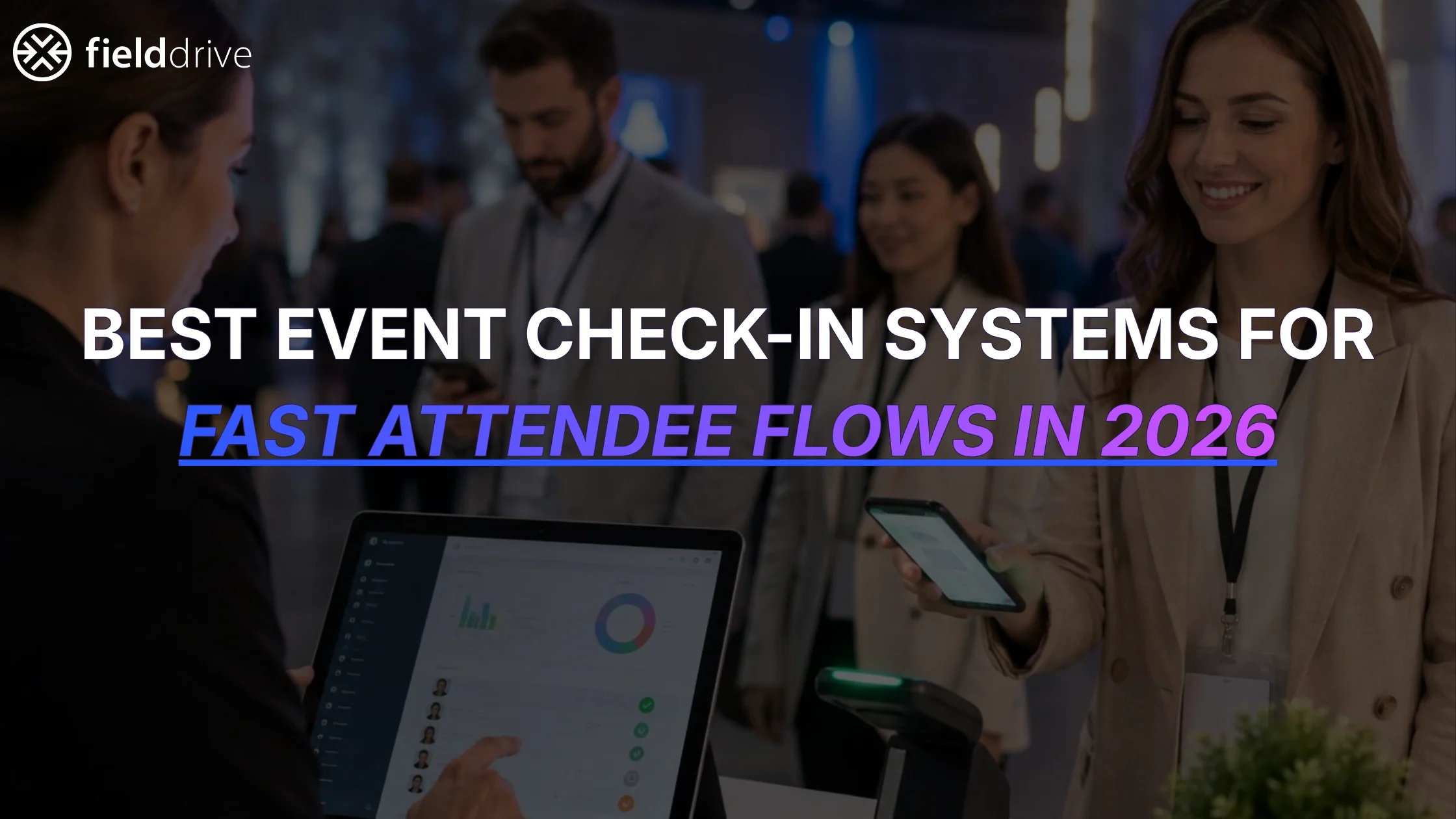
Approximately 3,000 people attended a two-day tech summit, and most arrived during the same time period. Yet no one had to wait long; it was sure to strike like a dream come true.
So, even though the speed of check-in is regarded as a matter of hardware, it really isn't; it's a series of sequential steps involving data processing, lookup, printing, handling of exceptions, layout, and the staff member. The slowest stage determines the total speed and is usually not the one that has been provisioned for.
The guide will show you what causes people to check-in quickly. It will explain the features that are important to you and your event. It will also give you a way to test them before you agree to any vendor’s claims and products. Most importantly, it will tell you about the mistakes that silently cost you twenty minutes at peak times.
TL;DR
- The software and hardware used for event check-in serve to identify the attendee at the door and give them their badge.
- The throughput is determined by your slowest step, not by your fastest - most of the time, this is printing or exceptions.
- The number of self-service kiosks can be increased by adding more lanes, whereas staffed desks require more trained personnel to be added, which is slower and more expensive.
- Offline mode is not a luxury; it is a necessity. Venue Wi-Fi fails at the worst moment, and a system that stops is a closed door to all incoming attendees.
- Before you make the purchase, carry out a test. Mimic the rush, overload the network, jam up the printers, and then measure how quickly the staff recovers.
What Actually Determines Fast Attendee Flow
The speed at which a queue moves is determined by eight factors; most teams concentrate on one of these and are therefore surprised that the queue still manages to form.
QR / Barcode Scanning and Real-Time Attendee Lookup
The first step in each check-in is to respond to one question: Who is this? A QR code is a square type of barcode that contains the attendee's record number; when you scan it, the system will retrieve that record.
Scanning is the simple part; it's during the lookup that time is spent. If the system has to contact a server for each record, then you're at the mercy of the venue's network. However, systems that store the list on the device respond immediately.
The name search is just as important. People do lose their confirmation emails. At the summit above, those who didn't have a code would type their name into the kiosk, and their record would then be given back to them immediately—there was no side queue and no supervisor.
On-Demand Badge and Sticker Printing Speed
A lookup takes about a second or two, while printing takes between ten and twenty seconds; that time difference is the reason why printing—not scanning—usually determines your throughput.
Reliability is more important than raw speed in this situation. For example, if badge printing takes 6 seconds per badge, but jams each time it prints the fiftieth badge, it will be slower than a printer that is slow but never jams. You should ask about jams, not only about speed.
Another route is worth knowing. If your badge is too thick for an on-site printer, the system can print only the variable information onto a sticker, which then gets applied to a pre-made badge, and you retain the finish, along with the speed.
Self-Service Kiosks vs Staffed Check-in
A kiosk is a self-service station at which the visitor scans or keys in the information themselves, whereas a manned desk has a person located between the visitor and the system.
Desk staff is better and more willing to deal with unusual cases, but they are limited only by how many trained people you can afford. Kiosks, on the other hand, are limited by the amount of floor space available, which is generally the more cost-effective restriction.
The hybrid is what the summit ran. Kiosks did the lookup and the print. Volunteers stood close to them to apply stickers and hand over lanyards: one queue, two jobs, no bottleneck.
Offline Mode and Poor-Network Resilience
The Wi-Fi at the venue tends to stop working once it gets too crowded, since when all the people arrive, the devices in the building start competing for the connection.
Offline mode means the system keeps checking people in with no connection, then syncs the records once it's back. Without it, a dropped signal is a closed door.
Ask two questions of any vendor. What happens to a check-in made while offline, and what happens if the same person is checked in twice on two devices before they sync? The second answer tells you more than the first.
Multiple Check-in Points and Multi-Device Scaling
Having a single entrance with four lanes is more efficient than four separate entrances with just one lane each. It helps keep your staff focused and simplifies the flow of arrivals. Whenever possible, look for items that can be moved around. For example, the summit used compact kiosks placed on custom counters, which they moved as needed to meet demand. During the day, the sequence was usually main registration in the morning, followed by VIP check-in, and finally, the help desk.
This arrangement works only when all the devices have access to the same up-to-date list. A kiosk that keeps its own copy of the data would allow someone to check in twice.
Exception and Walk-in Handling
An exception applies to any attendee who is not a clean match, such as in the case of a misspelled name, a changed job title, a duplicate record, or someone who never registered.
Exceptions are uncommon and costly; they may occur once in every twenty cases, but each one can keep a lane closed for two or three minutes as the staff searches for a solution.
The simplest solution is to allow the attendees to correct their own details on screen before their badges are printed, and that is precisely what the summit did. A mistake regarding the title was corrected in ten seconds at the kiosk by the individual who had spotted it.
Venue Layout and Queue Design
You can buy the fastest system on the market and still have a slow door because of the venue layout. Layout decides whether people reach your lanes in an orderly way or arrive in a clump.
The main contribution comes from three factors: a single feeder queue that divides into different lanes rather than having a separate queue for each lane, unobstructed views so that people can see what they should do, and a dedicated area, located to the side, for anyone who requires assistance.
Counters are more important than they ought to be; at the summit, the podium-style counters provided volunteers with a clear position for the stickers and lanyards, which prevented that step from spilling into the walkway.
Real-Time Visibility and Monitoring
A live dashboard shows you the check-ins happening in real time. The key isn't numbers but lead time. Spotting arrivals rising at 8:40 allows you to open a fourth lane at 8:42, not 9:05, thereby preparing ahead of time for long queues and bottlenecks.
Day-two numbers are the other use. The summit tracked day one against day two. That tells you how many lanes you need tomorrow.
Must-Have Features to Look For in a Check-in System
Six features separate a system that can handle your event from one that can demo well.
Integrations with Registration, CRM, and Ticketing
Fast lookup requires live updated data. If your check-in system relies on a spreadsheet that was updated last Tuesday, then any bookings made after that are missed.
A true integration allows your check-in system to directly access attendee records from your registration platform, ensuring everything stays synchronized.
For example, at the summit, registration was managed through Vivenu, and the kiosks read its data directly, so scanning correctly identified each person. It's helpful to ask which platforms are supported natively and whether a two-way sync is available to update your CRM. Remember, check-in data that doesn't feed back into your CRM means you'll need to re-enter it later, which can be avoided with the right setup.
Contactless and Facial-Recognition Check-in
Some systems offer entry modes with no scan at all. The attendee registers a face image ahead of the event, and a camera matches it on arrival.
It is quick whenever it functions, and it also includes the requirements relating to consent and data protection, which a QR code does not, since a facial image is considered biometric data under the GDPR. You must have an opt-in, provide a fallback option for those who refuse, and establish a clear timeline for deletion.
Treat it as an option, not a default. Plenty of events never use it.
Security, Data Privacy, and Compliance
Your attendee list is personal data: names, employers, job titles, email addresses, and sometimes dietary or access needs. The check-in system contains all of it, on devices standing in a public foyer.
Find out where the data is stored, who at the vendor's end is able to see it, and for how long it is kept after the event, and obtain a written confirmation of the deletion.
Then ask the unglamorous question: what happens if a kiosk is stolen at midnight between day one and day two?
Lead Retrieval and Session Scanning
Lead retrieval lets exhibitors scan a visitor's badge to capture their details. Session scanning counts who entered which room.
Both run off the same badge you printed at the door, which is the point. One credential, several jobs. At the summit, exhibitors scanned badges from their phones and added their own qualifying questions to each scan.
If you sell exhibitor space, this is revenue, not merely an optional benefit. Check whether it costs extra per exhibitor before you price your packages.
On-site Hardware, Logistics, and Support
Hardware decides your setup in the morning. Compact kiosks that unfold in minutes leave you time to test. Crates of parts do not.
The work before the event matters more than the kit. Badge artwork, data preparation, a test print on the real stock, and rehearsal. Ask who does that and when, and get the dates in the contract.
On-site support is the last line. The summit had two of the vendor's staff in the room for both days, which is what you want when something odd happens at 8:50.
Analytics and Attendance Reporting
Check-in produces the only headcount anyone trusts because it requires a person to arrive in person.
The reports worth having are simple: total check-ins, unique attendees, and a split by day for multi-day events. The summit used exactly those three.
Make sure you can export it. A dashboard you can't get a spreadsheet out of is a dashboard your finance team can't use.
How the Event Check-in Systems Drive Faster Attendee Flow
Before looking at any vendor, work out the figures. Thirty minutes with 3,000 arrivals amounts to 100 people per minute. Since a lane takes 20 seconds per person, it clears three people each minute; you will therefore need about 34 lanes.
There is no software that can get you out of that situation. The difference between the various vendors lies in how far they reduce the number and in which component fails when they do. Here is how four of them respond to it, based only on what each one records.
How fielddrive tackles it
The kiosks are compact; therefore, it is cheap to add lanes, and they can also be moved as the queue changes. Printing is quoted at six seconds per badge, the fastest of the four. Also, the attendees enter their own details on screen before printing, so a misspelled name never causes a lane to be held up.
Both the check-in process and the printing of badges continue to operate even if the venue's network fails, and they will synchronise when the network comes back online. Since 100 people arrive each minute, a downtime of two minutes affects 200 people.
If your badge is too thick for printing, then the kiosk prints the variable details on a sticker, which a volunteer then attaches to a ready-made badge, and you still maintain the printing speed.
The limit. It reads your registration data but doesn't replace your registration platform, so you need one. And the sticker route puts a volunteer beside every lane, which is labor you have to budget for.
How Cvent tackles it
The answer that Cvent gives is packaging. OnArrival 360 provides the software together with the kiosks, printer, scanners, and its team, then sets everything up at the site. When dealing with a 34-lane morning, it is just as important who assembles the kit as it is what the kit does.
The badges can be printed wirelessly in real time, and you can combine the use of self-service kiosks with having staffed desks since some of your audience are older and expect to interact with a person, not with a screen.
It will work if you first download the event to each device; you can then check people in, edit their details, and print their badges even without being connected.
There's a limit; walk-in customers require connectivity, and so if they arrive unregistered during an outage, they will have to wait. Also, the current statistics are updated every 15 minutes, which means that you might notice a backlog developing later than you would in other places.
How vFairs tackles it
vFairs focuses on the amount of time taken per person. It gets the printed badge out within ten seconds of receiving the attendee list and also provides facial-recognition check-in, which eliminates the scanning step for those who had opted in earlier.
Kiosks fire the print automatically once check-in finishes. Attendees can update fields before the badge prints. Their own technicians work the floor on the day, and the dashboard shows prints and check-ins as they happen.
If you reduce 20 seconds to 10, your 34 lanes will become 17, and in this case, that is the most important factor you can act on.
The limit. Offline check-in isn't documented anywhere on their site. vFairs promotes offline lead capture, which is a different thing. So the whole plan rests on the venue Wi-Fi holding for thirty minutes. Get that answered in writing.
How Swapcard tackles it
The advantages of Swapcard are its quick setup time and the extent of its data reach. The turnkey hardware is said to be going live within one hour and is able to read from more than 20 external registration platforms by name, which means your data remains where it is.
The offline mode includes the check-in and checkpoints, and then synchronizes itself once the network comes back. Their team can operate the desk on that day.
The limit. Attendees can't correct their own details before printing. At 100 arrivals a minute, every wrong record becomes a staff job, and that is where this setup slows down first.
There are four options, and none of them gets rid of the arithmetic, since the lane count still does most of the work.
So ask vendors the question that decides it. How many lanes would you run for 3,000 arrivals in thirty minutes, and what happens when the network drops at minute eight? A vendor who answers both with numbers has done it before.
How to Test a Check-in System for Speed Before You Buy
A demo shows you the happy path. These five drills show you the rest. Run them before you sign, not during setup week.
Run a Peak-Load Rush Simulation
Work out your worst hour first. If 3,000 people are arriving and 60% land in the first hour, that's 1,800 arrivals across your lanes.
Try it out by having twenty people queue up at a single lane, start a timer, and work out how many are processed each minute. Do the calculation; if one lane can handle 180 per hour, then 1,800 arrivals will require ten lanes or a broader arrival window.
Use actual records, not test data, since test records are always clean.
Badge and Sticker Print Endurance Test
A single badge prints perfectly, but it's only when two hundred are printed in a row that the true test is reached, since it is then that the print heads heat up and the feeding mechanisms begin to drift.
Print continuously for fifteen minutes on the exact stock you'll use. Note all pauses, misfeeds, and jams. Then, how long does a reprint take from the moment someone says the name is wrong?
Exception and Duplicate Handling Drill
Build a small pile of broken records on purpose. A misspelled surname, a changed job title, the same person registered twice with two email addresses, and someone not on the list at all.
Hand them to a member of staff who hasn't seen the system before, and time each fix. Anything over ninety seconds will cause a queue on the day.
Network-Failure Drill
Check people in, then pull the network cable or switch off the router mid-check-in. The system should continue admitting people without a pause.
Then reconnect and look at what happened. Did every offline check-in arrive? Did anything duplicate? Does the dashboard show the gap? A vendor who has never been asked this will take a while to answer.
Questions to Ask Vendors During the Demo
Ask these in the demo, and take note of the answers since they’re crucial while picking the right product for your event.
1. Will you build around our badge and our process, or do we adapt to your product?
2. What takes place precisely when the venue network drops?
3. How can an attendee correct their own details before the badge is printed?
4. Which registration platforms do you read natively, and how often do they sync?
5. Who is on-site on the day, and what are they authorized to fix?
6. What is included in the quote and what is charged separately?
The initial question is the one that foretells the rest.
Which System Fits Your Event Type
The type of event you are hosting dictates where you must spend more. Below is where each one typically appears.
Conferences, Trade Shows, and Expos
Since you have exhibitors, making sure lead retrieval runs smoothly is just as important as managing the entrance. Remember, badges are visible all day, so opting for high-quality printing really makes a difference. Offering on-demand printing and a dedicated lane for walk-ins can greatly enhance the experience, letting guests join without long waits in the main line. Also, keep in mind that media and sponsor guests often confirm their attendance at the last minute, so staying flexible is essential.
Multi-Day and VIP Events
On the second day, one thing changes. Most of the guests already have the badges, so a simple scan on re-entry suffices, which is why handheld scanners are more convenient than kiosks. As for the entry of VIPs, they may require privacy, and therefore, a separate, quiet station with caring staff can be organized, especially for larger events.
Large-Scale and High-Volume Events
Above roughly 2,000 attendees, offline resilience, along with lane count, becomes crucial. One system failure at the peak is a queue you never recover from.
You don't necessarily need bigger hardware. The summit ran 3,000 people through compact kiosks. What it had was enough of them, placed well, with people beside them.
Common Mistakes That Slow Down Check-in
Six mistakes are most responsible for delayed entries. All of them are cheaper to avoid than to fix on the day.
- Counting only the scan. The scan takes two seconds. The badge takes fifteen. Plan around the slower number.
- One queue per lane. People pick the shortest line, guess wrong, and the lanes go uneven. Use one feeder queue that splits.
- No exceptions desk. Without one, every problem record is solved in a lane, while 30 people wait behind it.
- Dirty data. Duplicates and blank companies become onsite problems. Clean the list before you print anything.
- No spare printer. If a printer jams with no backup, it closes a lane completely. Bring one spare per entrance.
- Testing only the reliable path. If nobody tried a misspelled name before the day, someone will try it for you at 8:45.
Conclusion
Rapid check-in is not fixed only by buying a check-in system; it's about identifying the bottleneck and increasing the capacity at that point.
For the vast majority of events, it's printing, and then there are the exceptions. You should check this on your own data before making any decisions.
Try the components that aren't demonstrated. Disconnect the network. Jam the printer. Give a faulty record to someone who hasn't seen the system before. That's exactly what your morning will be like.
If you'd like a second opinion on lane counts, badge format, or kiosk placement for your next event, talk to our team.
Frequently Asked Questions
The one that fits the way your guests turn up. Assess it on five points: lookup speed, badge printing speed, what occurs when you're offline, how quickly the staff can clear a problem record, and whether it displays your registration data in real time. You should test all five of these during a demo before deciding on the prices.
By omitting steps rather than speeding them up, a scan takes the place of going through a printed list, on-demand printing gets rid of the need for sorted trays, and self-service eliminates the staff member from the center of the process. Each of these measures saves a few seconds from a transaction that occurs thousands of times.
Most on-site systems take about ten to twenty seconds to print a badge, the time including the lookup; it is the badge format rather than the printer itself that increases this figure. Thicker paper, full-color designs, and encoded chips all contribute to the time taken.
Start from your peak hour and estimate the number of people who arrive during your busiest hour, then divide that number by the number of people one lane can clear in an hour. Since one lane clears about 180 people per hour, at 20 seconds each, add one spare lane and one spare printer for each entrance.
Yes, that's usually the case for most events! When a walk-in arrives, they can easily enter their details either at the kiosk or with a friendly staff member. A record is quickly created, and their badge prints out just like any other. To keep things running smoothly, it’s best to run walk-in registrations through a separate lane so it doesn't hold up the pre-registered guests.

.svg)
Want to learn how fielddrive can help you elevate your events?
Book a call with our experts today


.svg)