

.svg)
.webp)
SaaS Event Management: Key Features & How to Choose a Platform
Learn how SaaS event management simplifies registration, check-in, engagement, and analytics. See what features matter and how to choose the right platform.
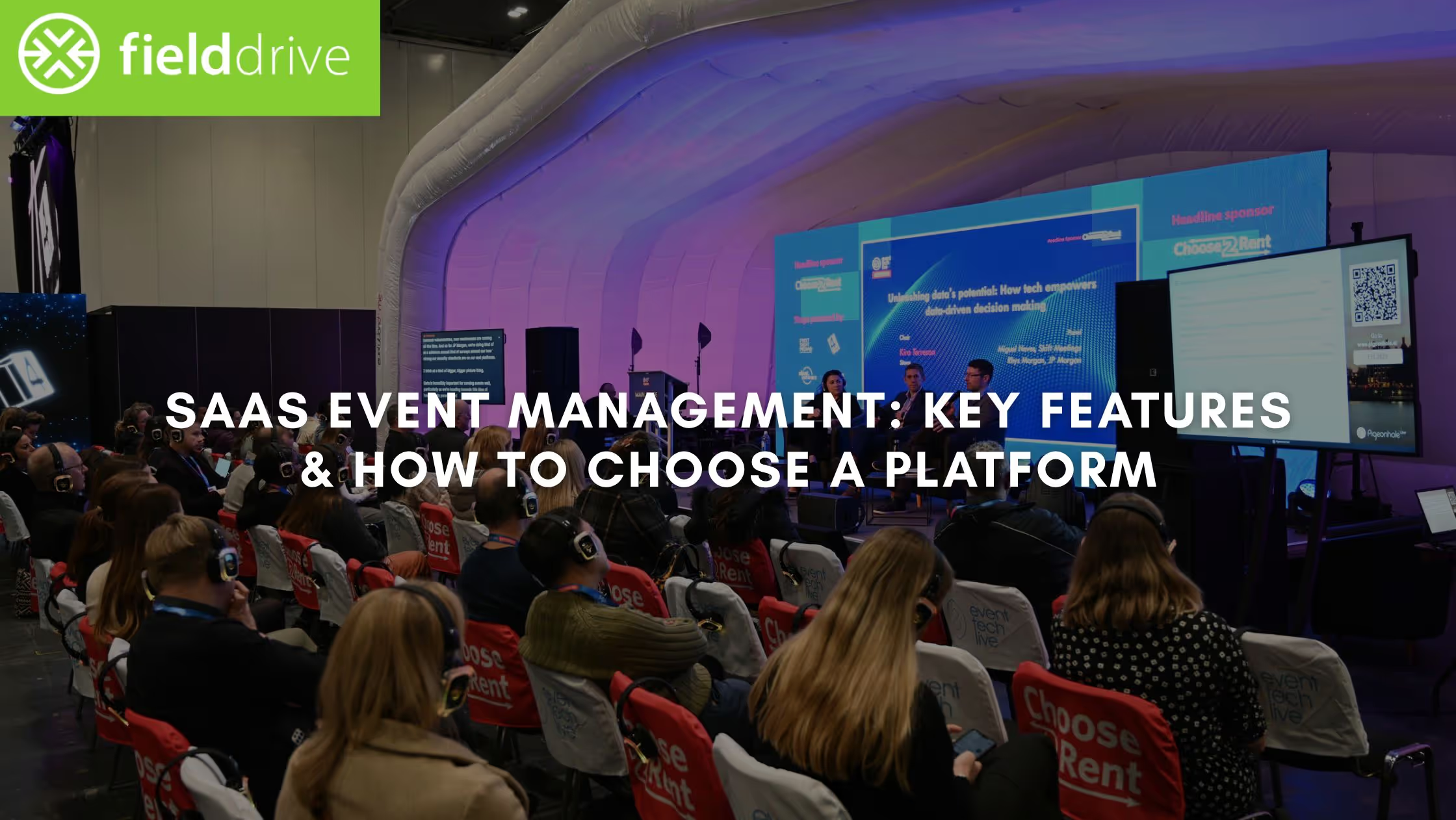
Event teams today face a different level of operational complexity. Attendees expect faster check-ins, seamless communication, interactive programs, and hybrid-friendly access. Sponsors expect real metrics, not manual spreadsheets. Organizers need tools that reduce workload, not add new layers of friction.
The importance of technology in delivering successful events is now widely recognized: 91% of event organizers say event apps are crucial to the success of their events, underlining how central technology has become to attendee experience and measurable outcomes.
This is where SaaS event management platforms have become essential. Instead of stitching together stand-alone tools for registration, check-in, analytics, communication, and on-site execution, SaaS delivers everything as a unified, cloud-based system. The result is faster setup, simpler workflows, and more reliable data across the entire event lifecycle.
As more organizations prioritize scalability, multi-event support, and real-time insights, the shift toward SaaS has become the default path for events of all sizes, from corporate meetings to major conferences and international expos.
In this article, we’ll look at how SaaS is reshaping event operations, from registration and check-in to analytics and multi-event scalability, and highlight the capabilities and decision factors that separate strong platforms from the rest.
TL;DR (Key Takeaways)
- SaaS has become the operational core of modern events because it unifies registration, check-in, engagement, and analytics in one system, reducing manual work and eliminating tool fragmentation.
- Real value comes from reliability under pressure: peak check-in throughput, stable badge printing, accurate syncing, and real-time dashboards matter more than long feature lists.
- Data is now a strategic differentiator. Strong SaaS platforms centralize attendance, engagement, and exhibitor metrics so teams can benchmark year over year and justify sponsor ROI.
- Scalability is critical for multi-event organizations. Templates, cross-event reporting, and brand consistency allow teams to grow programs without multiplying effort.
What “SaaS” Means for Event Management
In event operations, SaaS (Software as a Service) simply means the platform is delivered through the cloud rather than installed locally. But the implications are far more significant:
- The software is always up to date, no patches, no manual upgrades.
- Teams can work from anywhere, access dashboards remotely, and collaborate in real time.
- Support, hosting, security, and maintenance are handled centrally by the vendor.
- Features roll out continuously without downtime or disruptions.
For busy event teams, this translates into predictable performance, lower IT burden, and faster deployment. It also ensures that event data, from registrations to attendee engagement, flows into one secure, centralized system instead of being scattered across tools.
SaaS also supports the modern event reality: organizers often run multiple events annually, across multiple regions, with varying formats. A cloud-first platform helps standardize workflows while remaining flexible enough for different event types.
Core Capabilities of a Strong SaaS Event Management Platform
A complete SaaS event platform should reduce manual work, improve attendee experience, and strengthen reporting. While vendors differ in approach, the core capabilities below are now considered table stakes for modern events.
1. Registration and Ticketing
Customizable forms, payment processing, tiered tickets, promo codes, group registration, waitlists, and automated confirmations. A seamless registration experience increases conversion rates and sets the tone for event quality.
2. Check-In, Badge Printing, and Access Control
Operational reliability starts here. Fast QR/NFC check-ins, on-site badge printing, and session-level access control help teams manage high-volume entry points without congestion.
3. Event Website, Agenda, and Session Management
A strong SaaS platform should allow organizers to publish an event site, update schedules dynamically, add speakers, and manage multi-track or multi-day sessions. Real-time syncing ensures attendees always see accurate information.
4. Communication and Engagement Tools
Email updates, push alerts, reminders, session announcements, and in-app notifications keep attendees aligned throughout the event. Engagement tools, polls, Q&A, and surveys create interactive sessions and support deeper insights.
5. Analytics and Reporting
Dashboards should display registrations, check-ins, session attendance, engagement levels, exhibitor performance, and post-event summaries.
Related: Event Data Analytics: Improving Events
6. Hybrid and Virtual Support
Modern SaaS tools extend beyond physical venues to support:
- Livestream sessions
- On-demand recordings
- Remote participant engagement
- Virtual exhibitor booths
- Remote Q&A and chat
This flexibility helps events reach global audiences without additional systems.
7. Scalability for Multi-Event Programs
Large organizations benefit from templates, reusable branding, and cross-event reporting. SaaS lets teams manage multiple events without repeating setup from scratch.
These capabilities enable organizers to run everything, from registration to reporting, within one system that grows with their event strategy.
Facial Recognition Check-In Solutions
How to Streamline Event Check-In
Why Organizations Are Migrating to SaaS: Key Advantages
The shift toward SaaS in event management isn’t driven by trend or convenience. It is driven by necessity. As events grow more complex and data expectations rise, SaaS platforms solve operational and strategic challenges that traditional or fragmented tools cannot.
1. Lower Overhead and Zero Maintenance
With SaaS, the vendor manages hosting, updates, patches, feature rollouts, and security.
Event teams don’t need IT resources to install, troubleshoot, or upgrade systems. This reduces both direct cost and time spent managing technical dependencies, especially important for organizations running multiple events each year.
2. Faster Deployment and Greater Agility
SaaS platforms can be configured quickly and reused across events.
Need to change the registration form, modify badge layouts, rebrand the app, or add new sessions? These adjustments take minutes instead of days. Speed matters when working with tight event timelines or last-minute updates.
3. A Unified Workflow Instead of Patchwork Tools
One of the biggest advantages of SaaS is the ability to consolidate tools into a single workflow. Instead of juggling separate solutions for registration, check-in, communications, lead retrieval, and reporting, a SaaS platform connects these components end-to-end.
The result is:
- Fewer integration gaps
- Less risk of data duplication
- More consistent attendee experience
- Better team coordination
- Clearer reporting
4. Data Centralization and Richer Analytics
As events become more data-driven, teams need centralized dashboards that show real-time attendance, engagement, session popularity, and sponsor performance. SaaS platforms are built for this level of visibility because all event activity flows into a single system.
Centralized data also makes year-over-year benchmarking easier, supporting long-term planning and more accurate budgeting.
5. Flexibility Across In-Person, Hybrid, and Virtual Formats
Event formats evolve quickly. SaaS platforms are designed to support:
- On-site check-in and badge printing
- Hybrid experiences
- Virtual sessions and engagement
- Remote attendee analytics
This flexibility protects organizers from technological lock-in and ensures they can adapt as needs change.
6. Scalability for Growth
Whether managing a small corporate meeting or a large annual conference, SaaS platforms scale without performance constraints. Multi-event organizations benefit from templates, centralized branding, and reporting across the entire portfolio.
Related: 5 Ways of Event Attendance Tracking That You Can Use
What to Evaluate When Choosing an Event Management SaaS Platform
Choosing an event management platform isn’t a matter of matching feature lists. Most vendors can check the basic boxes. The difference emerges in how reliably the system performs, how well it adapts to your event model, how deeply it integrates with existing workflows, and how much operational burden it removes from your team.
These evaluation criteria help identify platforms built for real-world events, not just product demos.
1. Feature Completeness for Your Event Type
Not every event needs every tool. Instead of comparing platforms by volume of features, evaluate whether the system supports the specific operational needs of your event.
For example:
- Conferences: multi-track agendas, real-time updates, session scanning
- Trade shows: exhibitor tools, lead retrieval, floorplan navigation
- Corporate events: stricter access control, internal compliance, data governance
- Hybrid or virtual formats: livestreaming, digital engagement, remote analytics
Platforms that claim “all-in-one” status should demonstrate depth in the areas most important to your event, not superficial functionality across many categories.
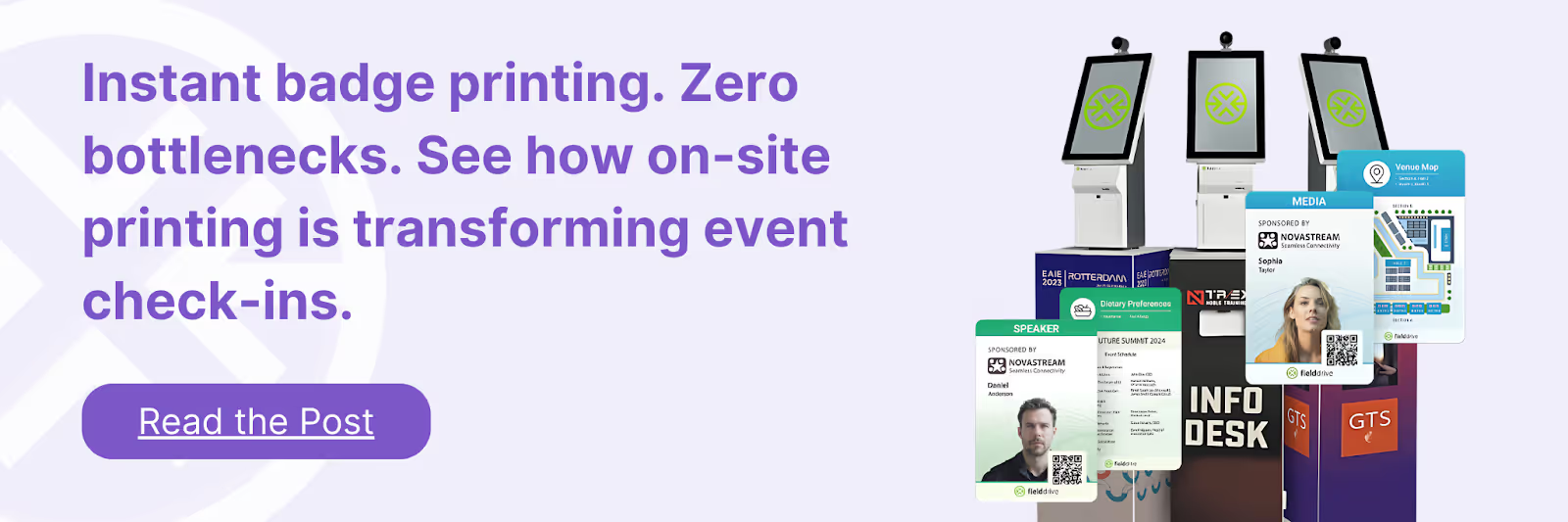
2. On-Site Reliability and Performance
A platform must hold up during peak load: morning check-ins, session transitions, and heavy badge printing windows. Evaluate:
- Check-in throughput
- Badge printing speed and stability
- Offline fallback
- Session scanning accuracy
- Real-time sync performance
This is where many tools underperform, even if their feature list looks strong.
3. Ease of Use for Attendees and Staff
The user experience determines adoption. Consider:
- How quickly attendees can find sessions or modify their agenda
- Whether staff need technical training to manage check-in
- How many screens or taps are required for essential tasks
- Whether the interface is intuitive for exhibitors using lead retrieval
If usability is weak, even the strongest feature set goes underutilized.
4. Integration Depth with Your Existing Stack
Vendor claims of “integrations” often mean basic, one-way data sync, insufficient for modern events. Assess:
- Real-time or near-real-time sync
- Bi-directional data movement
- Field mapping flexibility
- CRM and marketing automation compatibility
- How much setup and intervention will your team need
Events increasingly rely on consistent data to personalize experiences, execute campaigns, and measure ROI. Poor integration slows all of that down.
5. Data Ownership, Security, and Privacy Controls
Event data often includes personal information, business credentials, or even biometric identifiers. Vendors should be able to articulate:
- Hosting environment and certifications
- GDPR and regional compliance
- Encryption standards
- User permissions and access controls
- Data retention policies
- Audit logs and governance features
Platforms must treat data as a controlled asset, not a marketing commodity.
6. Analytics Depth and Reporting Quality
Surface-level metrics (registrations, check-ins) aren’t enough for most organizations. Evaluate whether the platform supports:
- Real-time dashboards
- Session-level insights
- Exhibitor ROI tracking
- Engagement analytics
- Post-event summaries
- Historical comparisons
Strong analytics help justify budgets, improve planning, and demonstrate sponsor value.
7. Scalability for Multi-Event Programs
Organizations running recurring or multi-city programs should look for:
- Reusable templates
- Centralized brand settings
- Cross-event reporting
- Multi-admin and multi-venue support
- The ability to deploy new events quickly without technical help
If a platform makes every event feel like starting from scratch, it won’t scale.
8. Pricing Structure vs. Value Delivered
SaaS pricing varies widely, per attendee, per event, flat subscription, or hybrid models. The best evaluation compares:
- Operational time saved
- Reduced hardware or support burden
- Improve check-in throughput
- Sponsor/exhibitor value delivered
- Reporting quality
- Reliability under load
Cheaper isn’t more efficient when it increases manual tasks or creates operational risk.
Related: 10 Best Mobile Lead Capture Strategies for Trade Show Success
Trends & Future of SaaS Event Management
SaaS platforms have already reshaped how events are planned and executed, but the next wave of innovation is being driven by rising attendee expectations, richer data needs, and the shift toward hybrid participation. The trends below are shaping the future of event technology and influencing how organizers evaluate platforms today.
1. Greater Demand for Hybrid-Ready Infrastructure
Hybrid is no longer a temporary fix; it’s a long-term format for conferences, training events, and global gatherings. SaaS platforms increasingly offer:
- Unified dashboards for both in-person and virtual audiences
- Tools for livestreaming and on-demand content
- Engagement layers such as chat, Q&A, and polls for remote participants
The platforms that succeed will be the ones that make hybrid feel seamless, not bolted on.
2. Deeper Analytics and Predictive Insights
Reporting is shifting from descriptive (“what happened?”) to predictive (“what should we do next?”). SaaS platforms are beginning to integrate:
- Automated attendee segmentation
- Engagement scoring
- Trend identification for session demand
- Predictive attendance flows
Organizations are also moving toward year-over-year benchmarking, making centralized, high-quality data a decisive purchasing factor.
3. Consolidation of Tools into End-to-End Platforms
Teams no longer want fragmented systems for registration, check-in, virtual sessions, badge printing, exhibitor tools, and analytics. SaaS platforms that offer end-to-end ecosystems reduce operational friction and improve data accuracy.
This consolidation is accelerating because:
- Events require tighter data governance
- Sponsors expect clearer attribution
- On-site teams need fewer points of failure
- Integration budgets are shrinking
Platforms that unify workflows under one system will become the default choice.
4. Automation Across the Event Lifecycle
More tasks are being automated to reduce workload and eliminate repetitive processes, including:
- Personalized attendee reminders
- Automated session recommendations
- Smart check-in workflows
- Post-event reporting
- Exhibitor lead routing to CRM systems
Automation helps small teams deliver the experience of a much larger operations group.
5. Emphasis on Security, Compliance, and Data Control
As event data becomes more comprehensive, and sometimes includes biometric elements, organizations are prioritizing platforms with:
- Strong encryption
- Fine-grained role permissions
- GDPR and regional compliance
- Secure attendee identity frameworks
- Clear data ownership guarantees
Security is now a core product requirement, not a technical afterthought.
6. Growth of Multi-Event, Multi-Region Strategies
Large organizations, associations, and enterprise teams are moving toward standardized toolkits for all their events. SaaS platforms that support multi-event management, cross-event templates, centralized branding, and consolidated dashboards will become indispensable for scaling programs.
How fieldDrive Complements SaaS Event Management Platforms
SaaS platforms simplify planning and centralize workflows, but the most critical parts of an event, check-in, access control, session tracking, exhibitor lead capture, and real-time analytics, still depend on reliable on-site execution and accurate data collection. This is where fielddrive strengthens the SaaS ecosystem.
Fast, High-Throughput Check-In & On-Site Badge Printing
fielddrive supports SaaS workflows with an operational infrastructure built for peak load. QR/NFC verification, automated badge printing, and optional facial recognition ensure attendees move through entry points efficiently, even during surges. This reduces bottlenecks and protects the on-site experience that most SaaS systems rely on.
Accurate Data Capture for Clean Analytics
SaaS dashboards are only as strong as the data feeding them. fielddrive’s scanning ecosystem, check-in, session access control, attendee flow tracking, and exhibitor lead capture ensure that analytics coming into the platform are complete, real-time, and attribution-ready.
Seamless Integrations With Registration and Event Apps
fieldDrive complements cloud-based systems by syncing attendee profiles, access rules, ticket types, session enrollments, and badge data. This prevents the duplication errors and mismatched records that often appear when connecting SaaS tools to on-site operations.
Exhibitor Lead Retrieval That Supports Sponsor ROI
For trade shows and exhibitions, fielddrive’s lead retrieval tools (including the fielddrive Leads app) help exhibitors capture and qualify leads by scanning attendee badges and accessing lead data in real time. That makes it easier to prove exhibitor ROI and improve sponsor retention.
On-Site Expertise for Mission-Critical Moments
Even with strong SaaS software, check-in failures, badge printing delays, and long queues can derail an event. fielddrive’s on-site teams help manage these operations, troubleshoot issues immediately, and ensure the technology performs as expected under pressure.
Together, SaaS platforms and fieldDrive create a unified tech stack: cloud-based planning paired with reliable, data-driven execution on the ground.
Case in Point: Turning Event Technology from Cost Center to Revenue Driver
At the REBA Wellbeing Congress 2024 in the UK, the Reward & Employee Benefits Association (REBA) used fieldDrive alongside its existing SaaS event stack to improve both operational efficiency and financial outcomes.
fieldDrive supported high-throughput check-ins, unified live badge printing, and seamless integration with REBA’s registration and membership platform. This reduced queue congestion, simplified on-site workflows, and ensured accurate, real-time data synchronization across systems.
Beyond operations, REBA leveraged fieldDrive’s built-in monetization options, including exhibitor lead retrieval licensing and sponsored kiosk and badge branding. These SaaS-enabled revenue streams allowed REBA to recover its entire event technology investment and generate a 20% profit, demonstrating how integrated event platforms can directly support ROI, not just logistics.
This example highlights a broader shift in SaaS event management: when planning platforms and on-site execution tools work together, technology becomes a strategic asset rather than a fixed expense.
Conclusion
SaaS event management has become the foundation of modern event operations because it unifies workflows, registration, check-in, engagement, and analytics into one system that reduces manual work and improves data consistency.
But choosing the right platform depends on real-world performance: peak-hour entry, badge printing stability, session transitions, exhibitor ROI reporting, and dependable integrations across your stack.
If you want to connect cloud-based planning with reliable onsite execution and clean, real-time data capture, fieldDrive can help you close the gap between SaaS workflows and what actually happens on the show floor.
Request a demo to see how fieldDrive supports high-performance event operations from check-in to analytics.
FAQs
1. What is a SaaS event management platform?
It’s a cloud-based system that handles registration, ticketing, check-in, agenda management, communications, engagement tools, and analytics delivered without local installation. The vendor manages hosting, updates, security, and improvements, allowing organizers to focus solely on operational execution.
2. Why are organizations switching from traditional event tools to SaaS?
SaaS eliminates the complexity of managing multiple disconnected systems. Teams get faster setup, real-time updates, centralized data, and consistent performance across events. It’s especially valuable for organizations running repeat or multi-city programs where templates and automation save significant time.
3. What are the most important features to look for in a SaaS event management system?
The highest-impact features include fast check-in and badge printing, session and attendee tracking, integrated registration, communication tools, lead retrieval for exhibitors, and analytics dashboards. Reliability and data accuracy matter more than feature volume.
4. How does SaaS improve the attendee experience?
Attendees get instant updates, smoother check-in, personalized schedules, session recommendations, maps, messaging, and the ability to access hybrid or virtual content from one place. Because everything is synced in real time, misinformation and friction drop significantly.
5. How does SaaS event management help measure event success?
SaaS platforms gather data automatically from registrations to on-site check-ins, session engagement, exhibitor leads, and content interactions. This gives organizers a full picture of attendee behavior and provides sponsors with concrete ROI metrics. Many systems also support CRM or marketing automation sync for pipeline attribution.
.svg)
.svg)
.svg)
Want to learn how fielddrive can help you elevate your events?
Book a call with our experts today


.svg)