

.svg)
.webp)
Which Event Check-In Tool Is Best for Security in 2026?
This guide explains what makes event check-in secure, from identity verification and badge control to access scanning and audit trails. It also breaks down why fielddrive is a strong choice for organizers who need secure, high-throughput onsite check-in.
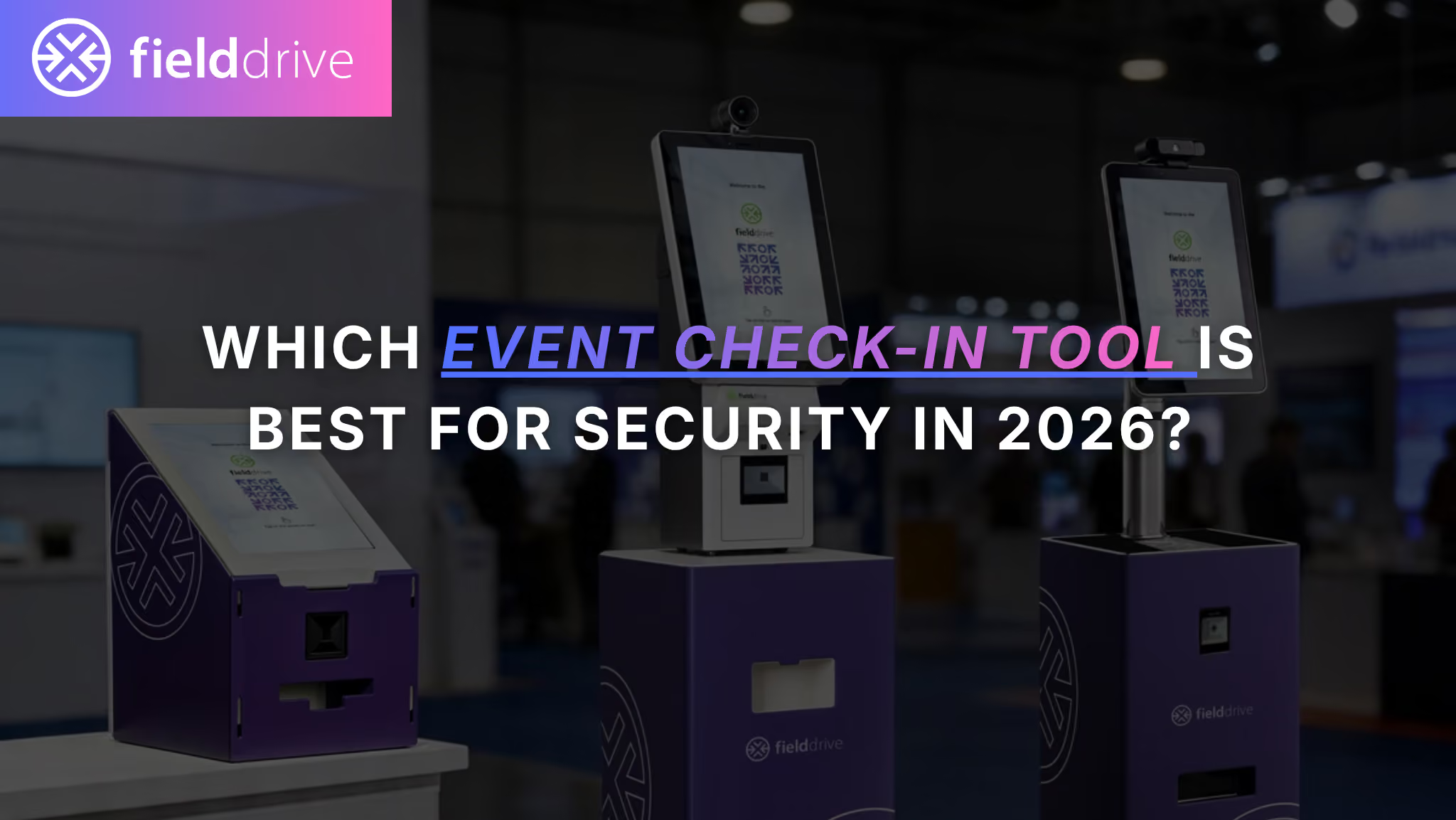
Event check-in security is easy to oversimplify until you have to deal with forwarded QR codes, duplicate badge reprints, unauthorized access attempts, or a Wi-Fi outage that sends your onsite team into spreadsheet chaos.
For event organizers, agencies, associations, and enterprise event teams, secure check-in is not just about getting people through the door. It is about making sure the right person enters the right space with the right credentials, while keeping attendee data protected and the arrival experience fast.
This guide breaks down what to look for in secure event check-in software, how different tools approach onsite security, and why features like ID scanning, controlled badge printing, access control, and audit trails matter more than ever.
TL;DR: What Is the Most Secure Event Check-In Tool?
The most secure event check-in tool is the one that protects the full onsite chain:
Registration → identity verification → badge issuance → access control → audit trail
For high-security onsite events, prioritize tools that offer:
- Multiple check-in methods
- ID or document verification where needed
- Controlled badge printing and reprints
- Access control and session scanning
- Offline resilience
- Staff permissions and audit trails
- Clear privacy and data protection processes
For secure onsite check-in, fielddrive is one of the strongest options because it brings check-in kiosks, badge printing, access control, optional facial recognition, and ID/document verification workflows together as part of a dedicated onsite event system.
Other event management platforms may also offer onsite check-in features, but the key question is whether they can support a secure, high-throughput onsite flow without creating gaps between identity verification, badge issuance, and access control.
Security-Focused Feature Comparison
The table below is designed as a practical starting point. Capabilities can vary by plan, region, event setup, and implementation, so always confirm details directly with each vendor before making a final decision.
What “Security” Really Means for Event Check-In
When buyers ask, “Which event check-in tool is best for security?”, they are usually talking about several different things at once.
A secure event check-in solution should help you answer five questions:
- Is this person who they say they are?
- Are they eligible to enter this event, session, or area?
- Has their badge been issued correctly and securely?
- Can we track access attempts and exceptions?
- Will the system stay reliable under pressure?
That is why event check-in security should be evaluated across five core areas.
1. Identity Verification: Confirming Who Is Entering
At basic events, identity verification may be as simple as scanning a QR code and matching it to a registration record.
At higher-security events, that may not be enough.
For VIP events, corporate meetings, hosted buyer programs, government-adjacent events, or events with restricted access zones, organizers may need stronger identity checks. This is where features like photo verification, ID scanning, document verification, and facial recognition can help.
Why ID Scanning Matters
ID scanning helps organizers add an extra layer of identity assurance at the point of entry. Instead of relying only on a QR code, email confirmation, or name lookup, staff can verify an attendee against a government-issued ID or approved document, depending on the event’s requirements.
This can be especially useful for:
- High-security conferences
- VIP or executive events
- Hosted buyer programs
- Restricted-access sessions
- Events with age, role, or credential-based entry requirements
- Situations where badge sharing or impersonation is a concern
For organizers, ID scanning is not about adding friction for everyone. It is about applying the right level of verification where the risk justifies it.
For example, a general attendee entrance may use QR code check-in, while a VIP lounge, speaker area, or restricted zone may require document verification before a badge is issued or access is granted.
That flexibility matters because security should feel controlled, not clunky.
2. Badge Integrity: Preventing the Badge From Becoming the Weak Link
Most onsite security gaps do not look dramatic.
They look like this:
- “I lost my badge. Can you print another?”
- “My colleague could not attend, so I’m using their QR code.”
- “The badge did not print properly. Can you quickly make a new one?”
- “Can you just change my category onsite?”
Badge integrity is about making sure every badge is legitimate, unique, and traceable.
A secure event check-in system should support:
- Controlled badge printing
- Unique badge IDs or QR codes
- Staff permissions for badge edits and reprints
- Reprint tracking
- Badge deactivation or replacement workflows
- Locked badge templates where needed
This is especially important for large events, where multiple check-in desks, kiosks, printers, and staff members may be operating at the same time.
If badge issuance is not controlled, the badge can quickly become the weakest link in the security chain.
.avif)
3. Access Control: Managing Where Attendees Can Go
Checking someone into the event is only the first step.
The bigger security question is: what can they access after they enter?
For many events, different attendees have different access rights:
- VIPs
- Speakers
- Sponsors
- Exhibitors
- Press
- Staff
- General attendees
- Paid workshop participants
- Hosted buyers
A secure event check-in tool should help organizers manage access beyond the front door.
That means supporting workflows such as:
- Session scanning
- Zone-based access control
- Restricted area validation
- Unauthorized access alerts
- Attendance tracking by location or session
- Real-time visibility into who entered where
This is particularly important for events with VIP lounges, paid workshops, staff-only areas, executive meetings, or capacity-controlled sessions.
4. Data Protection: Keeping Attendee Information Secure
Event check-in systems handle a lot of personal data at high speed.
That can include names, emails, job titles, company names, ticket types, badge categories, and attendance history. In some cases, it may also include ID or document verification data, photos, or biometric information.
That means security is not only about stopping unauthorized entry. It is also about protecting attendee data.
When evaluating event check-in software, ask whether the vendor supports:
- Role-based access controls
- Secure staff logins
- Data minimization
- Clear data retention policies
- DPA availability
- Sub-processor transparency
- Encryption practices
- Privacy-friendly identity verification workflows
- Clear consent processes for biometric or document-based workflows
Do not rely only on badges, trust logos, or generic “secure platform” claims. Ask vendors for current documentation and make sure the scope actually covers the product and workflows you plan to use.
Security claims are only useful if they apply to your real event setup.
5. Operational Resilience: Staying Secure When Things Get Chaotic
Security often breaks when operations get stressful.
Peak arrival windows, long queues, Wi-Fi instability, printer issues, understaffed desks, and last-minute attendee changes can all lead to insecure shortcuts.
That is when teams start saying things like:
- “Just let them in.”
- “Print the badge manually.”
- “Use the spreadsheet.”
- “We’ll fix it later.”
- “Scan them after the session.”
A secure check-in system should reduce the likelihood of these workarounds.
Look for:
- Offline check-in capability
- Reliable syncing
- Fast badge printing
- Simple staff workflows
- Clear exception handling
- Onsite support
- Real-time visibility for organizers
The goal is not just to have secure features. The goal is to make the secure path the easiest path during the event.
Common Event Check-In Security Failures
Here are some of the most common onsite security problems and what your check-in tool should do to prevent them.
Shared Staff Logins
If multiple onsite staff members use one shared login, you lose accountability.
When something goes wrong, such as an unauthorized edit, duplicate check-in, or suspicious reprint, it becomes difficult to know who did what.
What to require:
- Unique staff accounts
- Permission levels
- Activity history
- Role-based access
QR Code Forwarding
QR codes are convenient, but they can be forwarded, screenshotted, or shared.
That does not mean QR code check-in is insecure by default. It means the system must validate each scan properly.
What to require:
- Real-time QR redemption
- Duplicate scan detection
- Alerts for already-used codes
- Syncing across multiple entrances
- Staff-facing warnings for exceptions
Uncontrolled Badge Reprints
Badge reprints are necessary. Lost badges happen. Printing errors happen. Attendee substitutions happen.
But unmanaged reprints can create a serious onsite security gap.
What to require:
- Reprint permissions
- Reprint tracking
- Badge replacement workflows
- Ability to deactivate previous badges
- Reporting on reprint activity
Manual Badge Editing Onsite
If onsite staff can freely edit attendee details, badge types, or access categories without controls, errors and misuse become much more likely.
What to require:
- Locked badge templates
- Controlled edit permissions
- Admin-only changes for sensitive fields
- Audit trails for updates
Offline Spreadsheets
When the network drops, some teams fall back on spreadsheets or printed lists.
That can create major issues:
- Duplicate check-ins
- Missed access restrictions
- No real-time visibility
- Manual reconciliation
- Weak data security
What to require:
- Offline check-in mode
- Safe local data handling
- Clear syncing rules
- Conflict resolution
- Post-event reconciliation
What to Look for in a Secure Event Check-In Tool
Use this checklist when comparing event check-in software, onsite badging tools, or event check-in apps.
1. Multiple Check-In Options
A secure event check-in solution should support different workflows for different risk levels.
Look for:
- QR code scanning
- Manual name lookup
- Self-service kiosk check-in
- Assisted check-in
- Photo verification
- ID/document verification
- Optional facial recognition where appropriate
Not every attendee needs the same level of verification. The best tools let you design the right flow for the right audience.
2. ID Scanning and Document Verification
ID scanning can strengthen event security by helping verify that the person checking in matches the registered attendee or approved credential.
This is especially valuable when:
- Attendees need to prove identity before receiving a badge
- Access is restricted to approved categories
- Badge sharing is a known risk
- The event involves VIPs, executives, press, or sensitive attendee groups
- Organizers want stronger controls around entry and access
A strong ID verification workflow should be:
- Fast enough for onsite use
- Easy for staff to manage
- Applied only where needed
- Supported by clear privacy practices
- Integrated into the badge issuance process
This last point matters. ID verification should not sit in a separate operational silo. It should connect naturally with check-in, badge printing, and access control.
That is where an integrated onsite system can be more effective than stitching together separate tools.
3. Controlled Badge Printing
Badge printing is not just an operational feature. It is a security feature.
Look for:
- On-demand badge printing
- Unique badge IDs or QR codes
- Controlled badge templates
- Secure reprint workflows
- Staff permissions
- Print history
- Badge replacement or deactivation options
The faster and more controlled your badge printing process is, the less likely staff are to create risky workarounds during peak arrivals.
4. Access Control and Session Scanning
If your event includes restricted areas, paid sessions, VIP spaces, or staff-only zones, check-in alone is not enough.
You need access control.
Look for:
- Session scanning
- Zone-based access rules
- Real-time validation
- Unauthorized access alerts
- Attendance reports
- Offline scanning support where needed
This helps organizers control movement throughout the venue, not just at the entrance.
5. Offline Resilience
Ask vendors what actually works offline.
“Offline mode” can mean different things depending on the provider.
Clarify:
- Can attendees be checked in offline?
- Can badges be printed offline?
- Can access control or session scanning continue offline?
- Where is offline data stored?
- How is offline data protected?
- How does syncing work once the connection returns?
- What happens if the same attendee is checked in at two different entrances?
Offline resilience is not just a convenience feature. It helps prevent insecure fallback processes.
6. Audit Trails and Reporting
A secure check-in tool should give organizers visibility into what happened onsite.
Ask whether the system can track:
- Check-ins
- Badge prints
- Badge reprints
- Staff actions
- Access attempts
- Denied entries
- Manual edits
- Offline sync activity
Audit trails help with post-event reviews, incident investigations, compliance reporting, and internal accountability.
7. Privacy and Compliance Support
Security and privacy have to work together.
This is especially important if your event uses ID scanning, document verification, facial recognition, or other higher-assurance identity workflows.
Ask vendors:
- What data is collected?
- Why is it collected?
- Where is it stored?
- How long is it retained?
- Who can access it?
- Is a DPA available?
- Are sub-processors disclosed?
- What documentation can be shared with legal or procurement teams?
- How are consent and opt-out workflows handled?
If biometric or document-based verification is used, make sure your legal, privacy, or compliance team is involved early.
So, Which Event Check-In Tool Is Best for Security?
There is no single best tool for every event. The right choice depends on your risk level, event size, attendee types, venue complexity, and internal security requirements.
But if your priority is secure onsite entry, there are clear patterns.
For events where security depends on what happens at the venue, fielddrive is one of the strongest options because it is built around the full onsite journey, not just registration or ticketing.
It brings together:
- Check-in kiosks
- On-demand badge printing
- QR code check-in
- Manual lookup workflows
- Optional facial recognition check-in
- ID/document verification workflows for supported deployments
- Access control and session scanning
- Secure badge issuance
- Offline-ready onsite operations
- Real-time onsite visibility
The biggest advantage is that these workflows are connected.
When identity verification, badge printing, and access control are handled as part of one onsite system, there are fewer gaps between tools, teams, and processes.
That matters because onsite security often fails in the handoffs.
A QR code may be valid, but is the person using it the right attendee?
A badge may be printed, but was it issued through a controlled workflow?
A person may enter the venue, but should they be allowed into the VIP lounge, paid workshop, or staff-only area?
fielddrive helps organizers manage those questions across the onsite journey.
.avif)
Why fielddrive’s ID Scanning Capability Matters
ID scanning and document verification add a higher-assurance layer to event check-in.
For most standard conferences, QR scanning may be enough. But for higher-security events, organizers may need to verify identity before issuing a badge or granting access to certain areas.
fielddrive’s ID/document verification capability is designed for those scenarios.
It can help organizers:
- Reduce badge sharing and impersonation risk
- Verify attendees before badge issuance
- Add stronger controls for VIPs, speakers, staff, or restricted groups
- Support more secure check-in flows for high-risk events
- Keep identity verification connected to the onsite badge and access workflow
This is especially important for events where the badge is more than a name tag. In many cases, the badge becomes the attendee’s credential for movement across the venue.
If the wrong person gets the right badge, access control becomes much harder to enforce.
That is why ID verification is valuable. It strengthens the point where identity, badge issuance, and access rights come together.
How Other Event Management Platforms Compare
Broader event management platforms often include check-in and badging features as part of a larger event tech suite. These tools can be useful for teams that want registration, attendee management, marketing workflows, and onsite operations in one place.
But when security is the main priority, the evaluation needs to go deeper than whether a platform offers check-in.
You’ll want to ask:
- How is identity verified onsite?
- Can badge reprints be controlled and tracked?
- Can badges be deactivated or replaced securely?
- Can access rules be enforced by attendee type, ticket type, or session?
- What happens if the network drops?
- Are onsite staff actions tracked?
- Can the system support high-volume arrivals without forcing manual workarounds?
This is where an onsite-first system like fielddrive stands out. It is built specifically around the arrival, badging, verification, and access experience, which makes it a strong fit for organizers who need security to hold up under real venue conditions.
Why Compliance Claims Are Not Enough
Some organizations shortlist vendors based heavily on procurement and compliance documentation.
That usually means reviewing:
- ISO certifications
- SOC 2 reports
- Data processing agreements
- Sub-processor lists
- Encryption practices
- Incident response processes
- Privacy policies
- Access control policies
- Data retention policies
This is important, but it should not be the only factor.
A vendor can have strong security documentation and still fall short operationally if the onsite workflow creates gaps around check-in, reprints, badge issuance, or access control.
The best approach is to evaluate both:
- Security documentation
- Real onsite controls
For event check-in, the second one is often where the real-world difference shows up.
Choose Based on Your Event Risk Level
Different events need different levels of security.
Low-Risk Events
Examples:
- Internal meetings
- Small partner events
- Community meetups
- Simple networking events
Prioritize:
- QR check-in
- Basic badge printing
- Simple staff permissions
- Clean attendee records
You probably do not need heavy identity verification for every attendee.
Medium-Risk Events
Examples:
- Paid conferences
- Trade shows
- Sponsor-led events
- Events with VIP areas
- Events with paid workshops
Prioritize:
- Controlled badge printing
- Reprint tracking
- Session scanning
- Access rules
- Offline check-in
- Staff permissions
This is where badge integrity and access control become more important.
High-Risk Events
Examples:
- Executive events
- Government-adjacent events
- Investor events
- Hosted buyer programs
- Events with sensitive attendee lists
- Events with restricted zones or high-value access areas
Prioritize:
- ID/document verification
- Photo verification
- Optional facial recognition where appropriate
- Strong access control
- Audit trails
- Badge replacement controls
- Privacy and compliance review
- Onsite support
For high-risk events, security should be designed into the attendee flow from the start.
Facial Recognition Check-In: When It Helps and When It Does Not
Facial recognition can improve identity assurance, but it should be used carefully.
It may be useful for:
- VIP entrances
- Staff access
- High-security events
- Events with badge sharing concerns
- Fast contactless check-in where consent is properly managed
But it is not always necessary.
For many events, QR scanning plus ID verification for selected groups may be a better balance of speed, privacy, and security.
If facial recognition is used, organizers should have:
- Clear attendee communication
- Explicit consent where required
- A non-biometric alternative
- Defined data retention and deletion processes
- Internal privacy review
- Clear signage and support
Facial recognition should be treated as an optional high-assurance workflow, not a default requirement for every attendee.
ID Scanning vs Facial Recognition: What Is the Difference?
Both can support secure check-in, but they solve slightly different problems.
ID Scanning Helps Verify Official Identity
ID scanning or document verification is useful when you need to confirm that an attendee’s identity matches an approved record or credential.
It is especially useful for:
- Restricted events
- VIP check-in
- Age or credential-based access
- Events with impersonation risk
- Situations where official documentation is required
Facial Recognition Helps Speed Up Repeat Identity Matching
Facial recognition can help create a faster, contactless check-in experience when attendees have opted in and the right privacy processes are in place.
It is especially useful when:
- Speed is critical
- Consent is clearly managed
- A non-biometric alternative is available
- The event has a clear reason for using biometric verification
For many high-security events, the strongest approach may be layered:
QR code for speed + ID verification for assurance + access scanning for control
Vendor Questions to Ask Before Choosing a Secure Check-In Tool
Use these questions during your vendor review.
- What check-in methods do you support?
- Do you support ID scanning or document verification?
- Is ID verification available for all deployments or only specific configurations?
- Can identity verification be applied only to selected attendee types?
- Can we use QR scanning for general attendees and ID checks for VIPs or restricted groups?
- Do you support facial recognition check-in? If yes, how is consent handled?
- Is there a non-biometric alternative for attendees?
- Can badge templates be locked?
- Can staff manually edit badge fields onsite?
- Can reprints be restricted by role?
- Do you track who reprinted a badge and when?
- Can old badges be deactivated when a new badge is issued?
- Can access rules be applied by attendee type, ticket type, or session?
- What happens when someone tries to enter a restricted area?
- Does the system work offline?
- What works offline: check-in, printing, scanning, edits, or all of the above?
- How does offline syncing work?
- Do you provide audit logs?
- Do you provide a DPA?
- Can you share current security documentation for the product and workflows we plan to use?
Where fielddrive Fits Best
fielddrive is a strong fit when you need more than a simple event check-in app.
It is especially useful when:
- Your event has high arrival volume
- You need fast badge printing
- You want secure badge issuance
- You need ID/document verification for certain attendee groups
- You want optional facial recognition
- You need access control or session scanning
- You want check-in, badging, and access workflows connected
- You need onsite support during live event operations
For organizers running secure in-person events, this integrated approach can reduce the number of weak points across the onsite journey.
Instead of managing separate tools for check-in, printing, identity verification, and access control, fielddrive helps bring those workflows together.
That makes it easier to design an onsite flow that is fast, secure, and practical for real event conditions.
FAQ
What is the most secure way to check in event attendees?
The most secure approach is a layered one: validate the attendee record, verify identity where needed, issue a controlled badge, and enforce access rules through scanning. The right level of security depends on the event’s risk level.
Are QR codes secure enough for event check-in?
QR codes can be secure if the system validates them properly, prevents duplicate use, and syncs check-ins across entrances. They become risky when screenshots or forwarded codes are accepted without real-time validation.
Why does ID scanning matter for event check-in?
ID scanning helps verify that the person checking in matches the approved attendee or credential. It is especially useful for high-security events, VIP areas, restricted sessions, hosted buyer programs, and events where badge sharing or impersonation is a concern.
Does every event need ID scanning?
No. Many events can use QR code check-in without adding ID verification for every attendee. ID scanning is most useful when the event has higher security needs or when specific attendee groups require stronger verification.
Is facial recognition necessary for secure event check-in?
Not always. Facial recognition can improve speed and identity assurance, but it should be used only where appropriate and with clear consent, privacy safeguards, and a non-biometric alternative.
How do you prevent badge reprint abuse?
Use controlled reprint workflows. Limit who can reprint badges, track every reprint, require reasons where needed, and deactivate old badges when replacements are issued.
Does offline check-in create a security risk?
Offline check-in can reduce risk if it is handled properly. It is usually safer than falling back to spreadsheets or printed lists. The key is to confirm what works offline, how data is stored, and how syncing works once the network returns.
What should security teams ask event check-in vendors?
Security teams should ask about staff permissions, audit logs, badge reprints, ID verification, data retention, encryption, offline data handling, DPAs, sub-processors, and current security documentation.
Final Takeaway
The best event check-in tool for security is not the one with the longest feature list. It is the one that keeps the full onsite journey controlled, from identity verification to badge issuance to access scanning.
For standard events, QR code check-in and controlled badge printing may be enough.
For higher-security events, features like ID scanning, document verification, facial recognition, access control, and audit trails become much more important.
If your priority is secure onsite entry at scale, fielddrive is one of the strongest options because it connects check-in kiosks, badge printing, identity verification workflows, and access control into one onsite system.
The right choice comes down to your event’s risk level, but one rule holds true across every event: security should not slow the door down.
The best check-in systems make the secure path fast, clear, and easy for onsite teams to follow.
.svg)
.svg)
.svg)
Want to learn how fielddrive can help you elevate your events?
Book a call with our experts today


.svg)