

.svg)
.webp)
Onsite Badge Printing Methods: How to Reduce Check-In Delays
Learn how onsite badge printing methods can streamline event check-in, reduce delays, improve attendee flow, and enhance staff efficiency for smoother events.

When hundreds or thousands of attendees arrive within the same 30-minute window, onsite badge printing often becomes the primary point of failure at event check-in. A single slow printer, a missing badge, or a manual lookup can stall entry lines and frustrate attendees.
Inefficient check-in clashes with attendees' expectations for a digitally streamlined experience. 60% of attendees use mobile devices to access event information, schedules, and exhibitor details during trade shows, highlighting the demand for fast, tech-assisted processes.
In this blog, you’ll learn how specific onsite badge printing methods address these bottlenecks by regulating arrival flow, minimizing manual handling, and enabling real-time updates without slowing down the check-in process.
Key Takeaways
- Flow Management: Efficient badge printing keeps attendees moving and prevents check-in bottlenecks.
- Method Selection: Select printing methods aligned with event size, arrival patterns, and venue layout.
- Staff Efficiency: Automation lowers staff workload and reduces errors.
- Flexibility: Mobile and hybrid setups accommodate walk-ins and last-minute changes.
- Platform Reliability: Dependable systems deliver fast printing, real-time updates, and centralized data control.
Why Onsite Badge Printing is a Critical Operational Function
On-site badge printing directly controls attendee flow at the venue entrance. During peak arrivals, the speed and accuracy of badge issuance determine whether check-in moves smoothly or creates bottlenecks. A well-designed workflow ensures efficient processing and sets the pace for the rest of the event.
In practice, an effective onsite badge printing setup must support the following operational outcomes:
- Peak-Time Throughput Management: Enables fast, uninterrupted entry during high-volume arrival periods by minimizing wait times and preventing queue buildup.
- Accurate Access Control Enforcement: Ensures badges reflect correct permissions, session access, and zones, reducing security risks and gate-level confusion.
- Reduced Staff Dependency: Limits manual name searches, data corrections, and reprints, allowing staff to focus on exception handling rather than routine tasks.
- Seamless Handling of Walk-Ins and Late Registrations: Supports real-time badge creation without slowing down the main check-in line or impacting pre-registered attendees.
Each approach to onsite badge printing is designed to optimize one or more of these operational areas. Selecting the right approach is a strategic decision that directly impacts check-in speed, staff efficiency, and the attendee’s first impression.
Next, let’s examine the common check-in challenges that effective onsite badge-printing methods are designed to address.
How Onsite Badge Printing Resolves Check-In Issues?
Check-in operations can quickly become a bottleneck when faced with high attendee volumes or last-minute changes. These challenges impact line speed, staff efficiency, and the overall attendee experience. Understanding these common failure points is crucial for selecting an on-site badge printing method that keeps the process seamless and reliable.
- Surges During Peak Arrival: Manual processing often cannot handle sudden influxes of attendees, leading to long wait times and congested entry points.
- Data Errors and Role Changes: Name mistakes or last-minute role updates require instant badge reprints, which can create delays if the system is not equipped for rapid adjustments.
- Walk-In Registrations: Attendees registering onsite may not be in the pre-printed badge list, slowing lines unless the printing system supports real-time badge creation.
- Multiple Entry Points: Synchronizing attendee data across multiple entrances can be challenging, leading to duplication or missed check-ins if not automated.
- Staff Dependency: Relying heavily on trained staff for lookups and troubleshooting slows operations, especially when teams are new or understaffed.
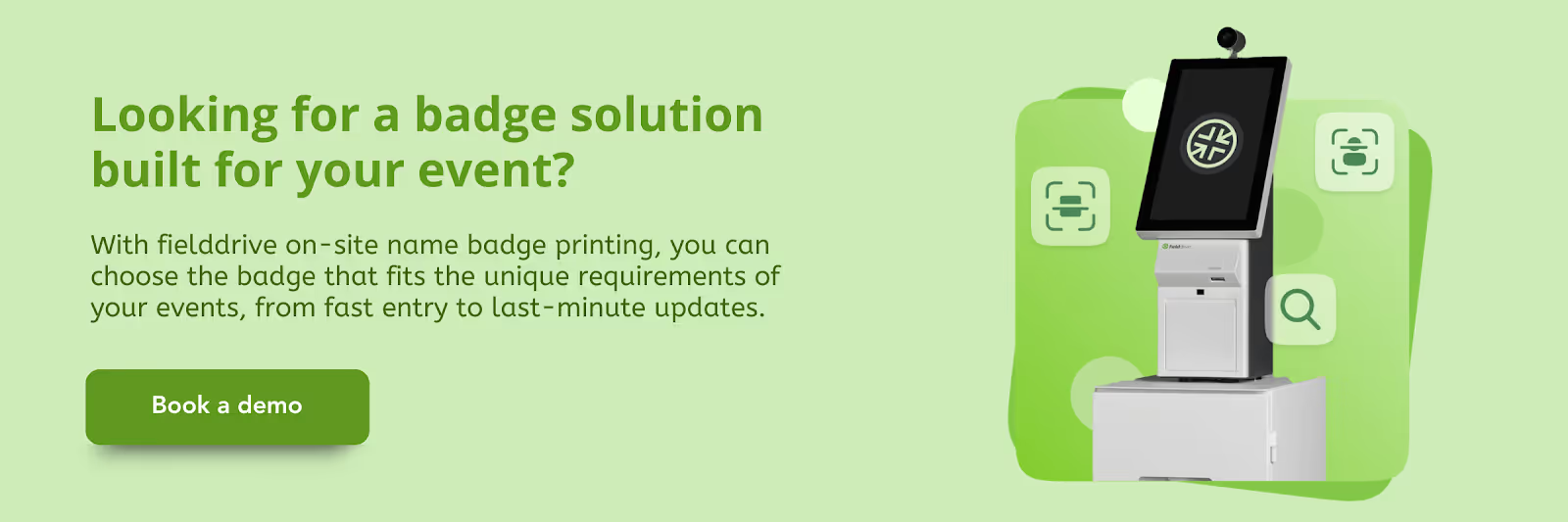
fielddrive onsite badge printing solutions help solve common check‑in challenges by delivering fast, on‑demand badge printing, flexible badge customization, and offline printing capability. Our kiosks support multiple check‑in options and real‑time updates at arrival, keeping lines moving even during peak times or last‑minute registrations.
Case Study: REBA partnered with fielddrive
to streamline check-in and badge workflows, efficiently managing high attendee volumes without creating bottlenecks.
Also Read: Onsite Badge Printing Logistics for Smooth Trade Show Check-In
Next, let’s explore onsite badge printing methods that streamline check-in, cut delays, and keep attendee lines moving efficiently.
5 Onsite Badge Printing Methods to Streamline Event Check-In
Efficient badge printing ensures smooth event check-in. When large numbers of attendees arrive at once, the right method reduces delays, minimizes staff effort, and keeps lines moving. The five onsite badge-printing methods below address key operational challenges, enabling fast, accurate, and flexible registration.
1. QR Code Activated Printing Stations
QR code-based printing links each attendee’s registration record directly to a kiosk printer. Upon arrival, attendees scan their pre-generated QR code, typically triggering the badge print within 10 seconds. This process reduces manual verification, minimizes staff workload, and keeps lines moving efficiently.
Best for: Large conferences, trade shows, and workshops with high arrival density.
Why it works:
- Real-Time Accuracy: Synchronizes attendee data to prevent duplicate or incorrect badges.
- Integration with Tracking: Can integrate with attendance tracking software where supported, enabling session-specific check-ins.
- Scalable Throughput: Supports multiple kiosks during high-traffic periods, ensuring smooth, consistent badge issuance.
Implementation tips:
- Strategic Placement: Position kiosks near entrances with clear signage to guide attendees.
- Staff Support: Assign personnel to assist with scanning issues or QR code troubleshooting.
- Technical Preparation: Test printer connectivity, speed, and power supply before the event to prevent delays.
2. Self-Service Kiosk Printing
Self-service kiosks empower attendees to check in and print badges independently. Attendees can verify details by typing or scanning and collect the badge immediately. Deploying multiple kiosks across the registration area efficiently manages high attendee volume and reduces wait times.
Best for: Mid-size to large events with predictable registration patterns.
Why it works:
- Reduces Staff Dependency: Frees staff to focus on VIP handling, troubleshooting, or complex registrations.
- Minimizes Errors: Reduces human error in badge assignment and name verification, lowering the need for reprints.
- Supports Multi-Day Events: Enables repeat attendees to reprint badges on demand without causing delays.
- Data Integration: Can connect with registration and analytics platforms to track real-time check-in metrics.
Implementation tips:
- Strategic Placement: Position kiosks along natural attendee flow paths, near entrance lanes, or registration zones.
- Queue Management: Use a queue management system or ticketing algorithm to prevent simultaneous check-in conflicts.
- Staff Assistance: Assign one staff member per 4–5 kiosks to help attendees with scanning errors or technical issues.
- Power & Network Reliability: Ensure stable power and network connectivity; preload data or use offline backup printing for contingencies.
3. Staff-Assisted Rapid Printing
Staff-assisted badge printing focuses on high-touch, personalized interactions, ideal for attendees who require guidance, walk-ins, or last-minute registration updates. Staff typically use handheld devices, laptops, or networked printers to verify attendee information, correct errors, and print badges on demand. This method ensures a smooth check-in even when registration data is complex or inconsistent.
Best for: Corporate meetings, VIP gatherings, executive forums, or events with multiple attendee categories and complex access requirements.
Why it works:
- Instant Error Resolution: Resolves registration discrepancies, badge corrections, or access-level changes immediately.
- Personalized Experience: Offers a personal touch for VIPs, first-time attendees, or special guests, enhancing overall satisfaction.
- Hybrid Support: Complements automated or self-service systems where full automation isn’t feasible.
- Flexible Handling: Enables on-the-spot processing of unexpected walk-ins or late registrants without disrupting the flow.
Implementation tips:
- Staff Training: Train personnel thoroughly on registration platforms and badge printers, and on troubleshooting common errors.
- VIP & Priority Handling: Assign dedicated staff to VIPs, high-priority attendees, or groups likely to need assistance.
- Workflow Clarity: Maintain clear steps for data verification, error resolution, and badge issuance to avoid congestion.
- Equipment Readiness: Keep spare printers, cables, and consumables ready to prevent downtime during peak periods.
4. Mobile Badge Printing
Mobile badge printing leverages tablets or smartphones paired with portable printers, allowing staff to print badges anywhere in the venue. This method is particularly effective when fixed kiosks aren’t practical or when multiple entrances require flexible deployment.
Best for: Pop-up events, networking mixers, offsite events, outdoor venues, or multi-entry conferences.
Why it works:
- On-Demand Flexibility: Provides printing for unpredictable or uneven crowd flows.
- Rapid Redeployment: Allows staff and printers to move to congestion points while maintaining a smooth check-in.
- Infrastructure Efficiency: Reduces reliance on fixed infrastructure, ideal for tight or temporary spaces.
- Offline Capability: Supports printing from preloaded attendee data, ensuring operations continue even if network connectivity is unstable.
Implementation tips:
- Reliable Equipment: Use battery-powered printers and ensure devices are paired and tested before the event.
- Data Preloading: Preload attendee information locally for offline printing.
- Staff Deployment: Assign roaming staff to monitor entrances and respond to crowd buildup.
- Backup Supplies: Keep extra printer ink, labels, and paper on hand to avoid delays during peak periods.
5. Hybrid Pre-Print and On-Demand Badge Printing
Hybrid badge printing combines pre-printed badges for early registrants with on-demand printing for walk-ins, last-minute registrants, or real-time updates. This approach balances preparation with flexibility, ensuring efficiency without sacrificing adaptability.
Best for: Events with fluctuating attendance, multi-day conferences, trade shows, or sessions with last-minute changes.
Why it works:
- Peak Load Reduction: Reduces check-in congestion while accommodating late registrations or last-minute changes.
- Speed for Early Registrants: Pre-printed badges allow faster entry and maintain throughput.
- Real-Time Updates: On-demand printing enables instant corrections for names, roles, or session access.
- Hybrid Flexibility: Supports a combination of automation and staff-assisted check-ins for complex attendee types.
Implementation tips:
- Pre-Sorting: Organize pre-printed badges by attendee type, track, or session to speed up collection.
- Dedicated Stations: Maintain separate stations for on-demand printing to avoid mixing with pre-printed lines.
- Backup Preparedness: Keep extra printers, labels, and supplies ready for surges in walk-ins.
- Staff Assignment: Allocate staff to manage exceptions, verify data, and guide attendees to the correct stations.
Also Read: How to Streamline Your Event Check-in Process: Tips and Examples
Let’s now explore how to select the most effective onsite badge printing method for your event, ensuring smooth check-in and minimal delays.
How to Choose the Right Onsite Badge Printing Method
Selecting the right onsite badge printing method is essential to maintain a smooth check-in, minimize wait times, and provide attendees with a professional first impression. The optimal choice depends on your event’s size, venue layout, staff capacity, and technical infrastructure.
1. Consider Event Scale and Arrival Patterns
The volume of attendees and how they arrive during check-in windows significantly impacts badge printing efficiency. Planning based on peak arrivals rather than total attendance ensures your stations can handle demand without creating long lines.
- Peak Arrivals: Align printing capacity with expected arrivals per hour rather than total attendance. Large influxes require high-speed or multiple stations.
- Number of Entry Points: Multiple entrances benefit from distributed self-service or mobile printing stations to prevent bottlenecks.
- Walk-Ins and Last-Minute Registrations: High variability favors staff-assisted or mobile printing to accommodate unexpected attendees.
2. Assess Venue Layout and Infrastructure
The physical layout of your venue and availability of power and network connectivity will dictate which printing methods are feasible. A method that works in one setting may not suit another without adequate infrastructure.
- Space Availability: Fixed kiosks require sufficient floor space and power, while mobile printing works in tight or temporary setups.
- Network Reliability: QR kiosks and self-service stations depend on stable internet; hybrid or mobile methods with offline capabilities provide backup options.
3. Evaluate Staff Capacity and Expertise
Staffing levels and technical know-how influence how much automation is needed. Events with limited staff may rely more on self-service systems, while high-touch events with VIPs benefit from trained personnel.
- Staff Availability: If staffing is limited, automated solutions like QR kiosks reduce manual workload.
- Staff Training: Complex events or VIP-focused gatherings benefit from staff-assisted printing where trained personnel manage check-in and resolve issues in real time.
4. Factor in Security and Access Control
Events requiring tiered access or session-specific permissions demand careful attention to badge configuration. Ensuring the right people have the correct access improves security and reduces operational errors.
- Badge Customization: Events with tiered access levels or session-specific permissions require systems that support dynamic badge updates.
- Data Accuracy: QR or self-service kiosks with integrated registration systems reduce errors, while staff-assisted methods ensure correct access for VIPs or high-priority attendees.
5. Combine Methods for Maximum Efficiency
No single badge-printing method works perfectly for every event. Combining automated and staff-assisted approaches allows planners to balance speed, accuracy, and flexibility for diverse attendee types.
- Hybrid Approach: Pre-printed badges for early registrants, QR kiosks for standard check-ins, and staff-assisted stations for VIPs and exceptions create a balanced workflow.
- Optimized Throughput: Balancing automation and personal assistance reduces errors, shortens wait times, and improves the overall attendee experience.
Implementing the right combination of badge printing methods can significantly streamline check-in, but using a reliable platform can take efficiency even further. fielddrive enables faster check-ins, accurate data capture, and seamless attendee interactions.
fielddrive: Onsite Badge Printing Solutions for Faster Check-Ins
In high-traffic events, every second counts at the check-in desk. fielddrive’s onsite badge printing solutions streamline entry, reduce manual intervention, and ensure attendees start their experience smoothly. With fast printing, real-time updates, and customizable options, your team can focus on delivering flawless events while maintaining control and accuracy.
Here are the key features of fielddrive’s onsite badge printing:
- Lightning-Fast Badge Printing: Print name badges in just 6 seconds per attendee, reducing lines and wait times at entry points.
- Comprehensive Customization: Design badges with full personalization, including name, company, access level, and branding, with the ability to make last-minute changes.
- Sustainable Printing Options: Use eco-friendly, recyclable materials without plastic holders to support greener events.
- Multiple Badge Types: Choose the right badge for your event needs:
- GreenPass: Biodegradable, lightweight, printable on demand.
- DuraPass: Tear-resistant, satin-coated, ideal for multi-day events.
- ShowPass: Full-bleed printing with a thicker cardboard feel, recyclable.
- Offline Printing Capability: fielddrive kiosks continue printing even without an internet connection, ensuring uninterrupted check-ins.
- Integrated Event Management: Sync badge printing with QR code scanning, facial recognition check-in, and session tracking for real-time insights.
Case Study: STMicroelectronics used fielddrive’s facial recognition check-in with on-demand badge printing to eliminate manual searches and handle peak arrivals without entry queues, enabling staff to focus on exception handling rather than crowd control.
Book a demo today to see how fielddrive’s automated badge printing and real-time check-in can streamline your next event.”
Conclusion
Poor onsite badge printing methods create visible delays, overworked staff, and frustrated attendees. These issues surface immediately at the entrance and influence how the entire event is perceived.
fielddrive provides on-site badge printing solutions built for high-traffic environments, with real-time updates and operational reliability. Our systems support multiple printing methods, centralized data control, and fast throughput across venues.
Reduce check-in risk and deliver a controlled entry experience. Request for a proposal to evaluate how fielddrive supports professional, on-site badge printing at scale.
FAQs
1. How do onsite badge printing methods impact attendee security?
A. Onsite printing ensures badges are generated only when an attendee arrives, reducing the risk of lost or misused pre-printed badges. Combined with QR codes or access rules, it strengthens entry control and accountability.
2. What printer failure contingencies should be planned?
A. Events should deploy backup printers, spare supplies, and mirrored attendee data across stations. This prevents single-point failure and allows quick traffic redistribution if a printer goes offline.
3. Can onsite badge printing support multi-day events?
A. Yes. Systems can reprint badges, update access permissions daily, and track attendance across sessions. This is especially useful for conferences with workshops, tracks, or restricted areas.
4. How much training does staff need for on-site printing systems?
A. Modern systems are designed for minimal training. Most staff can operate printers and check-in tools within 30 to 60 minutes of onboarding, reducing reliance on specialized personnel.
5. Is on-site badge printing suitable for venues with limited power or space?
A. Mobile and portable setups are ideal in constrained environments. Battery-powered printers and tablets allow badge printing without permanent infrastructure.
.svg)
.svg)
.svg)
Want to learn how fielddrive can help you elevate your events?
Book a call with our experts today


.svg)