

.svg)
.webp)
How to Build a Unified Event Data Platform That Actually Works
Build a unified event data platform that connects check-ins, sessions, access, and engagement in real time. Eliminate fragmentation and improve event operations.
.avif)
Most event teams already collect large amounts of data. Check-ins live in one system, session scans in another, badge data in a third, and post-event reports arrive days later as disconnected files. The problem is not a lack of data. It is fragmentation.
The global event management software market is projected to grow from an estimated $15.5 billion in 2024 to $34.7 billion by 2029, reflecting increased investment by event organizers in connected technologies to streamline event operations and reporting.
This is where a unified event data platform becomes essential. When attendee data flows into a single connected pipeline, you gain a clear view of arrivals, movement, access, and engagement as the event unfolds, not after it ends.
This guide explains how to build a unified event data platform that actually works, what data needs to be connected, and how event teams can move from scattered systems to a single, reliable source of event truth.
Key Takeaways
- Unify all event data sources. Connect check-ins, session scans, access control, and engagement data into one pipeline for better consistency and operational efficiency.
- Real-time data improves decisions. Accessing live data allows teams to make immediate adjustments to session management, crowd control, and engagement.
- Standardize data to avoid errors. Ensure attendee IDs, session identifiers, and other key fields are consistent across all systems to prevent data fragmentation.
- Ensure privacy and security. Collect biometric data with clear consent and secure encryption to meet privacy regulations and protect sensitive attendee information.
- Test the system before the event. Run test scenarios (e.g., late check-ins, badge reprints) to identify potential issues and ensure the system works smoothly during the event.
What a Unified Event Data Platform Means for Events
For events, a unified event data platform is not another reporting dashboard or a place to upload files after the event ends. It is the system that connects every attendee interaction into one consistent data flow, from registration to onsite activity to post-event reporting.
In practical terms, a unified event data platform brings together:
- Attendee identity in one place: Each attendee has a single profile that connects registration details, ticket type, and consent status.
- On-site arrival and access data: Check-ins, badge printing, and access control activity update the same record as they happen.
- Session and engagement activity: Session scans, attendance timestamps, and movement between areas are tied back to the same attendee profile.
- Real-time or near real-time visibility: Data is available while the event is live, not days later through exports and spreadsheets.
This matters because most event challenges are operational. Long entry lines, overcrowded sessions, restricted areas being misused, or incomplete reports often occur when data sits in separate systems. When information arrives late or cannot be trusted, teams are forced to react without clarity.
A unified event data platform also creates consistency across systems. Fields such as attendee ID, session name, access zone, and timestamps follow a shared structure. This reduces manual reconciliation and avoids mismatches between tools used by operations, marketing, and reporting teams.
Although a unified event data platform can significantly streamline event operations, many teams face challenges in achieving this level of integration. Let’s look at what often goes wrong.

Why Event Teams Struggle to Unify Data (And What Breaks First)
Event teams rarely struggle because of missing tools. The real issue is that too many systems collect data in isolation. Registration platforms, check-in tools, session scanners, badge printers, and lead capture apps often operate independently, each creating its own version of attendee data.
Common points where unification breaks first include:
- Multiple attendee IDs across systems: One person may have different identifiers in registration, onsite check-in, and session tracking tools, making it hard to connect activity accurately.
- Manual data exports and delays: Data is often pulled after the event or at the end of each day, which prevents teams from acting on issues while the event is live.
- Inconsistent field formats: Fields like company name, ticket type, or session title vary across tools, leading to mismatches during reporting.
- Missing or incomplete timestamps: Without reliable time data, it becomes difficult to understand entry peaks, session attendance patterns, or crowd movement.
- Separate systems for access and engagement: Access control data is rarely connected to session or exhibitor engagement data, limiting visibility into attendee behaviour.
To see how these challenges can be overcome in practice, let’s take a look at OMcollective's success in streamlining its check-in process.
OMcollective partnered with fielddrive to optimize the check-in process for their annual OMconference, a premier marketing event in Belgium. With 1,000+ marketing decision-makers attending, OMcollective strives to craft value-rich and seamless experiences for the attendees. fielddrive enabled this goal by offering cutting-edge self-check-in kiosks, custom live badging, and eco-friendly badges that also helped achieve sustainability targets.
This case highlights how unifying event data and implementing the right technology can solve fragmentation issues, ensuring smooth attendee flow and data consistency.
Also Read: Event Data Analytics: Understanding and Improving Your Events
The Core Architecture Behind a Unified Event Data Platform
A unified event data platform does not require a complex or custom-built system. What matters is having a clear structure that connects data reliably as the event runs. The goal is to move data once, clean it early, and reuse it everywhere.
A simple architecture for events usually includes the following layers:
- Data sources: These are the systems generating event data. Typical sources include registration platforms, check-in and badge printing tools, session scanning, access control, and lead capture systems.
- Data collection layer: Data should flow automatically from each source using APIs or webhooks. This removes the need for manual exports and ensures updates arrive consistently.
- Processing and standardisation: Incoming data is cleaned, deduplicated, and mapped to shared fields. Attendee IDs, session names, timestamps, and access zones follow the same structure across systems.
- Central storage or system of record: All processed data is stored in one place. This becomes the single source of truth used for onsite visibility, reporting, and exports.
- Output and visibility layer: Dashboards, reports, alerts, and sponsor summaries pull from the same data set. This ensures everyone works from consistent information.
This architecture works because it is predictable and easy to test. Each layer has a clear role, making it easier to identify issues during peak check-in times or high-traffic sessions. Instead of adding complexity, event teams gain clarity, stability, and confidence in how their data flows throughout the event lifecycle.
Now that we’ve outlined the core architecture, let's get into the specific data points that need to be unified to ensure your event data model holds up under real-world conditions.
Also Read: The Role of Event Data Analytics in Corporate Event Strategy Building for 2026
What Data You Should Unify (Event Data Model That Holds Up)
A unified event data platform only works if the right data is connected. Trying to unify everything creates noise, while missing key fields creates blind spots. The goal is to define a small, reliable event data model that supports operations, reporting, and compliance.
At a minimum, your event data model should unify the following categories:
1. Attendee identity and registration
This is the foundation of the model. Every attendee should have one record that includes registration details, ticket type, source, and consent status. This ensures all activity connects back to the same person.
2. Onsite arrival and check-in
Check-in status, entry point, verification method, and timestamps should update the attendee record as soon as arrival happens. This supports queue management and real-time attendance tracking.
3. Badge printing and reprints
Badge issuance, reprints, and badge type should be captured to avoid duplicate access and to understand identity-related issues on-site.
4. Session attendance and scans
Session IDs, scan timestamps, and attendance status help measure session popularity, no-shows, and capacity usage without relying on manual headcounts.
5. Access control and restricted zones
Zone names, entry times, and exit logs should connect to the attendee profile, especially for VIP areas, closed sessions, or staff-only zones.
6. Exhibitor and engagement signals
Booth visits, lead scans, and interaction notes should tie back to the same attendee profile to support clean sponsor and exhibitor reporting.
7. Data quality and compliance fields
Include timestamps, device or gate identifiers, consent flags, and retention markers. These fields protect data integrity and support privacy requirements.
To see this data unification in action, take Vivium’s experience with fielddrive.
Vivium partnered with fielddrive to streamline event operations, integrating check-ins, badge printing, and third-party tools into one unified data flow. By simplifying data collection and processing, Vivium ensures smooth attendee management, creating a seamless event experience from start to finish.
This case exemplifies how unifying key data points, like check-ins and badges, makes managing event operations more efficient and reliable.
With a clear understanding of the data you need to unify, it’s time to break down the steps for building a functional and efficient event data pipeline.
How to Build the Unified Event Data Pipeline Step by Step
A unified event data platform works only when your pipeline is built around consistency. The steps below keep the setup practical, testable, and easy to run during a live event.
Step 1: Define what “unified” means for your event
Start with a short list of outcomes you need during and after the event, such as live attendance, session occupancy, VIP access tracking, and sponsor reporting. This keeps your data model focused.
Step 2: Lock your core data fields
Create a minimum set of fields that every system must support:
- Attendee ID
- Event ID
- Ticket type
- Check-in status and timestamp
- Session ID and scan timestamps
- Access zone and access timestamps
- Consent and privacy flags
Step 3: Standardize IDs across all tools
Most pipelines fail here. Decide one rule for each:
- One attendee ID format
- One session ID format
- One venue zone naming format
If a tool cannot follow it, map it during processing.
Step 4: Connect data sources using APIs or webhooks
Prioritize automatic data flow over exports:
- Use webhooks when you need instant updates, like check-ins or access events
- Use APIs for scheduled pulls like registration updates or session metadata
Step 5: Clean and validate data as it arrives
Set basic rules early:
- Deduplicate attendee records
- Normalize company names and ticket types
- Validate timestamps and timezone consistency
- Flag missing required fields instead of silently accepting them
Step 6: Build a single attendee profile view
Merge registration, onsite activity, session scans, and access control into one timeline per attendee. This becomes your source of truth for ops and reporting.
Step 7: Create live views for onsite decisions
Your pipeline should support simple operational views:
- Entry volume by time and gate
- Session occupancy and no-show signals
- Restricted zone entry logs
- Crowd flow by area, if tracked
Step 8: Test with real-world event scenarios
Run three tests before go-live:
- A late registrant who checks in on-site
- A session scan without a successful check-in
- A badge reprint or identity-mismatch case
If these scenarios work, most edge cases will be manageable.
Step 9: Decide what is real-time vs end-of-day
Not everything needs to be live. Keep real-time for check-ins, access, and session occupancy. Run end-of-day processing for deeper reporting like engagement summaries.
Step 10: Set ownership and a fallback process
Assign who monitors data health during the event, and define what happens if a feed fails. A simple fallback, like a secondary sync schedule or manual capture plan, prevents reporting gaps.
As you build the data pipeline, it's equally important to focus on governance, privacy, and security to protect attendee data, especially when using biometric information.
Also Read: Top Event Reporting Solutions for Real-Time Analytics
Governance, Privacy, and Security for Event and Biometric Data
A unified event data platform only works when teams trust how data is governed, protected, and used. This becomes even more critical when biometric data, such as facial recognition, is part of the event workflow. Governance, privacy, and security must be designed into the pipeline, not handled later.
Key areas to get right include:
- Clear data ownership and responsibility: Define who owns attendee and biometric data, who can access it during the event, and who is accountable for post-event handling. This prevents uncontrolled data sharing across tools and teams.
- Explicit consent and transparency: Attendees must be informed about what data is collected, why it is collected, and how long it is retained. Consent indicators should be captured once and respected across all connected systems.
- Restricted access and role-based controls: Only authorized systems and users should access sensitive data. Operational teams should work with verification results, not raw biometric information.
- Encryption and secure storage: Biometric data should be encrypted both in transit and at rest. Storage systems must follow security best practices to reduce exposure risk.
- Separation of data types: Identity verification data should remain separate from engagement, marketing, or exhibitor data. This limits misuse and simplifies compliance.
- Defined data retention and deletion rules: Set clear timelines for retaining biometric data, access logs, and engagement records. Deletion should be automated and auditable.
- Audit logs and traceability: Maintain logs that record access, changes, and errors. This builds internal confidence and supports compliance reviews.
While focusing on governance and security is crucial, it's equally important to avoid common mistakes that can derail your efforts and force you to rebuild your data pipeline after each event. Let's look at the key missteps to avoid.
Common Mistakes to Avoid (So You Don’t Rebuild This Next Quarter)
Many event teams attempt to unify data with good intentions, but small structural mistakes often force them to rebuild the pipeline again after a few events. Avoiding the issues below saves time, effort, and credibility.
- Treating dashboards as the platform: Dashboards show results, not structure. If the underlying data is fragmented, visualizing it only hides the problem instead of fixing it.
- Ignoring attendee ID consistency: When registration, check-in, and session systems generate different IDs, data cannot be reliably joined. This breaks reporting and creates duplicate attendee records.
- Relying on manual exports during live events: CSV downloads and end-of-day uploads delay visibility. By the time issues appear in reports, the event has already moved on.
- Trying to unify everything at once: Pulling in unnecessary data increases complexity and error rates. Start with operational data like check-ins, access, and sessions before expanding.
- Building only for post-event reporting: Pipelines designed only for reports miss the biggest value. Live or near-real-time data is what helps teams manage queues, capacity, and access while the event is active.
- Skipping real-world testing: Pipelines often fail under pressure because they were never tested with edge cases like late registrations, badge reprints, or partial check-ins.
- Leaving ownership undefined: When no one owns data quality during the event, errors go unnoticed. Assign clear responsibility for monitoring and fixes.
To avoid these common pitfalls, leveraging the right tools is crucial. Here’s how fielddrive helps event teams avoid these mistakes and supports a seamless unified event data platform.
How fielddrive Supports a Unified Event Data Platform
A unified event data platform depends on two things: consistent onsite capture and reliable sync back to your system of record. fielddrive supports this by structuring core on-site events (check-ins, badge printing, scans, access) so they map cleanly to a single attendee identity.
fielddrive enables this in the following ways:
- Facial recognition and QR-based check-ins as a single data source: Check-in events update one attendee record with verified arrival timestamps. This ensures arrival data flows directly into the unified pipeline without manual reconciliation.
- On-site badge printing tied to attendee identity: Badge issuance and reprints are logged against the same attendee profile. This prevents duplicate identities and supports accurate access and attendance tracking.
- Access control linked to attendee profiles: Entry into VIP areas or restricted sessions is recorded using the same attendee ID. This connects access data with check-in and session activity in one pipeline.
- Session scanning captured in real time: Session attendance data feeds directly into the unified data flow, allowing teams to track occupancy, no-shows, and engagement without separate systems.
- Integrated event data analytics built on structured inputs: Because all interactions follow a consistent data model, analytics and reports reflect accurate attendee behaviour instead of stitched-together exports.
- Privacy-aware handling of biometric and attendee data: Consent flags, controlled access, and secure handling ensure biometric verification data supports identity checks without exposing raw biometric information in the pipeline.
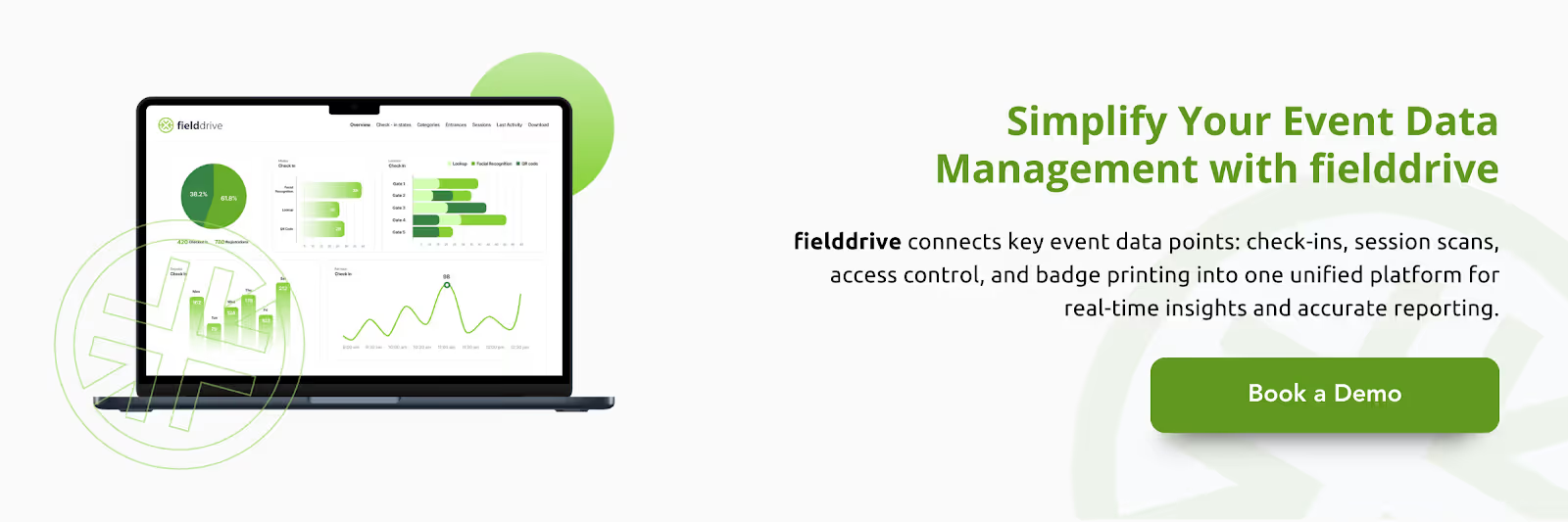
By capturing these data points through one platform, fielddrive reduces fragmentation at the source. This makes it easier for event teams to build and maintain a unified event data platform that holds up during live operations and produces reliable insights afterward.
Conclusion
Building a unified event data platform doesn’t have to be a complex or overwhelming task. By following the steps outlined and focusing on the core data points such as check-ins, session attendance, and access control, you can create a reliable pipeline that supports both real-time event management and accurate post-event reporting.
With the right tools in place, like fielddrive, event teams can simplify data collection, improve operational visibility, and enhance attendee experiences. By unifying attendee data in one consistent flow, you gain faster decision-making capabilities, smoother onsite operations, and more reliable insights for future events.
Ready to see how it works in practice? A unified data platform is just one step away. Start by integrating fielddrive’s powerful tools for check-in, access control, and real-time analytics into your event workflow. Let’s make your next event seamless, efficient, and data-driven.
Request a proposal today and discover a better way to unify your event data pipeline.
FAQs
1. What is a unified event data platform?
A unified event data platform connects all event data sources, such as attendee check-ins, session tracking, and access control, into one consistent data pipeline. It ensures all information is captured in real time, simplifying data management and reporting during and after the event.
2. Why is unifying event data important?
Unifying event data improves operational efficiency, reduces manual work, and provides real-time insights into attendee behaviour, session occupancy, and overall event flow. This leads to faster decisions, improved attendee experience, and more reliable reporting.
3. What data should be unified for my event?
Core data includes:
- Attendee identity (registration details, ticket type, consent status)
- Onsite activity (check-ins, badge printing/reprints, session attendance, access control)
- Exhibitor and engagement data (lead scans, booth interactions)
- Operational signals (timestamps, gate/device IDs, zone access logs)
Unifying these fields ensures consistent, accurate reporting and better onsite decision-making.
4. How does fielddrive help unify event data?
fielddrive integrates check-in, badge printing, access control, session scanning, and analytics into one platform, allowing event teams to track and manage data seamlessly. It provides real-time data collection, privacy-compliant biometric handling, and consolidated reporting, making it easy to maintain one source of truth.
5. How can I ensure data privacy and security for biometric data?
Data privacy and security are critical when using biometric data. With fielddrive, biometric data (e.g., facial recognition) is securely encrypted, and access is restricted to authorized personnel only. Consent is obtained from attendees before data collection, ensuring compliance with privacy regulations.
.svg)
.svg)
.svg)
Want to learn how fielddrive can help you elevate your events?
Book a call with our experts today


.svg)