

.svg)
.webp)
Best Event Check-in Systems for Fast Attendee Flows in 2026
Find the best event check-in systems for fast entry. Compare platforms for kiosks, badge printing, offline mode, and high-volume attendee flow.
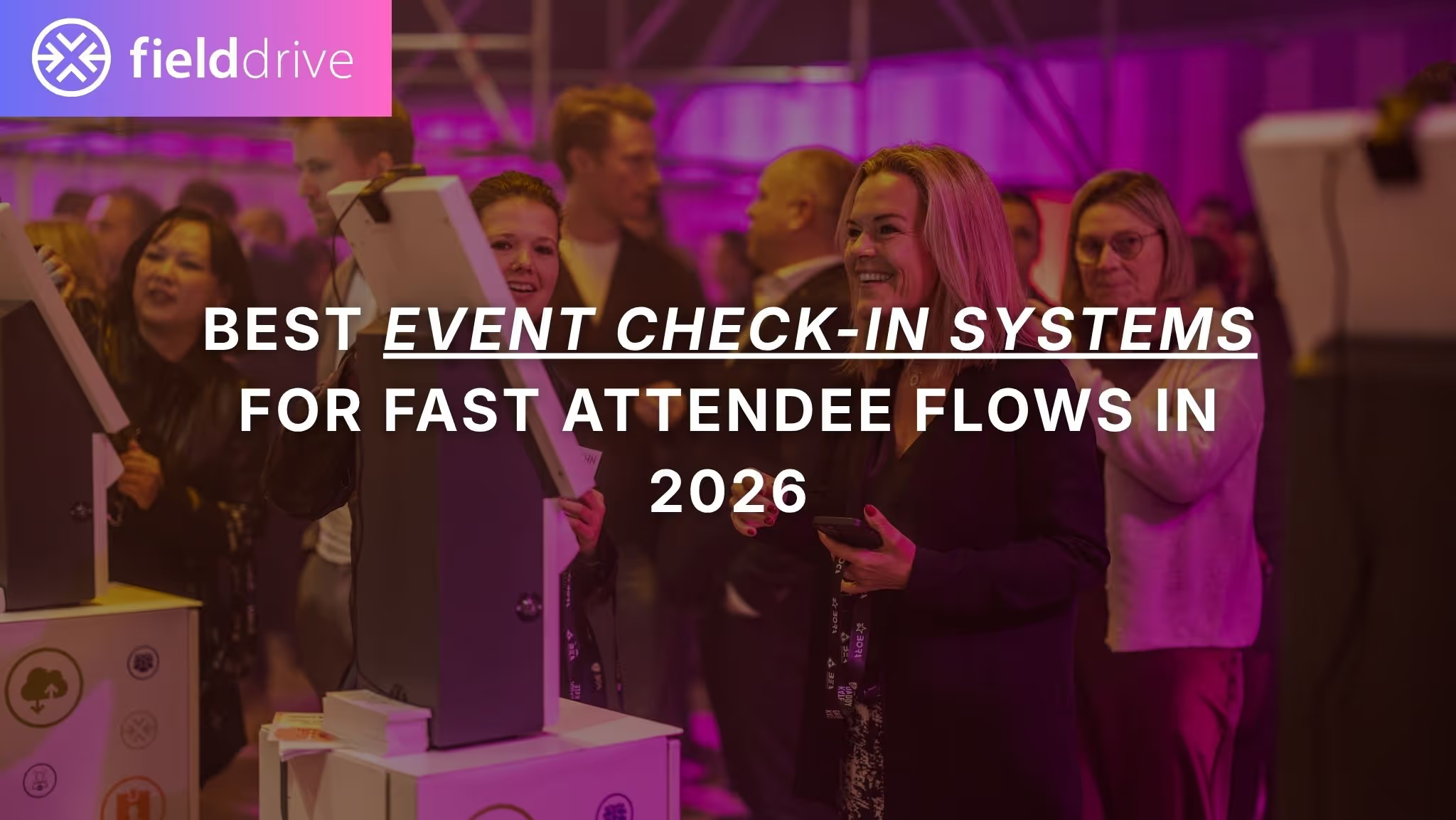
Long check-in lines are rarely caused by one thing. They’re usually the result of a chain reaction: messy registration data, slow badge printing, unclear lane design, weak offline contingencies, and too many edge cases handled in the main queue.
Fast check-in isn’t just a feature. It’s an operational outcome.
This guide breaks down what fast attendee flow actually depends on, how to evaluate event check-in systems in a practical way, and how leading platforms compare. It also includes a detailed look at fielddrive, an onsite check-in, badging, lead retrieval, session scanning, and analytics platform designed specifically for in-person events.
TL;DR
Fast attendee flow depends on end-to-end onsite operations: data sync, self-service options, badge printing speed, exception handling, offline resilience, staffing tools, and real-time visibility.
Prioritize systems that support self-service kiosks, on-demand badge printing, poor-network resilience, clear exception workflows, and integrations with your registration or CRM stack.
Don’t choose based on feature lists alone. Run a peak-load demo that tests check-in, badge printing, exceptions, reprints, and offline behavior.
If you need hardware and software together for high-volume in-person arrivals, fielddrive is typically a strong fit because it combines kiosks, badge printing, scanning, lead retrieval, analytics, logistics, and onsite support.
The best system depends on your event type. All-in-one platforms may be enough for simpler events, while onsite-first stacks often win when arrival operations are the biggest risk.
What Is an Event Check-in System?
An event check-in system is the combination of software, devices, and onsite workflows used to verify attendees, check them into the event, issue credentials, and capture attendance data.
A good event check-in system usually supports:
- Attendee verification
- QR or barcode scanning
- Name lookup
- Self-service kiosks
- Staffed check-in counters
- On-demand badge printing
- Session or zone scanning
- Attendance reporting
- Integration with registration and CRM systems
It is different from event registration software. Registration usually happens before the event and covers forms, payments, confirmations, ticketing, and attendee data collection. Check-in happens onsite, where that data has to be turned into a smooth arrival experience.
The best systems connect registration, check-in, badge printing, access control, and reporting so your onsite team isn’t stuck exporting CSVs, manually fixing records, or troubleshooting badge issues at the door.
What Fast Attendee Flow Actually Depends On
Speed at check-in is usually the outcome of multiple operational choices. A fast system is not just about scanning a QR code quickly. It depends on how well your data, hardware, people, layout, and backup plans work together.
1. Pre-event Data Quality and Sync
Many check-in problems start before doors open.
Common issues include duplicate records, missing badge fields, unclear attendee categories, outdated registration data, and access rules that were never properly mapped.
What to look for:
- Reliable sync between registration and onsite check-in
- Clear badge field mapping
- Duplicate record handling
- Fast updates for last-minute changes
- A way to resolve data issues without freezing the main queue
If registration data is messy, even the best kiosk setup will struggle.
2. Self-service vs. Staffed Check-in
High-volume events usually need a mix of self-service and staffed flows.
Self-service kiosks work well for attendees who already have everything in order. They scan a QR code or search their name, confirm their details, and print their badge.
Staffed desks should handle exceptions, VIPs, speakers, walk-ins, unpaid attendees, substitutions, and missing records.
The mistake many events make is pushing every attendee through the same queue. That slows everyone down.
A better setup separates:
- Fast-path self-service check-in
- Staff-assisted check-in
- Help desk or exception handling
- VIP or speaker lanes, if needed
.avif)
3. Badge Printing Speed and Reliability
Badge printing is often the real bottleneck.
Even if check-in takes only a few seconds, the line can still stall if badges print slowly, printers jam, badge stock is misaligned, or staff need to manually trigger every print job.
What to look for:
- Automatic print-on-check-in
- Fast badge output under sustained load
- Easy reprints
- Tested printer and badge stock compatibility
- Support for multiple badge types
- Minimal staff intervention
For large events, badge printing should be tested under realistic conditions, not just shown in a clean demo.
4. Exception Handling
Exceptions are the quiet little goblins that destroy check-in speed.
They include:
- Name changes
- Last-minute substitutions
- Missing QR codes
- Walk-up registrations
- Unpaid attendees
- Wrong badge categories
- Missing company names
- VIP or speaker changes
- Duplicate records
A small percentage of exceptions can slow down the entire arrival flow if they are handled in the main queue.
What to look for:
- Dedicated exception workflows
- Permission controls for edits and reprints
- Fast lookup and correction tools
- Clear escalation rules
- A separate help desk lane
5. Offline Mode and Poor-network Resilience
Venue internet is unpredictable. A system that only works on perfect Wi-Fi is a risky choice for busy events.
Offline mode should not be assumed. It needs to be tested.
Ask:
- Does check-in continue if Wi-Fi drops?
- Does badge printing continue offline?
- Are session scans stored locally?
- Are exhibitor leads captured during outages?
- How is data synced when the connection returns?
- How are conflicts handled?
Many systems support offline check-in, but offline badge printing is where the differences often show up.
6. Venue Layout and Queue Design
Technology cannot fully fix a bad physical setup.
Common layout problems include:
- Kiosks placed too close to entrances
- Badge pickup areas blocking the queue
- Poor signage
- Too few staff members guiding attendees
- No separate help desk
- Printers placed in awkward positions
- Attendees reaching the kiosk without QR codes ready
A strong check-in system should be supported by a smart onsite flow plan.
7. Real-time Visibility
If you can’t see what’s happening live, you can’t fix problems while they are happening.
Useful live data includes:
- Attendees checked in by time window
- Kiosk vs. staffed desk throughput
- Printer performance
- Queue pressure
- Session scan counts
- Access control activity
- Exception volume
- Lead capture adoption
Real-time dashboards help onsite teams make decisions during the event, not just write a post-event report after the smoke clears.
Key Features to Look For in an Event Check-in System
Use this checklist to evaluate vendors in a practical way.
On-demand Badge Printing
Look for:
- Automated printing once check-in is complete
- Fast badge output
- Easy reprints
- Support for multiple badge templates
- Flexible badge rules based on attendee type, ticket type, access level, or custom fields
- Tested badge stock and printer compatibility
Demo question:
“Can you show 50 consecutive badge prints during check-in, including at least one reprint and one badge type change?”
Self-service Kiosks
Look for:
- QR scan
- Name lookup
- Branded kiosk screens
- Simple attendee-facing UI
- Kiosk lockdown mode
- Multiple lane support
- Staff override options
- Clear fallback if an attendee gets stuck
Demo question:
“How do you prevent attendees from printing the wrong badge or getting stuck at the kiosk?”
Contactless Check-in Options
Most event check-in systems support QR or barcode scanning. Some also support touchless flows or optional facial recognition.
Facial recognition can speed up check-in by removing QR friction, but it involves biometric data and must be handled carefully.
Validate:
- Consent process
- Opt-out flow
- Fallback check-in method
- Data encryption
- Retention and deletion policies
- Regional privacy requirements
Offline Mode
Offline support should be tested for each function separately.
Ask what happens to:
- Check-in
- Badge printing
- Session scanning
- Access control
- Lead retrieval
- Analytics sync
- Data reconciliation
A vendor saying “we support offline mode” is not enough. You need to know exactly what continues working and what pauses.
Integrations
Integrations are not just a back-office feature. They directly affect onsite speed.
Look for:
- Registration platform sync
- CRM sync
- Marketing automation integration
- Field mapping
- Last-minute update handling
- Custom badge field support
- APIs or webhooks
- Reliable export options
If data does not sync properly, onsite teams end up manually fixing issues during peak arrival.
Security and Privacy
Look for:
- Role-based permissions
- Audit logs
- Secure attendee data handling
- GDPR alignment
- Data retention controls
- Access control for staff users
- Clear biometric policies if facial recognition is used
Onsite Logistics and Support
Hardware-heavy check-in is operations-heavy.
Ask:
- Who provides kiosks, printers, scanners, routers, and badge stock?
- Is equipment shipped, rented, or locally sourced?
- Are spares included?
- Is onsite support available?
- Is there a rehearsal or day-before testing process?
- Who handles printer failures during peak check-in?
Lead Retrieval and Session Scanning
If your event includes exhibitors, sponsors, sessions, or restricted areas, check-in is only one part of the onsite data story.
Useful related features include:
- Exhibitor lead capture
- Lead qualification fields
- Session scanning
- Access control
- Attendance tracking
- Zone-based entry rules
- Post-event reporting
Questions to Ask Vendors During Demos
Use these questions to keep demos grounded in real event pressure.
- What lane design would you recommend for our peak arrival window?
- How would you separate self-service check-in from exceptions?
- Show check-in and badge printing for a pre-registered attendee with a QR code.
- Show check-in for an attendee without a QR code.
- Show a name change and badge reprint.
- Show a walk-up registration or late attendee update.
- What happens if Wi-Fi is slow but not fully down?
- What continues working if the internet is down for 20 minutes?
- Does badge printing work offline?
- Who is allowed to reprint badges?
- How are badge types determined?
- How quickly do registration updates appear onsite?
- What happens with duplicate records?
- What live dashboards do you provide during check-in?
- What hardware, spares, and onsite support are included?
How to Evaluate Systems for Speed
A useful test plan should be short, realistic, and slightly brutal.
1. Peak-load Simulation
Pick a realistic arrival window, such as the first 60 minutes of day one.
Measure:
- Time from arrival to badge in hand
- Percentage of attendees requiring staff help
- Kiosk throughput
- Staffed desk throughput
- Queue movement
- Reprint volume
2. Print Endurance Test
Print 50 to 100 badges consecutively.
Track:
- Print failures
- Alignment issues
- Misfeeds
- Reprint time
- Staff intervention needed
- Badge type switching
- Full-color print performance, if applicable
3. Exceptions Drill
Test the edge cases that create real queues:
- Name change
- Category change
- Wrong badge type
- Unpaid attendee
- Walk-up registration
- Duplicate record
- VIP upgrade
- Lost QR code
4. Network Failure Drill
Drop Wi-Fi during the demo or test.
Observe:
- What still works
- What stops working
- What queues locally
- How sync resumes
- Whether manual reconciliation is needed
.png)
Feature Comparison Table: Event Check-in Systems for Fast Attendee Flow
This table focuses on features that directly affect attendee flow. Exact capabilities can vary by package, hardware setup, region, and implementation, so confirm the details during your demo.
Review: Best Event Check-in Systems for Fast Attendee Flow
This review chart focuses specifically on fast attendee flow at scale, not general event management functionality.
Scores consider:
- Peak arrival throughput
- Badge printing readiness
- Offline resilience
- Onsite execution support
- Hardware readiness
- Integration flexibility
- Lead retrieval and session scanning support
Company Snapshots: Who Each Platform Fits
fielddrive
fielddrive is best suited for high-volume in-person conferences, trade shows, conventions, congresses, and enterprise events where check-in and badge printing are major operational risks.
Its strength is that it brings the onsite stack together: check-in kiosks, on-demand badge printing, lead retrieval, session scanning, access control, analytics, hardware logistics, and onsite support.
fielddrive is a strong fit when you need:
- Fast attendee check-in
- On-demand full-color badge printing
- Self-service kiosks
- Multiple check-in methods
- Lead retrieval for exhibitors
- Session scanning and access control
- Real-time onsite analytics
- Hardware and onsite execution support
If you use facial recognition, plan privacy, consent, opt-out, and data retention carefully.
Cvent OnArrival
Cvent OnArrival is best suited for organizations already using Cvent or looking for onsite tools within a broader enterprise event platform.
Its strengths include onsite check-in, kiosk mode, badge printing, offline support, and lead capture through the wider Cvent ecosystem.
The main thing to validate is how onsite support, hardware, packaging, and service levels work for your specific event.
RainFocus
RainFocus is best for large, complex enterprise event programs that need strong data visibility, integrations, personalization, and operational control.
It is a good option for teams managing complex event portfolios, high-value attendee journeys, and detailed reporting requirements.
For fast attendee flow, validate badge printing specifics, offline behavior, hardware configuration, and support responsibilities.
Bizzabo
Bizzabo is best for B2B conferences and branded event experiences where registration, engagement, event apps, and onsite workflows need to work together.
Its onsite capabilities can support check-in, badge printing, and attendee engagement, but you should confirm the recommended hardware setup and print workflow for peak arrival periods.
Swoogo
Swoogo is best for teams that prioritize flexible registration workflows and want an onsite add-on connected to their registration setup.
It is strong on registration logic and event website workflows. For onsite flow, validate kiosk setup, check-in behavior, badge printing dependencies, and offline printing.
Whova
Whova is best for events that prioritize attendee engagement, mobile apps, agendas, networking, and simpler onsite check-in needs.
It can support self check-in and badge printing, but large events should test printer workflows, offline behavior, and peak-load performance.
Accelevents
Accelevents is best for smaller to mid-sized events that want a bundled platform for registration, check-in, badging, engagement, and exhibitor tools.
It may be a good fit for straightforward onsite needs, but large conferences should carefully test arrival peaks, hardware readiness, badge printing, and onsite support.
vFairs
vFairs is best for organizations running hybrid or virtual-first events that also need in-person check-in and badge printing.
It can work well when virtual and hybrid capabilities are central to the event strategy. For high-volume onsite flow, validate kiosk support, printing speed, offline behavior, and logistics.
CrowdComms
CrowdComms is best for events that need a strong event app, attendee engagement, community features, and lead capture.
It can support onsite workflows, but it is often part of a broader event technology stack rather than a complete onsite execution system by itself. Confirm check-in, printing, offline mode, and reporting details before choosing it for a large event.
Deep Dive: fielddrive for Fast Onsite Check-in and Badging
fielddrive is built for the highest-pressure moment in any event: when doors open and hundreds or thousands of attendees arrive at once.
That moment is where onsite systems are truly tested. QR scanning, badge printing, data sync, help desk handling, printer performance, access rules, and staff coordination all need to work together.
fielddrive is designed to reduce friction across that entire onsite flow.
What fielddrive Does
fielddrive provides an integrated set of onsite event tools, including:
- Touchless check-in kiosks
- QR-based check-in
- Manual name lookup
- Optional facial recognition check-in
- On-demand badge printing
- Full-color badge printing
- Lead retrieval for exhibitors
- Session scanning
- Access control
- Real-time analytics and event insights
The core benefit is that check-in, printing, scanning, lead retrieval, and analytics are not treated as separate fragments. They work together as part of the onsite event operation.
Why Integrated Hardware and Software Matter
Fast attendee flow often breaks when too many vendors own different parts of the onsite experience.
For example:
- One platform owns registration data
- Another tool handles check-in
- Another vendor manages badge printing
- Another system tracks sessions
- Another app handles lead retrieval
- Nobody clearly owns the onsite failure points
That fragmentation can create problems during peak arrival.
fielddrive’s value is that it brings the onsite layer into one coordinated system, with hardware logistics and onsite support included where needed.
Badge Printing Performance
fielddrive advertises fully colored, two-sided badges printed in around 6 seconds per badge.
For buyers, that number should be treated as a starting point for validation, not a substitute for testing.
In a demo, test:
- Consecutive badge printing
- Full-color designs
- Two-sided badges
- Multiple badge types
- Reprints
- Badge edits
- Sponsor-branded badges
- Photos, if applicable
- Printer recovery after an error
The real question is not just “How fast can one badge print?” It is “Can the system keep printing smoothly during a busy arrival window?”
Check-in Methods
fielddrive supports multiple check-in methods, which helps events avoid forcing every attendee through the same path.
Common flows include:
- QR code scanning
- Manual name lookup
- Assisted check-in
- Self-service kiosk check-in
- Optional facial recognition check-in
This allows organizers to create different lanes for different attendee needs.
For example:
- Self-service kiosks for pre-registered attendees
- Staffed counters for VIPs, speakers, and exceptions
- Help desk lanes for corrections, substitutions, or unpaid registrations
Facial Recognition and Privacy
fielddrive offers optional facial recognition check-in.
The benefit is speed and convenience. Attendees do not need to search for a QR code, and the system can reduce friction at arrival.
However, facial recognition involves biometric data, so it should be deployed carefully.
Validate:
- Consent process
- Opt-out flow
- Fallback check-in method
- Data encryption
- Data retention period
- Deletion process
- Regional compliance requirements
Facial recognition should never be the only check-in path. There should always be a clear alternative for attendees who do not want to use it.
Lead Retrieval and Session Scanning
fielddrive also supports lead retrieval and session scanning.
For exhibitors, lead retrieval allows badge scanning, qualification, notes, and structured follow-up.
For organizers, session scanning and access control can help with:
- Room capacity
- Session attendance
- Restricted-area access
- Continuing education tracking, where relevant
- Attendee movement insights
- Post-event reporting
This helps turn onsite activity into measurable event data.
Integrations
Integrations directly affect check-in speed.
If registration data is outdated, missing, or poorly mapped, attendees get stuck at the door.
fielddrive is designed to work as an onsite layer that can integrate with existing registration platforms, CRMs, and event systems.
When evaluating fielddrive or any onsite provider, confirm:
- Which registration platform will sync
- How often data syncs
- Whether updates appear in real time or on a schedule
- How badge fields are mapped
- How attendee categories are handled
- How access rules are applied
- What happens when data changes onsite
Analytics and Real-time Visibility
A fast check-in setup should not be a black box.
fielddrive’s analytics capabilities help organizers monitor onsite activity during and after the event.
Useful data can include:
- Check-ins over time
- Peak arrival patterns
- Session attendance
- Access control activity
- Exhibitor lead capture
- Attendee movement signals
- Operational bottlenecks
- Post-event reporting
This helps teams make better decisions during the event and improve planning for future editions.
Global Logistics and Onsite Support
For large conferences and international event programs, logistics matter as much as software.
Hardware has to arrive on time, work with the venue setup, and be supported during show hours.
fielddrive states that it supports events in 50+ countries and operates with multiple logistics hubs.
Procurement questions to ask:
- Where will hardware ship from?
- Are spares included?
- Who handles printer failures?
- Is onsite technical support available?
- What is tested before doors open?
- What escalation process is available during peak arrival?
- What happens if a kiosk, printer, scanner, or router fails?
Sustainability
On-demand badge printing can support sustainability by reducing unnecessary pre-printed badge waste.
fielddrive also promotes sustainable and zero-plastic badge options depending on badge format.
Practical sustainability benefits can include:
- Printing badges only when attendees arrive
- Reducing uncollected pre-printed badges
- Reducing or eliminating plastic holders
- Making reprints easier without wasting large badge batches
.avif)
Recommendations by Event Type
Conferences
For conferences with a strong morning arrival peak and multiple sessions, prioritize:
- Self-service kiosks
- Fast badge printing
- Session scanning
- Speaker and VIP handling
- A separate exceptions desk
- Real-time check-in dashboards
Trade Shows
For trade shows, prioritize:
- Fast badge printing
- Multiple entrances
- Exhibitor lead retrieval
- Sponsor badge branding
- Reprint workflows
- Attendee and exhibitor category rules
Multi-day Events
For multi-day events, prioritize:
- Re-entry handling
- Fast badge reprints
- Day-based access rules
- Session scanning
- Analytics on arrival patterns
- Staffing adjustments based on live data
VIP-heavy Events
For VIP-heavy events, prioritize:
- Dedicated fast lanes
- Role-based badges
- Access control
- Strong identity verification where needed
- Staffed check-in for high-touch experiences
- Clear fallback flows
International Roadshows
For international roadshows, prioritize:
- Repeatable hardware kits
- Standardized check-in workflows
- Offline resilience
- Local logistics support
- Consistent reporting across locations
Common Mistakes That Slow Down Check-in
1. Sending Every Attendee Through the Same Queue
Not everyone needs the same level of support. Separate fast-path check-in from exceptions.
2. Assuming Venue Wi-Fi Will Work
Always test offline or poor-network behavior before the event.
3. Not Testing Badge Printing Early Enough
Printer issues, stock alignment, design formatting, and reprint problems should be discovered before doors open.
4. Creating Too Many Badge Types Without Clear Rules
Badge complexity can slow down the entire system. Automate badge rules where possible.
5. Forgetting the Help Desk
A dedicated exception lane keeps the main queue moving.
6. Ignoring Reprints
Lost badges, misspellings, substitutions, and category changes happen. Reprints need to be fast and controlled.
7. Not Rehearsing Onsite
Run through the full check-in flow before the event: scan, search, print, reprint, edit, sync, and scan sessions.
FAQ
What’s the Difference Between Event Registration and Event Check-in?
Event registration is the pre-event process where attendees sign up, pay, choose sessions, and receive confirmation details.
Event check-in is the onsite process where attendees are verified, checked in, and usually issued a badge or credential.
What Does Offline Check-in Mean?
Offline check-in means the onsite system can continue checking attendees in when internet connectivity is weak or unavailable.
For large events, you should also ask whether badge printing, session scanning, lead retrieval, and access control continue working offline.
How Many Check-in Devices Do I Need?
It depends on peak arrival patterns, attendee volume, badge printing speed, exception rate, venue layout, and staffing.
Instead of using a generic ratio, run a peak-load simulation based on your expected busiest arrival window.
What Should I Test in a Badge Printing Demo?
Test continuous printing, badge type switching, reprints, edits, full-color designs, two-sided badges, printer recovery, and offline printing behavior.
Can fielddrive Support Self-service Kiosks and Staffed Check-in at the Same Event?
Yes. fielddrive supports multiple check-in methods, which allows organizers to use self-service kiosks for fast-path attendees and staffed lanes for VIPs, speakers, and exceptions.
Does fielddrive Support Facial Recognition Check-in?
Yes. fielddrive offers optional facial recognition check-in. Because facial recognition involves biometric data, organizers should plan consent, opt-out, fallback flows, encryption, retention, and deletion processes carefully.
Does fielddrive Integrate With Registration Platforms and CRMs?
Yes. fielddrive is designed as an onsite layer that can integrate with registration platforms, CRMs, and other event systems. Confirm your specific platforms, sync frequency, field mapping, and access rules during procurement.
Can fielddrive Support Sustainable Badges?
Yes. fielddrive promotes sustainable badge material options and zero-plastic approaches depending on badge format and event needs.
Next Steps: How to Choose Confidently
To choose the right event check-in system, start with your onsite reality.
Create a one-page requirements list covering:
- Peak arrival volume
- Badge types
- Access rules
- Check-in methods
- Exception scenarios
- Offline requirements
- Integration needs
- Hardware and support expectations
- Reporting requirements
Then run demos using the same test plan for every vendor.
The best event check-in system is not simply the one with the longest feature list. It is the one that can keep people moving when doors open, printers are running, attendees are arriving in waves, and the onsite team needs clear answers quickly.
If your event’s biggest risk is doors-open execution, fast check-in, reliable badge printing, onsite support, session scanning, lead retrieval, and real-time visibility, fielddrive is worth evaluating alongside your registration platform and any all-in-one alternatives on your shortlist.
.svg)
.svg)
.svg)
Want to learn how fielddrive can help you elevate your events?
Book a call with our experts today


.svg)