

.svg)
.png)
Automated Lead Processing for Events: Reducing Manual Cleanup in 2026
Learn how to implement automated lead processing for events. Use practical workflows to capture clean data, trigger follow-ups faster, and reduce manual work.

CONTENT
You can run a flawless event and still end up losing its biggest opportunity afterward. That’s precisely what happens when lead data ends up trapped in spreadsheets, manual clean-ups, and delayed CRM uploads once the event is over. A research paper on lead scoring models and their impact on sales performance showed that automated, data-driven lead management significantly outperforms manual approaches, delivering stronger sales outcomes. Yet many live events still rely on manual lead processing.
If you’re an event director, or a registration or operations manager, this creates real risk. Manual workflows slow follow-ups, introduce data errors, and make it harder to prove event ROI. By the time leads reach sales or exhibitors' internal teams, attendee interest has often cooled, and valuable momentum is lost.
In this article, we show how you can reduce manual effort with automated lead processing for events. We'll equip you with practical, step-by-step guidance to help you capture cleaner data, accelerate follow-ups, and turn live event interactions into measurable results.
Key Takeaways
- Manually maintained spreadsheets, local scans, and post-event cleanups create delays, data gaps, and lost follow-up opportunities as attendee volumes grow.
- Automation must start on-site. Lead data needs to be captured, validated, and centralized at check-in, badge printing, and session access, not only after the event ends.
- Structured data capture and real-time enrichment prevent manual cleanup and ensure leads are complete, contextual, and ready for immediate use.
- Automated syncing with CRMs and sales systems eliminates exports, accelerates follow-ups, and preserves engagement history.
- Execution matters as much as technology. Automation only works when aligned with real event workflows, extreme scenarios, and on-site realities.
The Hidden Cost of Manual Lead Processing at Live Events
If you’re running conferences, trade shows, or large corporate events, manual lead processing often feels manageable until it isn’t anymore. Once attendee volumes increase and multiple teams are involved, small inefficiencies quickly turn into major bottlenecks that slow follow-ups and weaken event ROI. Understanding where manual workflows break down is the first step toward fixing them.
A Typical Manual Event Lead Workflow
For many live events, lead handling still follows this pattern:
- Check-in lists are managed across printed sheets or disconnected tools.
- Attendees are scanned or ticked off during check-in.
- Badge scans are stored locally on devices or saved as individual files.
- Once the event ends, lead data is exported from multiple sources.
- Manual data is cleaned up in spreadsheets.
- Delayed uploads into the CRM become the norm.
Why This Fails for Mid-to-Large Events
As events scale, manual workflows introduce compounding issues, such as:
- Data inconsistencies across tools, formats, and teams
- Human error during manual entry and cleanup
- No real-time visibility into attendance or engagement
- Delayed follow-ups that reduce conversion potential
- Limited ROI proof for exhibitors
Situations That Expose Manual Limitations Further
Live events are unpredictable, and manual systems struggle to adapt. Walk-in attendees often require last-minute data entry, increasing the risk of errors. Badge reprints can create duplicate records that are difficult to reconcile later.
Internet outages add another layer of complexity, forcing teams to store data locally and hope everything syncs correctly afterward. For multi-day or multi-track events, these challenges escalate as session counts, scan volumes, and attendee movements increase. At scale, manual lead processing becomes a worrying bottleneck.
To remove these bottlenecks, lead processing needs to shift from post-event cleanup to real-time execution. That’s where automated lead processing comes in.
What Automated Lead Processing for Events Actually Means
Automated lead processing for events means organizing and activating attendee data as interactions happen on-site. Instead of collecting scans, notes, and forms and processing them in batches post-event, automation ensures lead data flows instantly into a centralized system. This happens the moment an attendee checks in, prints a badge, or enters a session.
The core difference is simple:
- On-site, not post-event: Leads are processed in real time during the interaction.
- Real-time, not batch: Data is immediately usable, not locked in files waiting to be cleaned.
This shift from post-event cleanup to real-time processing eliminates manual work at scale. That’s where execution matters. To actually reduce manual lead processing, you need to automate every on-site workflow that creates or touches lead data. Here’s how you can do that step by step.
How You Can Reduce Manual Lead Processing with Automation (Step by Step)
If you’re responsible for delivering a smooth event and proving its ROI, manual lead processing quickly becomes your most significant post-event liability. The steps below show exactly how you can reduce manual work by automating lead processing at the source, while the event is still live.
Step 1: Map Every Point Where Lead Data Is Created
Manual processing usually starts because the lead data is created in too many disconnected places by too many people. Start by identifying every touchpoint where attendee data is generated:
- Event check-in (pre-registered and walk-ins)
- Badge printing and reprints
- Session access (keynotes, breakouts, restricted areas)
Action checklist for organizers:
- List each touchpoint and how data is currently captured.
- Identify where data is stored locally versus centrally.
- Flag every step that requires exports, spreadsheets, or manual uploads.
Step 2: Automate Lead Capture at Entry Points
If lead capture starts after the event ends, manual processing is unavoidable. You reduce manual work by automating capture as attendees arrive.
What to automate on-site:
- Replace manual check-in desks with touchless check-in kiosks.
- Use QR codes, barcodes, or facial recognition to confirm attendance.
- Enable live badge printing so attendee profiles are finalized instantly.
What this looks like in practice:
Also Read: Understanding Lead Capture Apps and Their Key Benefits
Step 3: Standardize and Enrich Lead Data Automatically
When attendee information comes in different formats or lacks context, teams fall back on spreadsheets to “fix” it later. Automation prevents the problem before it starts. Here's what you need to put in place:
- Enforce required fields at registration and check-in.
- Replace free text with structured inputs (dropdowns for roles, industries, interests).
How automation works once this is set up:
- Every attendee record follows the same data structure.
- Behavioral data is attached automatically, including:
- Check-in timestamps
- Sessions entered or skipped
- Time spent on-site
Key takeaway: Standardized data means the exhibitor receives complete, context-rich records.
Step 4: Connect Event Data Directly to CRM and Sales Systems
Once the lead data is standardized, the next step is making sure it moves automatically without human intervention. This is where automation replaces spreadsheets entirely.
What you need to enable automation here:
- An event platform that supports native or API-based CRM integrations
- Predefined mapping between event fields and CRM fields
- Clear rules for lead ownership, routing, and updates vs new records
How automation works at this stage:
- Event interactions are linked to a single attendee record.
- Data syncs automatically from your event platform into the exhibitor's CRM.
Step 5: Automate Follow-Ups, Reminders, and Internal SLAs
Even the best data loses value if follow-up depends on manual effort. This step removes human dependency from post-event action, ensuring speed and consistency in the process.
What you need to set up:
- Trigger-based workflows tied to event interactions
- Time-based SLAs aligned with your exhibitor's sales or internal teams
- Automated alerts for uncontacted leads or missed follow-ups
What this means for exhibitors: Clear accountability, faster response times, and proof that leads were acted on quickly.
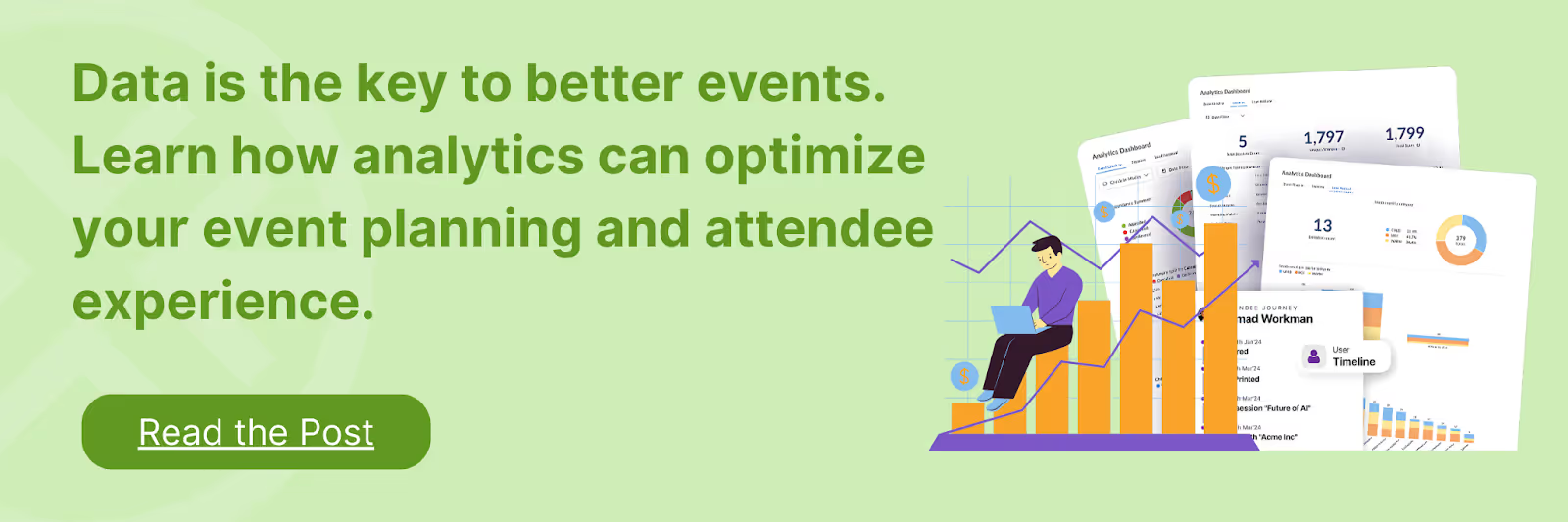
Step 6: Use Real-Time Analytics to Optimize Lead Flow During the Event
Automation isn’t just about what happens after the event. It gives you visibility while it’s still running. This step helps you shift from reactive problem-solving to live operational control. For that, you need access to centralized, real-time dashboards that provide live visibility into check-ins, sessions, and traffic flow.
What you should monitor in real time:
- Check-in volume and peak times
- Session attendance and drop-offs
- Congestion across entrances or rooms
How this helps you act:
- Reassign staff to busy entry points.
- Adjust room access or signage.
- Improve attendee flow on the same day.
After the event: You gain insights into session performance, attendee movement, and layout efficiency to improve future events.
Step 7: Build Compliance, Permissions, and Audit Trails Into the Process
At scale, manual lead handling is risky. Common risks with manual processes include lost or unclear consent records, unsecured spreadsheets, and no reliable audit trail. This step ensures your automation framework supports compliance and security without adding operational complexity.
How automation protects you:
- Digital consent capture at registration or check-in
- Secure, centralized data storage
- Automated audit trails for every interaction
While this step-by-step approach works in practice, automation often fails when it’s implemented in isolation. The following mistakes show where organizers commonly lose efficiency during live events.
Common Mistakes Organizers Make When Automating Lead Processing
Even the right automation can fail if it’s implemented without considering how live events actually run. Most issues don’t come from the technology itself, but from assumptions made during planning, setup, and on-site execution. Understanding these common mistakes helps you avoid replacing manual work with a different kind of complexity.
- Treating automation as a post-event clean-up exercise: Many organizers introduce automation only after the event, using it to speed up exports or CRM uploads. This keeps the same batch-based mindset and delays follow-ups.
- Implementing automation without mapping on-site workflows: Automation often fails when tools are introduced before understanding how attendees move through the venue. If event aspects aren’t mapped clearly, teams end up creating workarounds that reintroduce manual steps.
- Assuming automated tools will slow down on-site teams: Some organizers hesitate to automate because they expect tools to be complex or disruptive during live events. In practice, when staff can rely on automation, they spend less time managing data and more time managing the event itself.
- Overreliance on the CRM to handle live event interactions: CRMs are essential for long-term lead management, but they aren’t fully equipped for real-time, on-site data capture. When organizers rely solely on the CRM, event interactions lose context and require manual correction.
- Believing current manual processes are “good enough”: Familiar workflows often feel safe, even when they’re inefficient. This mindset hides the real cost of manual lead processing.
- Failing to plan for offline and edge-case scenarios: Live events rarely run under perfect conditions. Internet outages, walk-ins, and badge reprints expose weak automation setups and force teams back into manual fixes. Effective automation must support offline capture, digital walk-in registration, and single-record management to prevent post-event cleanup.
Also Read: Selecting the Best Lead Retrieval Process for Your Events
Avoiding these mistakes requires automation that has been tested in real event conditions. The following case study shows how automated lead processing works when it’s applied on-site at scale.
Case Study: Automating Lead Processing at BAM Marketing Congress 2024
At BAM Marketing Congress 2024, one of Europe’s leading marketing events, organizers needed to ensure exhibitors could capture, qualify, and act on leads without manual effort. With a high volume of attendees and fast-paced booth interactions, traditional lead capture methods would have slowed follow-ups and diluted lead quality.
To address this, fielddrive deployed fielddrive Leads, enabling automated, real-time lead processing tailored to on-site event environments.
How Automated Lead Processing Was Applied
Read more to find out what other issues fielddrive solved for this event.
Wrapping Up
Manual lead processing continues when data is captured in fragments and activated only after the event ends. Automation changes this by structuring lead data at check-in and entry points. Engagement data is enriched in real time as attendees move through the event. Updates sync automatically into downstream systems without manual handling.
Follow-ups trigger while the attendee's interest is still high.
fielddrive enables this approach with event technology explicitly built for live, high-volume environments. Developed by experienced event operators, our on-site solutions combine fast check-in, live badge printing, lead retrieval, and real-time analytics into a single, reliable workflow.
To see how automated lead processing for events works in real conditions, reach out to a representative. Take control of your lead workflows before events conclude.

FAQs
1. Can automated lead processing work for events with multiple venues or halls?
Yes, but only if the technology supports centralized data capture across all locations. The key is to use a unified system that syncs data from multiple entry points, scanners, and sessions into a single real-time data layer.
2. Does automation limit flexibility for last-minute event changes?
No, provided the system supports real-time configuration. Field changes, access rules, or workflows can still be adjusted mid-event without breaking data consistency or forcing teams back into manual processes.
3. How do you measure whether automated lead processing is actually working?
Look beyond lead volume. Key indicators include speed-to-follow-up, reduction in manual admin hours, and the speed with which post-event reporting is available without additional data cleanup.
4. How do you handle attendees who opt out of data sharing?
Automated systems can respect consent choices in real time. Attendees who opt out are flagged accordingly, ensuring their data is excluded from follow-ups while still allowing organizers to track aggregate attendance.
5. Can automated lead processing support hybrid or partially virtual events?
Yes, when the platform supports multiple data sources. Automation can unify on-site interactions with digital engagement data, creating a single view of attendee behavior across physical and virtual touchpoints.
.svg)
.svg)
.svg)
Want to learn how fielddrive can help you elevate your events?
Book a call with our experts today


.svg)