10+ Affordable Lead Retrieval Apps That Will Skyrocket Your Event ROI in 2026
Get 10+ affordable lead retrieval apps for 2026. Capture every lead, boost ROI, and streamline event follow-up without breaking your budget.

CONTENT
Most exhibitors walk into an event expecting strong leads and walk out with scattered business cards, blurry badge scans, and follow-ups that never convert. The result is lost revenue and frustrated stakeholders before the event even ends.
If you have ever spent days planning an event only to watch good conversations disappear because the lead capture process failed, you are not alone. Every organizer faces the pressure to prove ROI and keep exhibitors coming back, even when budgets are tight, and expectations keep rising.
Right now, the industry is shifting toward tools that automate lead capture, eliminate manual data entry, and help exhibitors follow up instantly rather than hoping someone remembers a conversation weeks later. Affordable lead retrieval apps are becoming the go-to solution because they help events of every size deliver measurable outcomes.
This guide breaks down the best options so you can choose a tool that fits your budget, supports your workflow, and protects every lead your exhibitors earn.
Key Takeaways
- Affordable lead retrieval apps save time, reduce errors, and capture every lead, even offline, without costly hardware.
- Look for features such as BYOD scanning, custom qualification forms, CRM export, and offline capabilities to maximize ROI.
- Choose the right app based on event size, frequency, exhibitor needs, and budget to ensure smooth deployment and consistent lead tracking.
- Pair the app with proven strategies, fast scanning, notes, lead rating, tagging, and quick follow-up, to boost lead quality and conversions.
Understanding Lead Retrieval Apps
A lead retrieval app is a digital tool that helps you capture attendee information at events. Instead of collecting paper business cards or jotting down notes, you simply scan a QR code or barcode on an attendee's badge. The app instantly pulls their contact details into your system.
These apps work on smartphones or tablets. Your team scans badges, qualifies leads on the spot, and syncs everything to your CRM in real time. This eliminates manual data entry, reduces errors, and speeds up your follow-up process.
The best part is that modern solutions work offline too. You capture leads even when the venue WiFi fails. Once your device reconnects, all data syncs automatically to the cloud.
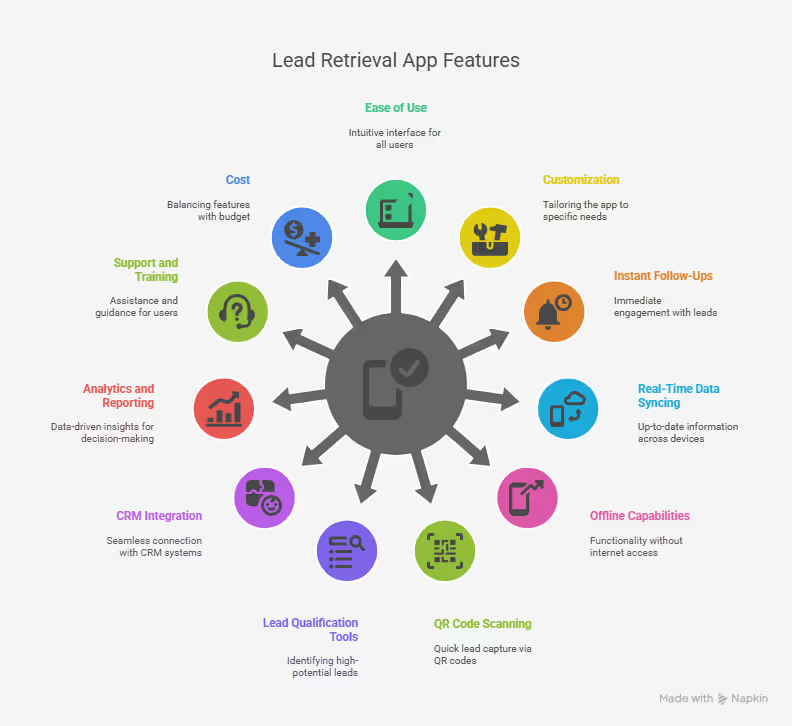
What to Look for in a Budget-Friendly Lead Retrieval App?
Finding the right lead retrieval app means balancing cost with functionality. You want affordability without sacrificing the features that drive results.
Here's what matters most when evaluating budget-friendly options:
- BYOD Badge Scanning: Your team should use their own smartphones or tablets. Apps that require specialized hardware add unnecessary costs. Look for solutions that turn any device into a powerful scanner.
- Offline Capabilities: Event venues often have spotty WiFi. Your app must capture leads without an internet connection. The data should be stored locally on your device and sync automatically when connectivity returns.
- Custom Lead Qualification Forms: Every business has unique qualification criteria. Your app should let you create custom questions that align with your sales process. This helps you separate hot leads from cold ones right at the booth.
- CRM and Excel Export: Lead data becomes valuable only when it reaches your sales team quickly. Choose apps that export to Excel or CSV files. Better yet, look for direct CRM integrations with platforms like Salesforce, HubSpot, or your existing system.
- Check-In Plus Lead Capture Combination: Some affordable apps pull double duty. They handle both event check-in and lead retrieval. This versatility gives event organizers and exhibitors more value from a single platform. You streamline operations while reducing the number of tools your team needs to learn.
- Simple User Interface: Your booth staff shouldn't need extensive training. The app interface should be intuitive and clean. Quick onboarding means your team spends more time engaging with attendees and less time fumbling with technology.
Find an app that checks these boxes. To make it easier for you, we have listed the top affordable lead retrieval apps that you can choose from for your next event.
Top 13 Affordable Lead Retrieval Apps
Choosing the right lead retrieval app can make or break your event ROI. The market offers solutions at every price point, each with unique strengths.
Here are 15 budget-friendly options that deliver solid performance without breaking the bank.
1. fielddrive
fielddrive Lead Retrieval App is a dedicated lead retrieval app designed for events, trade shows, and conferences. You scan badges with your phone, capture attendee details instantly, qualify leads on the spot, and share your marketing material with a tap. Because the tool is part of fielddrive’s broader event-tech ecosystem, it also connects naturally with check-in, badge printing, and other onsite services. If you’re looking for something built specifically for exhibitor workflows, fielddrive is one of the few platforms that truly understands how events operate in real life.
Key Benefits
- Fast badge scanning with accurate QR recognition.
- Customizable qualification questions so you can score leads your way.
- Works offline and syncs data automatically when you reconnect.
- Exhibitor portal with real-time reporting and export options.
- Instant sharing of brochures, PDFs, and other content.
- Lead categorization (hot, warm, cold) for clean follow-up.
- CRM and spreadsheet export support.
- Suitable for single or multiple events with centralized lead tracking.
Pros
- Very easy to use, your team can learn it in minutes.
- No special hardware needed unless you want it.
- Reliable offline scanning keeps you from losing leads.
- Strong analytics that help you measure booth performance
- All-in-one platform if you're also using fielddrive for check-in or other services.

Cons
- Potential learning curve.
2. BadgeScanner Lead Retrieval
BadgeScanner is a simple, no-frills lead retrieval app created for exhibitors who just want a basic way to scan QR codes and capture contacts. It runs entirely on smartphones, doesn’t rely on WiFi for scans, and keeps setup painless. The app doesn’t try to compete with full-featured platforms; instead, it focuses on doing one thing well: collecting attendee information without extra costs or complexity.
Key Benefits
- Free to use for basic lead capture.
- Offline scanning so you’re not dependent on venue WiFi.
- Works with your existing mobile devices.
- Simple export options for follow-up.
- Quick setup with a straightforward interface.
Pros
- No cost for core features.
- Very easy for staff to pick up and use.
- No hardware rentals or scanners needed.
- Works reliably without internet.
- Clean CSV export for CRM or spreadsheet uploads.
Cons
- Limited feature set compared to more robust lead-capture tools.
- No advanced qualification fields or detailed analytics.
- Requires event organizers to use compatible QR codes.
- No built-in follow-up or content-sharing options.
- Minimal attendee data in some cases, depending on what’s encoded.
3. CodeREADr
CodeREADr is built as an enterprise-level scanning platform, but you can still use it for small or mid-sized events when you need something flexible. The app is known for its heavy-duty workflow options, wide support for different barcode types, and the ability to run complex processes without any coding.
You can scan badges offline, store everything on your device, and let the data sync once you're back online. If you need something customizable and scalable, CodeREADr gives you room to grow, though it’s not as event-specific or turnkey as tools built solely for lead retrieval.
Key Benefits
- Scans all major barcode formats, including QR and PDF-417.
- Works fully offline with automatic cloud sync.
- Custom qualification fields and form-based workflows.
- Option to capture photos and signatures.
- Supports RFID and NFC for wristbands and access cards.
- Kiosk mode for unattended stations.
- White-labeling for branded experiences.
- Developer API for custom integrations.
Pros
- Flexible pricing starting around a low monthly fee, with a free tier.
- Extremely versatile for many scanning use cases.
- Strong offline reliability.
- Highly customizable without coding.
- Scales easily for significant events.
Cons
- It can feel complex if you only need basic lead retrieval.
- Setup and configuration take some technical comfort.
- Interface is more functional than polished.
4. Eventleaf Lead Retrieval App
Eventleaf’s lead retrieval app fits into the larger Eventleaf event management ecosystem, so everything, registration, check-in, and lead capture, works together smoothly. You use your phone to scan badges, qualify leads, and export everything for follow-up. It’s designed for small and mid-sized events that want an all-in-one system without juggling multiple vendors. While it handles core lead capture well, it stays more basic than apps built exclusively for exhibitor-focused workflows.
Key Benefits
- Badge scanning using your smartphone’s QR reader.
- Available in multiple languages for global events.
- Customizable qualification questions.
- Real-time tracking of team leads.
- Export options for CSV or Excel.
- Included at no extra cost with certain Eventleaf plans.
- Consolidated reporting for teams.
- Manual attendee lookup when scanning isn’t possible.
Pros
- No added cost when using the Ultimate plan.
- Multilingual support for international exhibitors.
- Works on modern iOS and Android devices.
- Easy setup and user-friendly.
- Strong customer support.
Cons
- More basic analytics than specialized tools.
- Limited automation and advanced workflows.
5. Eventact Lead Retrieval
Eventact focuses on giving exhibitors a simple, fast way to start capturing leads. Organizers can deploy the system quickly, and exhibitors don’t need much training before they’re up and scanning. You can rate and qualify leads, add notes, and export your data with ease. It’s designed to keep the experience smooth and straightforward, especially if you want something minimal that still covers the essentials without complexity.
Key Benefits
- Quick, accurate badge scanning.
- Built-in qualification and lead rating.
- Real-time visibility into captured leads.
- Easy exporting to CRM platforms.
- Mobile-friendly interface.
- Customizable qualification forms.
- Notes and tagging for each contact.
Pros
- Fast and simple deployment for organizers.
- Easy onboarding for exhibitors.
- Clean and intuitive interface.
- Good balance of features and simplicity.
- Reliable performance during events.
Cons
- Limited public information about pricing.
- Smaller market presence.
- Fewer advanced features than higher-tier solutions.
- Requires an organizer partnership to access the system.
6. Sitka
Sitka offers a lead retrieval module as part of its broader event-management platform. Exhibitors can scan visitor badges via QR code, capture lead data, add notes, rate leads, and later review everything in a centralized exhibitor portal. The platform supports offline scanning, secure storage, and custom data-capture fields, making it a neat option if you want badge scanning and lead capture tied into a whole event infrastructure.
Key Benefits
- QR code badge scanning for quick lead capture.
- Custom data capture fields (so you collect exactly what matters).
- Offline scanning (works even without an internet connection) with later sync.
- Built-in lead scoring/qualification and note-taking to qualify leads on the spot.
- Centralized exhibitor portal for lead review, export (e.g., CSV), and follow-up.
- Secure, encrypted data storage for data privacy and security.
Pros
- It works as part of a full event management stack, useful if you want more than just lead retrieval.
- Good customization and data-capture flexibility
- Offline support makes it reliable for venues with spotty connectivity.
Cons
- Because it’s a broader solution, it might cost more than a dedicated lead-capture app.
- More setup is required compared to standalone apps that just scan and export.
7. Eventify Lead Scanning App
Eventify offers a lead-retrieval feature as part of its event management system. You can scan QR-code badges to capture attendee info, tag or categorize leads (cold/warm/hot or custom), add notes, and export leads to CSV for CRM or follow-up. The platform positions itself as a budget-friendly, straightforward option for exhibitors and event organizers who want to ditch paper-based lead capture without heavy overhead.
Key Benefits
- Badge scanning with your smartphone’s QR reader for quick, easy lead capture.
- Customizable lead tags and categories, including simple hot/warm/cold qualification.
- Exportable lead database (CSV or spreadsheet) for smooth CRM uploads and follow-up.
- Works on iOS and Android devices, so you don’t need any special scanning hardware.
- Simple onboarding and a clean interface make it ideal for occasional exhibitors or smaller events.
Pros
- Affordable option for smaller events or first-time exhibitors.
- Very easy to set up, with a minimal learning curve.
- Works entirely on the devices you already have.
- Great fit for small teams or infrequent events that don’t need complex features.
Cons
- You can use it only if the event organizer chooses Eventify; exhibitors can’t opt in on their own.
- The feature set is basic compared to more advanced lead-management platforms.
- CRM integration relies mainly on export/import, so automation is limited.
8. Whova Lead Retrieval
Whova’s lead retrieval feature is offered as part of its broader event-management and attendee-engagement app. When the event organizer enables lead retrieval, exhibitors can scan QR codes (from physical badges or from the digital pass in the Whova app), capture contact info and lead details, take notes, and export the captured leads. Because attendees often already use Whova for scheduling and networking, the lead retrieval module naturally fits within the same ecosystem.
Key Benefits
- QR-code scanning via smartphone.
- Instant lead capture and exportable lead data for follow-up.
- Integration with event app features (agenda, networking, attendee pass) reduces friction since attendees already use the app.
- Convenient when attendees’ QR codes are digital (via event pass in Apple/Google Wallet), simplifies badge handling and scanning logistics.
Pros
- Often widely adopted at trade shows and conferences, your event likely uses it.
- Integrated with the attendee app, which can boost adoption and ease for both attendees and exhibitors.
- Useful for events where you want both engagement (schedules, networking) and lead capture in a single app.
Cons
- Lead retrieval only works if the event organizer enables it, not a universal guarantee for every event.
- Exhibitor access may incur an additional cost or a per-exhibitor fee, depending on the event setup.
- Data and features rely heavily on the attendee profile; lead data may be limited or inconsistent.
- Not a standalone solution: you can’t use it for events outside the Whova ecosystem (i.e., events without Whova)
9. iCapture
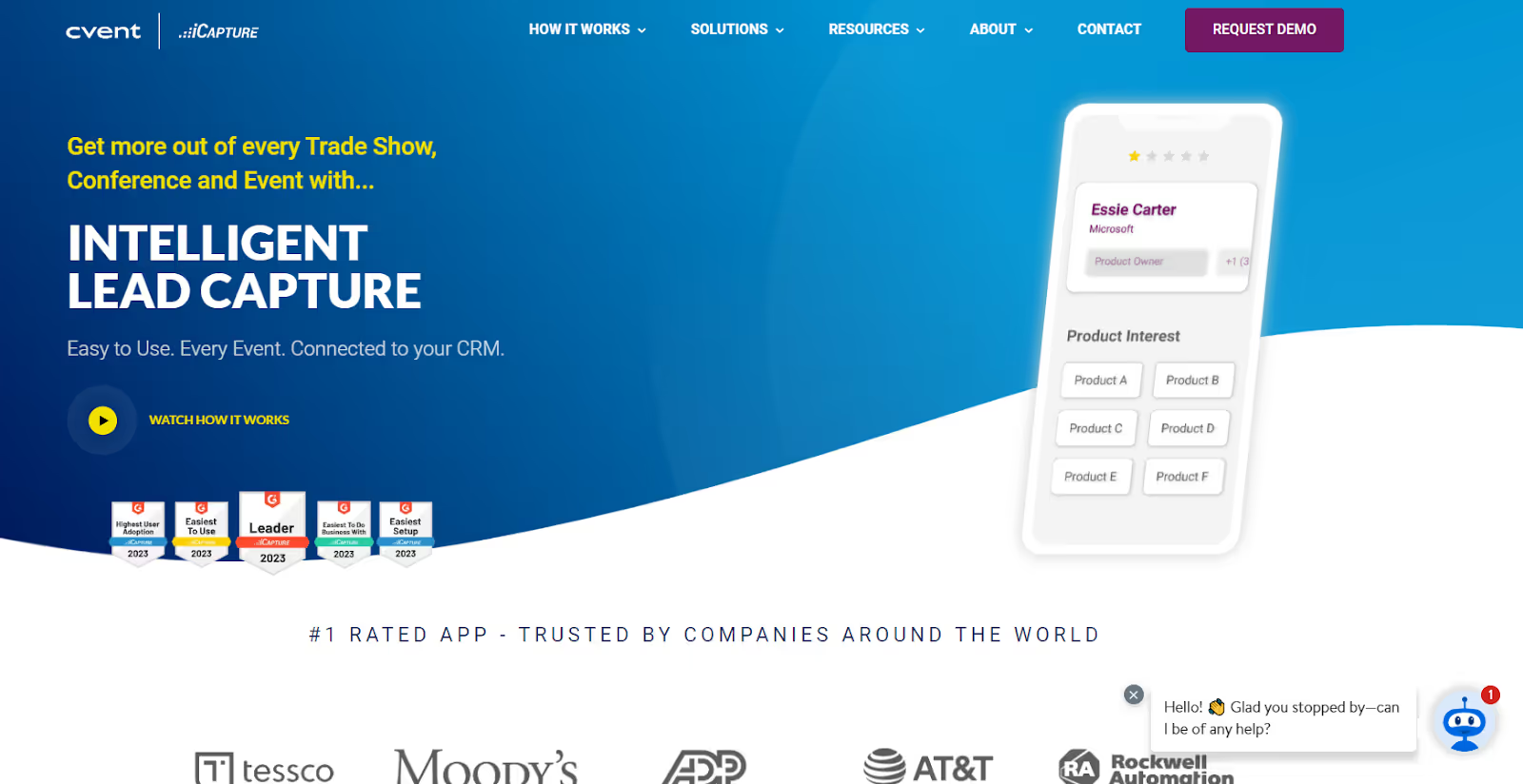
iCapture is a universal mobile lead capture solution designed for trade shows and events, offering badge scanning, business-card capture, and direct CRM/marketing-automation integration. It supports offline scanning (so you’re not dependent on venue internet), custom qualification forms, automated lead routing, and data export. Many companies use it when attending multiple events to maintain consistency in lead capture, regardless of the badge provider or event setup.
Key Benefits
- Badge scanning (barcodes/QR codes) using a camera on a mobile device.
- You can capture leads without an internet connection, with sync to the cloud or CRM later.
- Custom forms & qualifiers to capture not just contact info but relevant lead-qualifying data.
- Business card capture option (scan card instead of badge) for flexibility.
- Automated workflows: lead routing, auto-reply emails, and CRM/Marketing-Automation integration (for platforms like Salesforce, HubSpot, Marketo, etc.).
- Data export or direct sync, leads go straight into your sales/marketing stack without manual entry.
- Reliable for companies attending many events, it provides consistency across events regardless of badge systems.
Pros
- Very flexible and powerful, supports badge scanning and card scanning, custom qualifiers, and CRM integration.
- Works offline, reducing the risk of losing leads in areas with poor connectivity.
- Automates much of the post-event follow-up process (routing, emails, data sync), saving time and reducing manual errors.
- Suitable for frequent exhibitors or companies that attend many shows annually, as it eliminates the need for different tools at each event.
- Supports major CRMs and marketing automation platforms, streamlining lead nurture and sales workflows.
Cons
- Subscription cost can be high, and may not make sense for small or occasional exhibitors.
- Overkill for small events or simple lead-capture needs; best suited for frequent or large-scale exhibitors.
10. vFairs Lead Capture
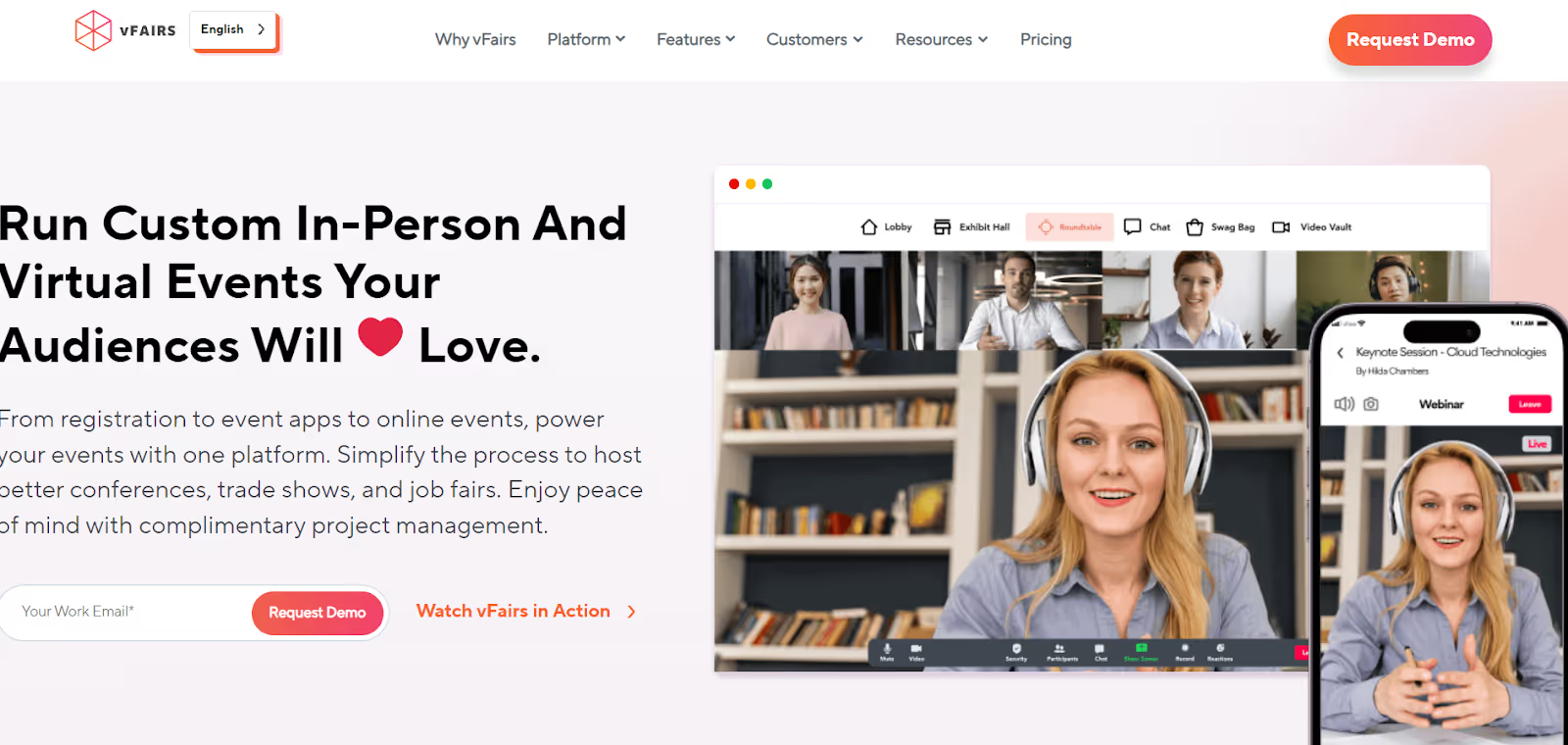
vFairs offers a lead capture app that works for virtual, hybrid, and in-person events. Exhibitors can scan attendee QR codes or business cards, or manually enter data, then collect leads in a unified system. The app supports custom lead forms, tagging, notes or voice notes, real-time analytics, exporting data, and CRM integrations.
Key Benefits
- Capture leads from virtual, hybrid, and on-site events in a single system.
- Scan QR codes or upload business cards for automatic data extraction.
- Build custom qualification fields to match your sales criteria.
- Monitor lead volume and activity in real time with analytics.
- Export leads to spreadsheets or sync with supported CRM platforms.
- Track interactions inside virtual booths during online events.
Pros
- Works well for exhibitors who participate in different event formats.
- Provides strong visibility into lead activity and engagement.
- Useful for teams handling large or multi-day events.
- Flexible scanning methods support a wide range of badge formats.
- Offers solid reporting tools to help gauge event performance.
Cons
- Pricing may feel high if you only need basic lead capture.
- Potential learning curve for some exhibitors.
- Lead-capture pricing is not publicly listed.
11. Eventscribe Lead Capture
Eventscribe offers a lead capture tool commonly used at academic, scientific, and professional conferences. Exhibitors can scan attendee badges, apply ratings or tags, write notes, and export detailed lead lists for follow-up. It is built to support events where data accuracy and session participation matter.
Key Benefits
- Scan attendee badges with your phone’s camera to instantly pull in pre-verified conference registration data.
- Add structured qualifiers like credentials, specialty, membership status, or interest areas, which are especially relevant for academic and medical events.
- Connect lead capture with session attendance logs to understand which topics or speakers a lead engaged with.
- Export detailed lead lists that include notes, qualifier responses, badge data, and session participation.
- Use built-in note fields to record context such as research interests, follow-up requirements, or project details.
Pros
- Performs well for educational or association conferences.
- Reliable system designed for accurate attendee data.
- Straightforward for booth staff to use during busy events.
- Works smoothly for organizers who want unified conference data.
- Backed by consistent customer support.
Cons
- Less suited for high-volume trade shows focused on rapid scanning.
- Requires the event organizer to activate the feature.
- Limited flexibility when compared with full-scale event platforms.
12. Leadature
Leadature specializes in lead capture and qualification for trade shows and events. The platform aims to provide a streamlined, dedicated tool without the extra modules found in full event platforms. Its purpose is to keep lead capture simple with badge scanning, custom qualifiers, lead rating, offline capability, and export options.
Key Benefits
- Fast badge scanning to capture attendee data.
- Custom qualification questions to gather relevant information.
- Lead rating and prioritization to sort leads.
- Offline scanning capability for unstable network conditions.
- Export options such as CSV for CRM import.
- Simple notes and tagging system.
Pros
- Purpose-built for lead capture.
- No unnecessary extra features.
- Quick to deploy and easy to learn.
- Suitable for exhibitors focused solely on lead generation.
Cons
- Limited public information on features and pricing.
- Smaller user base compared to major platforms.
- Fewer integrations with CRM tools.
- May lack advanced analytics or automation.
13. Boomset Lead Retrieval
Boomset provides lead retrieval as part of a suite that includes check-in, badge printing, and RFID integration. Exhibitors can scan QR codes or RFID badges to capture leads, add notes and custom questions, and export data. The integrated approach is practical when you want attendee management and lead capture under one provider.
Key Benefits
- QR code or RFID scanning for badge-based lead capture.
- Custom questions and notes for lead qualification.
- Real-time reporting and downloadable reports.
- Optional on-site support for badge printing or RFID setup.
- Works for a wide range of event types and sizes.
Pros
- Useful for exhibitors wanting an integrated attendee management system.
- Suitable for complex events requiring both check-in and lead retrieval.
- Flexible for different event formats and sizes.
- Provides detailed insights for post-event follow-up.
- Backed by reliable technical support on-site if needed.
Cons
- Pricing is not clearly listed and varies by package.
- Some features require the organizer's cooperation.
- Feature availability varies by plan.
- May feel complex for small events.
Now that you've seen what each app offers, let’s quickly go through a comparison table to help you make your choice.
Comparison Table

How to Choose the Right Low-Cost Lead Retrieval App for Your Event?
Selecting the perfect lead retrieval app depends on your specific event. Different scenarios demand different solutions.
Here's how to match your needs with the right tool:
For Small Events (Under 100 Attendees)
Focus on simplicity and zero setup time. Choose apps that offer basic scanning without complex configuration. Your priorities should be quick deployment, straightforward lead export, and minimal cost.
Key points:
- Use apps like BadgeScanner or Eventify.
- Handle basic qualification questions.
- Export lead data to Excel.
- Keep your budget minimal since lead volume is manageable.
For Multiple Events Per Year
Invest in platforms with strong multi-event support and data continuity. You want centralized lead management to track performance over time and optimize your booth strategy.
Key points:
- Apps like fielddrive or CodeREADr allow the reuse of custom qualification questions.
- Compare results across events to refine strategies.
- Look for volume pricing or flat monthly rates for unlimited events.
For Exhibitor-Focused Needs
Prioritize apps with robust offline capabilities and fast scanning, especially when venue WiFi is unreliable. Tools should allow you to categorize leads and engage prospects immediately.
Key points:
- Custom lead qualification forms to match your sales process.
- Categorize leads as hot, warm, or cold for follow-up prioritization.
- Instant digital content sharing for prospect engagement.
- fielddrive offers exhibitor-centric design and real-time analytics.
For Unreliable Connectivity Environments
Offline-first scanning should be your top requirement to prevent lost leads. The app must store data locally and sync automatically once the connection returns.
Key points:
- fielddrive, BadgeScanner, and CodeREADr excel at offline lead capture.
- Check offline storage capacity and sync conflict handling.
- Test the app in airplane mode before the event.
For Extremely Tight Budgets
Start with free options that cover core scanning and export functions. You can upgrade later as your event program grows.
Key points:
- BadgeScanner offers free scanning and export features.
- Consider free trials before committing.
- Be aware that free tools may lack custom branding or advanced analytics.
For Integration-Heavy Workflows
Choose platforms with CRM integrations or robust API capabilities to streamline your sales workflow. Automatic syncing saves time and reduces errors.
Key points:
- Use platforms that offer strong integrations like fielddrive.
- For budget apps, ensure clean CSV exports compatible with your CRM.
- Smooth integration with Salesforce, HubSpot, or other platforms prevents bottlenecks.
For International Events
Multilingual support and regional adaptability are essential when exhibiting globally.
Key points:
- Eventleaf supports 20 languages.
- Check multi-currency support for in-app purchases.
- Ensure proper time zone handling for events across regions.
Making the correct choice now saves you headaches during your event. Test your selected app at a small event before deploying it at your most important shows. This risk-free trial run helps your team master the tool with lower stakes.

10 Proven Tips to Capture More Leads at Your Next Event
Having the right app is just the beginning. Your strategy and execution determine how many quality leads you actually capture.
Here are ten proven tactics that consistently deliver results:
1. Train Booth Staff on Fast Scanning
Your team should be able to scan badges in a few seconds. Practice before the event so everyone knows how to use the app.
Tips:
- Assign one person to handle any technical issues.
- Run a simple contest to see who scans fastest and most accurately.
- Make sure staff spend time talking to attendees and not just scanning.
2. Use Custom Lead-Qualifying Questions
Generic forms waste time. Ask questions that reveal purchase intent and decision-making authority.
Tips:
- Keep it to five questions or fewer.
- Make the most critical questions required.
- Separate serious prospects from casual visitors.
3. Add Notes Right After Each Scan
It is easy to forget details at busy events. Capture key points while they are fresh.
Tips:
- Note products mentioned, concerns, or commitments.
- Use voice notes if typing is slow.
- Spend a short time on notes instead of trying to remember later.
4. Offer On-the-Spot Incentives
Give people a reason to share their information.
Tips:
- Offer guides, reports, or access to webinars.
- Run small prize drawings that require a badge scan.
- Give useful items, such as phone chargers or branded accessories.
- Avoid generic swag that will be thrown away.
5. Do Pre-Event Outreach
Reach out to registered attendees before the show.
Tips:
- Invite them to your booth for a demo or consultation.
- Schedule short meetings with high-value prospects.
- Reduce reliance on random foot traffic.
6. Enable Offline Scanning
Do not count on venue WiFi. Make sure your app works offline.
Tips:
- Turn on offline mode before the event.
- Check that devices have enough storage for all leads.
- Fully charge devices and bring backup power.
- Make sure staff know how syncing works after reconnecting.
7. Sync Leads to CRM the Same Day
Hot leads lose value fast. Get them into your CRM as soon as possible.
Tips:
- Export leads each evening.
- Make sure the sales team can start follow-up immediately.
- Treat same-day syncing as a backup in case a device is lost.
8. Rate Leads as Hot, Warm, or Cold
Not every lead needs the same attention.
Tips:
- Mark leads right after each conversation.
- Use simple labels or stars to prioritize follow-up.
- Help your sales team focus on the most promising leads.
9. Add Tags for Easy Segmentation
Tags make follow-up campaigns more effective.
Tips:
- Tag by product, industry, company size, or location.
- Highlight VIP prospects for special attention.
- Use tags to route leads to the right team members.
10. Follow Up Within 24 to 48 Hours
Speed matters more than perfect messages.
Tips:
- Contact hot leads within 24 hours.
- Reach warm leads within 48 hours.
- Reference booth conversations and deliver promised resources.
Even applying a few of these tips will improve lead capture. Pair these strategies with the right app, like fielddrive, for easy scanning, instant follow-up, and real-time lead categorization. With good planning and the right tools, you will get more high-quality leads at every event.
Final Thoughts
The goal of every event remains the same. Turn real conversations into real business without losing time, data, or momentum once the doors close. Tools are only valuable when they make that outcome easier, faster, and more predictable for exhibitors and organizers.
Choosing an affordable lead retrieval app supports that outcome when it is reliable, simple to use, and built for clean post-event follow-through. That is where fielddrive stands out. It focuses on qualified lead capture, smooth check-ins, and offline performance that teams can depend on anywhere.
If your next event demands consistency and measurable conversions, fielddrive is ready to help you achieve it. Book a demo.
FAQs
1. What is the best source for leads?
The best sources for leads are event attendees, website visitors, social media interactions, email campaigns, and referrals. High-quality leads come from engaged, relevant audiences rather than random contact lists.
2. What is the best CRM for lead generation?
CRMs like Salesforce, HubSpot, Zoho CRM, and Pipedrive excel in lead generation. They organize contact data, track interactions, automate follow-ups, and integrate with marketing tools for efficient lead management.
3. Which tool is best for lead generation?
Lead generation tools like fielddrive, iCapture, HubSpot, and LinkedIn Sales Navigator help capture, qualify, and organize leads efficiently. Choose a tool that aligns with the event's needs and budget for maximum ROI.
Want to learn how fielddrive can help you elevate your events?
Book a call with our experts today
.png)