

.svg)
.png)

CONTENT
Planning a conference or trade show is no longer just logistics, it’s the equivalent of building a temporary city. You are managing traffic flow, security needs, content timing, and VIP demands. And most days, it feels like one hand is on your laptop while the other is putting out fires.
With 85% of marketers as per Markletic, now using attendee satisfaction as a measure of event success, the pressure is higher than ever.
If you are still experiencing slow badge printing, using spreadsheets, and dealing with disconnected systems, you are not alone. Event tech has evolved, and it’s no longer about relying on one tool, but choosing the right mix of applications that work together without friction.
In this article, you’ll discover the top event applications that help you optimize on-site delivery, improve data quality, and create an effortless experience at scale.
Key Takeaways
- Move attendees through check-in in seconds, not minutes
- Print badges on demand, instead of pre-printing and wasting hundreds
- Sync attendee data between registration, app, and CRM in real time
- Track session attendance and exhibitor interactions so you can prove ROI
- Scale from small corporate meetings to global summits and hybrid events without breaking your workflows
Why Modern Event Applications are a Necessity
Managing everything from large-scale association events to intimate festivals, your goal is clear: maximize attendee engagement while minimizing operational headaches. The truth is, the audience expects a frictionless, high-tech experience today.
If your event applications do not talk to each other, you end up:
- Entering the same data multiple times
- Wasting time reconciling reports
- Losing track of who attended which session or visited which exhibitor
- Guessing instead of knowing what worked
Integrated event applications do not just make life easier. They help you protect revenue, improve attendee satisfaction, and provide the hard numbers your leadership expects for conferences, summits, trade shows, association meetings, and festivals.
According to industry reports from Markletic, 51% B2B companies use their business partners (channel) to drive registrations, so it's not a luxury; it's the engine of efficiency your team deserves.

Also Read: How to Choose The Best Event Registration Software Systems For Your Events
The Event Challenges that Hold You Back
Before you decide which tools to add to your toolkit, let's acknowledge the real-world problems that plague event organizers in the US and UK. These are the moments when all your hard work can fall apart, often right in front of the attendees.
1. Long Queues at the Attendee Check-in
You know the scene. It is the first morning of your flagship conference. Attendees are excited, coffee in hand, and then they hit a wall of people waiting to check in.
Slow badge printing, manual name searches, and shared laptops add up to:
- Frustrated attendees before they even enter your exhibition hall
- Lost exhibitor face time during prime morning traffic
- Stress on your front-of-house staff who have to ''manage emotions'' instead of just processing arrivals
2. Disconnected Attendee Data
You might be using:
- One system for registration
- A separate mobile app
- Another tool for on-site scanning
- A CRM or marketing automation tool for follow-up
When these tools are not integrated, you end up with fractured attendee profiles. You cannot easily see one clear picture of a person's journey from registration to check-out.
That makes it hard for you to answer simple questions like,
- Who actually showed up in person?
- Which exhibitors attracted the most qualified leads?
- How did certain sessions impact overall event satisfaction?
3. Poor Session-level ROI Tracking and Lack of Real-time Analytics
Stakeholders now expect you to prove the value of each part of your program. They want to know which tracks, rooms, and speakers drive the most engagement. Without reliable session-level tracking and real-time dashboards, you are left:
- Guessing where to allocate room space and staff
- Struggling to justify certain formats or topics
- Pulling manual attendance lists after the event is slow and error-prone.
You are relying more and more on real-time insights to steer your decisions, using them not just for post-event reports but also to make same-day adjustments. As per American Express cost control becomes a key priority for about 38% of planners looking ahead to 2026.
4. Difficulty Scaling Hybrid and Global Events
Hybrid formats are no longer a side experiment. A large share of planners now include virtual components in their conferences and summits to increase reach and flexibility. According to Zoom, 43% of event marketers envision holding hybrid events a few times per week.
This adds more complexity for you:
- Multiple time zones and venues
- Different access rights for virtual and in-person attendees
- More pressure on your connectivity and streaming setup
Your event applications need to support this reality, not fight it.
5. Pressure to Reduce Environmental Impact
Your attendees, sponsors, and leadership teams are paying more attention to sustainability. Many organizations now include environmental goals in their event strategies, from cutting waste to shrinking travel footprints.
You feel this when you:
- Throw away boxes of pre-printed badges that were never collected
- Print more signage than you actually use
- Struggle to justify the unnecessary on-site materials
Modern event applications can help you reduce waste and make better use of digital tools while still giving attendees what they need on-site.
Note: You're also under growing pressure to make your events more sustainable, and badges are often an overlooked source of waste. fielddrive supports biodegradable, on-demand badge printing, helping you cut waste and reduce environmental impact without slowing down check-in.
Also Read: Top 10 Event Trends to Be Aware of in 2025
Key Capabilities of Modern Event Applications
Event applications fall into a few main categories. When you map your stack against these, you can see where you are covered and where you may need a specialist solution.
Note: Facial recognition has become one of the fastest-growing check-in methods for large events. Instead of scanning a QR code or spelling out a name, attendees simply look at the screen and are instantly identified. It speeds up arrival, reduces queues, and gives your team more control over flow.
Also Read: Essential Guide to On-Site Event Management Success
A strong event tech stack combines several key elements. You have a registration system to manage data and payments, a mobile app to support agendas and engagement, and on-site tools that handle check-in, badge printing, and access control. You also rely on analytics to measure performance and ROI.
If you run hybrid events, streaming tools also come into play. When these systems connect, you cut friction and gain a real-time view of your entire event.
Now that you know what to look for in modern event applications, the next step is seeing how those capabilities solve real on-site challenges. This is where the right event tech proves its worth and turns features into real results.
How Top Ten Event Tech Delivers Real Solutions
The modern solution isn't just a single event app; it's a specialist ecosystem. While many platforms handle registration and abstract management, the most immediate and critical ROI comes from optimizing the on-site experience. Here is a comparison of some of the leading event applications on the market:
Note: No single platform can handle every part of your event. The most effective approach is to build an ecosystem that combines the right tools for each stage of your event.
1. fielddrive

fielddrive is a specialized on-site event operations platform built for flawless check-in, fast badge printing, and real-time attendee data synchronisation.
Best For: Conferences, trade shows, summits, multi-venue events, and high-volume hybrid gatherings where speed and accuracy are mission-critical.
Standout Features:
- Lightning-fast check-in & automated badge printing
- Facial recognition for ultra-fast verification
- Real-time syncing with your event platform
- Biodegradable, eco-friendly badge materials
- Multi-venue onsite infrastructure support
Why Planners Love It: fielddrive slashes wait times, reduces staffing stress, and handles large crowds without bottlenecks. The facial recognition flow feels futuristic for attendees, and organisers appreciate how the real-time data improves analytics, lead retrieval, and session tracking.
Ideal If You Want: A reliable, high-speed onsite check-in system that eliminates human errors and enhances attendee experience from the very first touchpoint.
2. Cvent

Cvent is a full-scale enterprise event management platform built to handle complex, global event programs from planning to reporting.
Best For: Large conferences, corporate events, multi-track programs, and enterprises that require structured workflows and compliance.
Standout Features:
- End-to-end event lifecycle management
- Advanced venue sourcing & RFP tools
- Registration and marketing automation
- On-site check-in and badging
- Budgeting, approvals, and compliance workflows
- Deep reporting and enterprise-level controls
Why Planners Love It: Cvent centralizes event operations at scale and offers the structure large organizations need. It’s powerful for multi-event programs where control, documentation, and enterprise security matter.
Ideal If You Want: A heavyweight platform that supports large, complex event portfolios with strong governance and compliance.
3. Whova
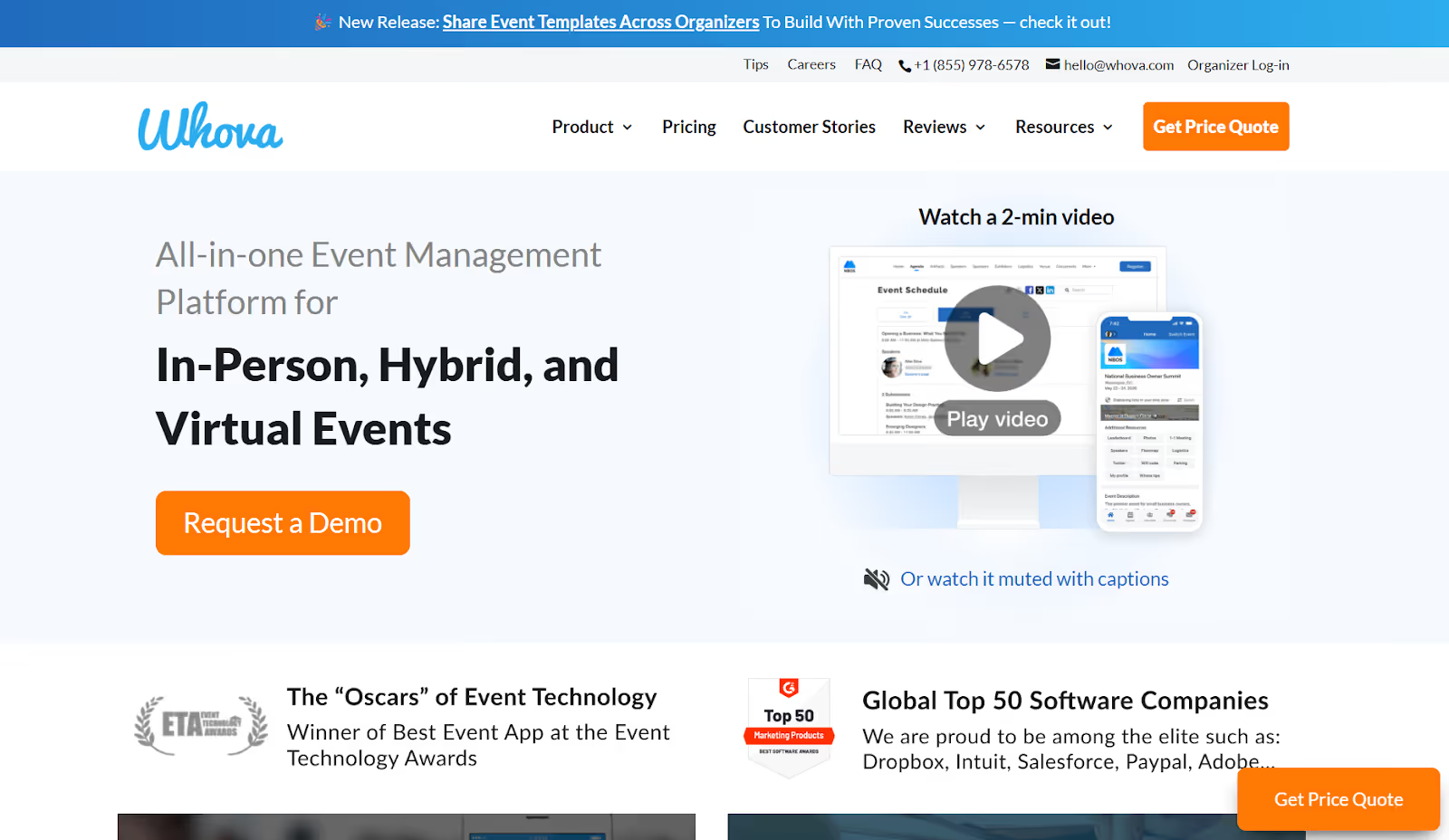
Whova is an event app and engagement platform designed to connect attendees and boost interaction onsite and online.
Best For: Association meetings, education events, networking-driven conferences, and content-heavy programs.
Standout Features:
- Mobile event app with rich content access
- Smart attendee networking & matchmaking
- Community discussion boards
- Live polling and Q&A
- Session agendas & personal schedules
- Lead retrieval via QR codes
Why Planners Love It: Whova makes it easy to boost attendee engagement without extra setup work. Its networking and mobile UX often score high in attendee satisfaction surveys.
Ideal If You Want: A strong event app that keeps attendees engaged and connected without adding operational complexity.
4. Eventbrite

Eventbrite is a public-facing ticketing and event promotion platform built for speed, simplicity, and visibility.
Best For: Public events, festivals, workshops, small conferences, community events, and ticketed experiences.
Standout Features:
- Fast event creation
- Ticket sales & payment processing
- Built-in promotion & discovery
- Social media integrations
- Attendee list & check-in app
- Simple analytics dashboard
Why Planners Love It: Eventbrite is quick to launch, easy to use, and great for driving attendance, especially if you need public reach without complex workflows.
Ideal If You Want: Simple ticketing and promotion for public or community-focused events.
5. Swapcard

Swapcard is an AI-powered event platform built to personalize networking, engagement, and content experiences.
Best For: Trade shows, expos, hosted buyer events, and business conferences where meetings and connections drive value.
Standout Features:
- AI matchmaking between attendees & exhibitors
- Smart meeting booking
- Hybrid event support
- Exhibitor lead capture
- Content streaming and discovery
- Personalized recommendations
Why Planners Love It: Swapcard excels at helping people meet the right people. It’s especially powerful at events where leads, deals, and matchmaking matter more than sessions.
Ideal If You Want: A platform that helps attendees and exhibitors connect faster and more efficiently.
6. GlueUp

GlueUp is a membership and event management platform designed for organizations that run recurring events and community programs.
Best For: Associations, chambers of commerce, member-driven organizations, and nonprofits.
Standout Features:
- Membership and CRM tools
- Automated renewals and billing
- Integrated event registration
- Email marketing & communication
- Branded community app
- Financial and engagement reporting
Why Planners Love It: GlueUp combines events and membership into one unified system, which saves time and keeps engagement data in one place.
Ideal If You Want: A platform that manages both your events and your member relationships together.
7. EventMobi
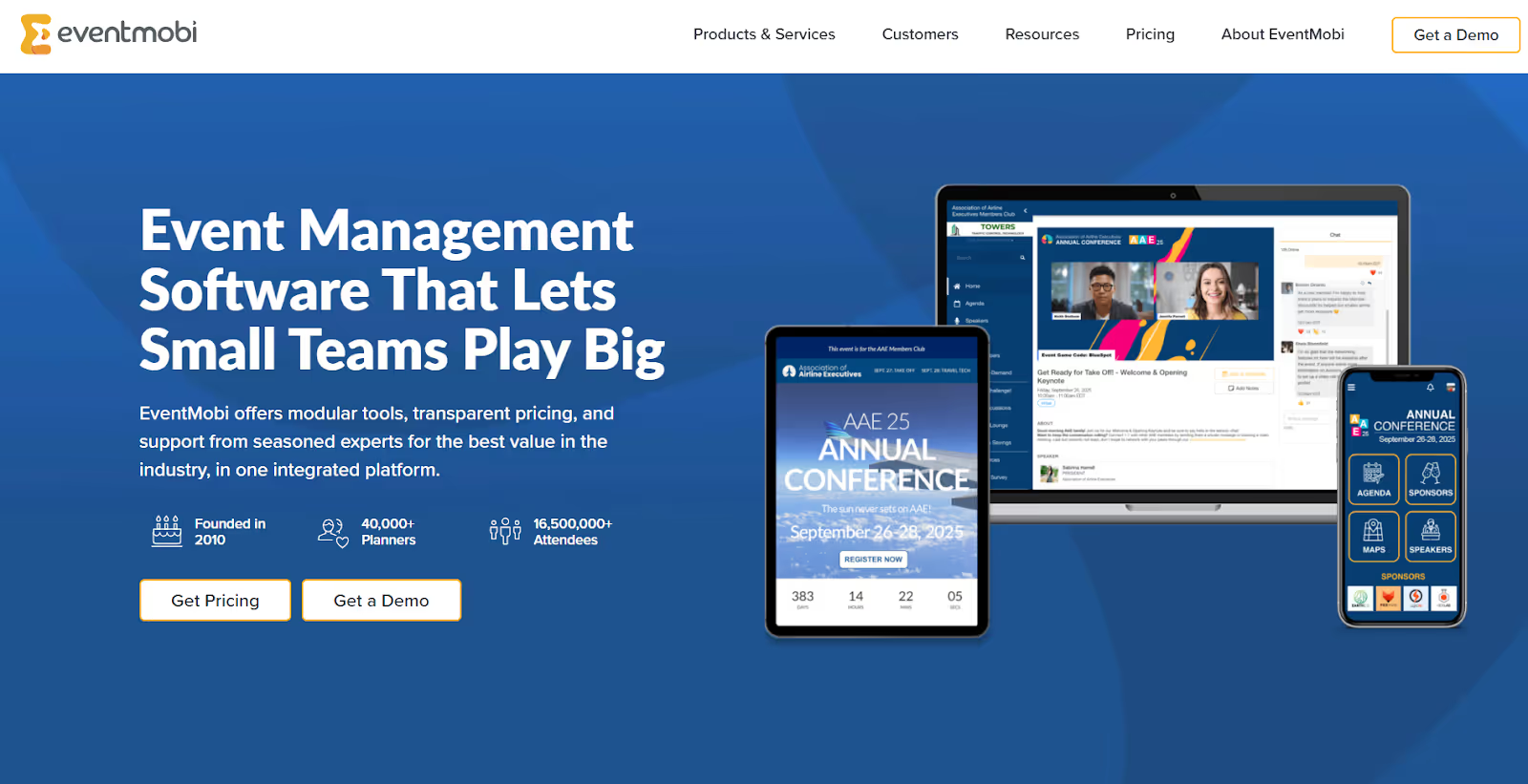
EventMobi is an event app platform built to deliver content, engagement, and communication in one mobile experience.
Best For: Conferences, internal meetings, hybrid events, and programs where mobile access is essential.
Standout Features:
- Custom-branded mobile app
- Gamification & engagement tools
- Live polls and Q&A
- On-site check-in support
- Real-time content updates
- Analytics and engagement data
Why Planners Love It: EventMobi gives you a polished, branded digital experience without technical headaches. Attendees get everything they need in one mobile hub.
Ideal If You Want: A mobile-first experience that combines content, engagement, and attendee communication.
8. Sched
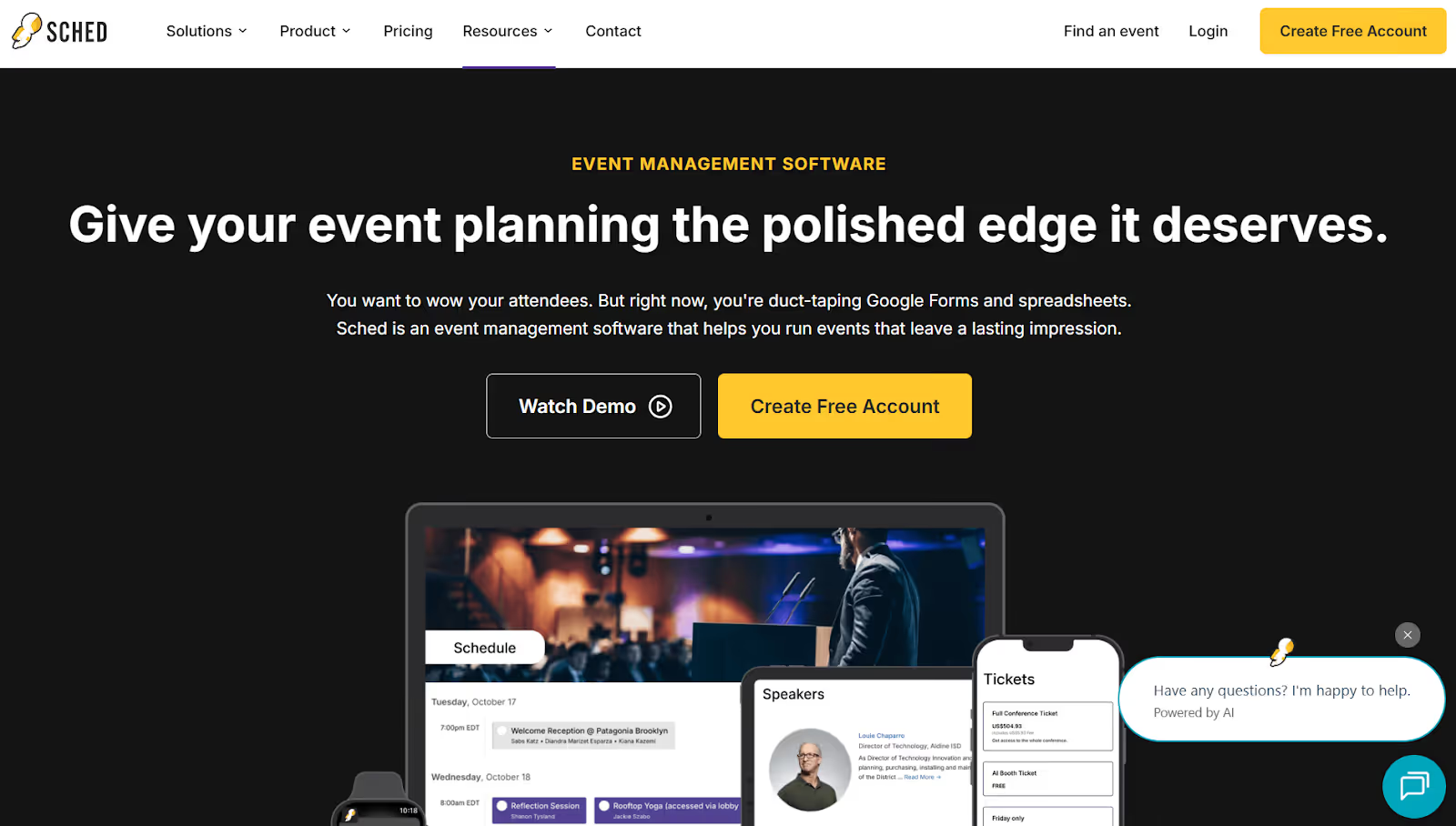
Sched is a lightweight session and speaker management tool that simplifies agenda building and access.
Best For: Education conferences, niche summits, multi-track programs, and speaker-heavy events.
Standout Features:
- Drag-and-drop agenda builder
- Speaker profiles & session pages
- Personalized schedules for attendees
- Browser-based access (no app needed)
- Simple registration sync
- Clean design and easy navigation
Why Planners Love It: Sched is fast to set up and easy for attendees to browse. It’s perfect when your event lives or dies by session organization.
Ideal If You Want: A quick, clean way to manage schedules and speakers without extra overhead.
9. Eventcube
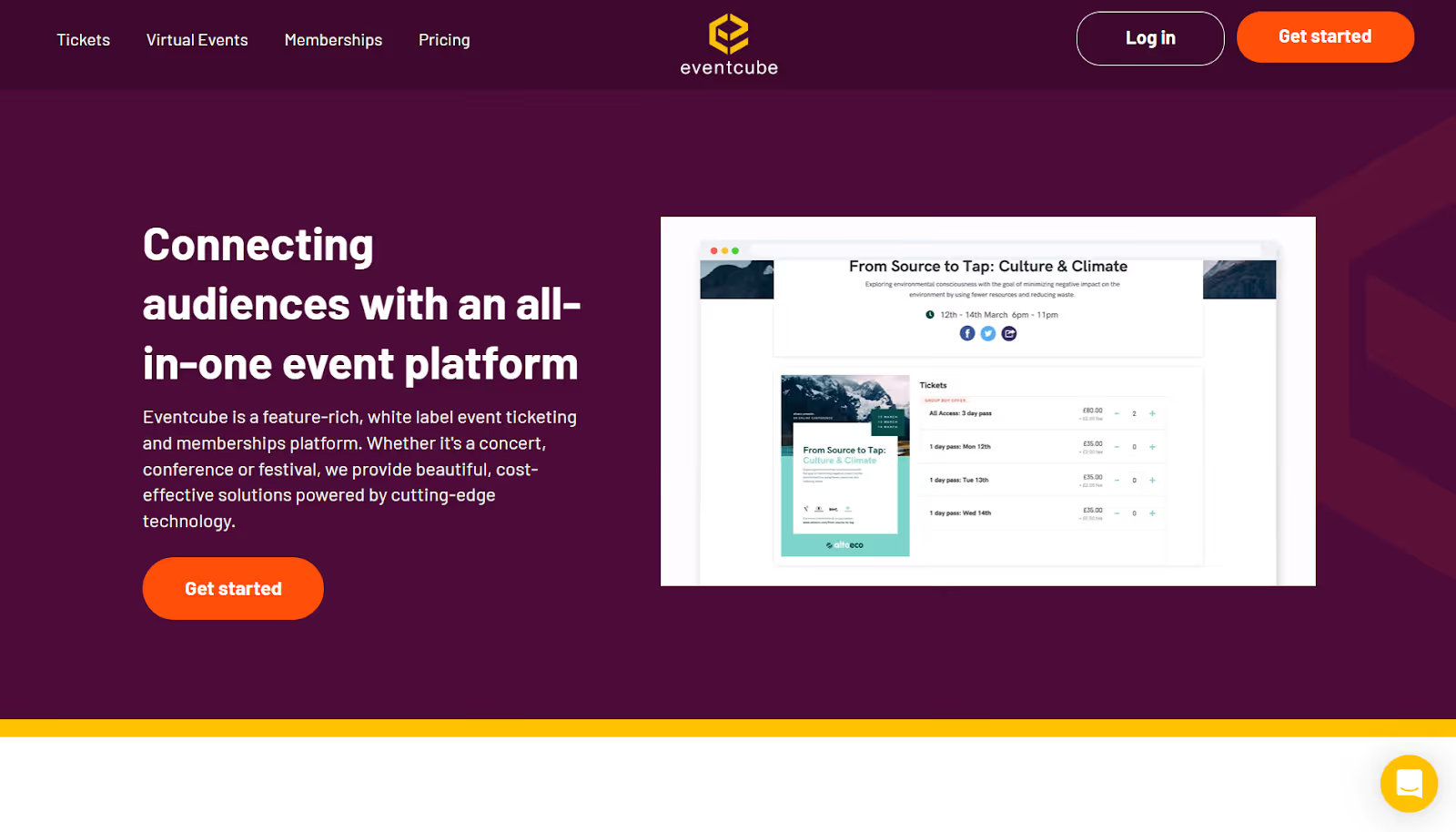
Eventcube is a customizable ticketing and event storefront platform that gives organizers more control than marketplaces.
Best For: Ticketed public events, music events, multi-organizer programs, and branded experiences.
Standout Features:
- White-label ticketing
- Custom event pages
- Membership support
- Flexible pricing models
- Integrated payment options
- Community and access controls
Why Planners Love It: Eventcube gives you control over branding, revenue, and customer relationships, unlike Eventbrite, which owns the audience.
Ideal If You Want: Full control over your ticketing system and event branding.
10. Lineupr

Lineupr is a browser-based digital event guide built for rapid deployment and mobile access without needing a full app.
Best For: Small conferences, internal meetings, university events, and budget-conscious organizers.
Standout Features:
- No-download mobile event guide
- Session schedules & speaker bios
- Custom branding options
- Attendee notes & favorites
- Quick setup in hours
- Very cost-effective
Why Planners Love It: Lineupr offers a fast, simple way to digitize your event agenda without forcing attendees to install an app.
Ideal If You Want: A lightweight, low-friction event guide that works on any device instantly.
Most event platforms try to do a bit of everything, yet each still has a clear specialty: Cvent is built for enterprise registration, Whova shines in engagement, Swapcard focuses on AI-powered networking, and EventMobi leans into the mobile experience. When these tools share data, you move people in faster, print only what you need, track sessions accurately, and give stakeholders live insights instead of static reports.
That is where fielddrive becomes essential. It focuses on the moment that defines your event's first impression, removing on-site friction through faster check-in, instant badge printing, and real-time attendance tracking.
fielddrive's Approach of Eliminating On-site Friction with Innovative Solutions
fielddrive focuses on the part of your event that everyone experiences first, and remembers most: on-site check-in. By specializing in fast arrivals, badge printing, and real-time data, it turns your biggest pressure point into a smooth, reliable success.
- Fast check-in with kiosks and facial recognition: Attendees check in within seconds by scanning a QR code or looking at the screen. This cuts lines, eases pressure on staff, and creates a confident, modern first impression.
- On-demand badge printing that reduces waste: Badges print instantly as people arrive, not in batches ahead of time. You avoid unused badges, handle walk-ins easily, and support sustainability goals with less waste and lower cost.
- Real-time data and session-level tracking: fielddrive syncs live with your registration platform so you can see arrivals, traffic patterns, and session attendance as it happens. You walk into your debrief with proof of what worked, backed by clean data.
- Built for scale, hybrid formats, and global events: Whether you are managing thousands of attendees, multiple entrances, or events across regions, fielddrive keeps check-in fast and consistent, and feeds accurate data into your wider hybrid ecosystem.
- Privacy and data protection built in: With facial recognition and smart badges comes responsibility. fielddrive uses encryption and strict privacy standards so you can comply confidently and focus on delivering the event, not worrying about compliance.
Also Read: 11 Actionable Tips to Improve Event Security and Enhance Safety Protocols

How to Choose the Best Event Applications for Your Toolkit
When you check an event application, use your real-world challenges as your checklist. Ask each provider how they help you:
- Shorten or eliminate lines at attendee check-in
- Guarantee reliable, fast badge printing during peak times
- Connect registration, app, on-site, and CRM data without manual work
- Provide real-time analytics and session-level tracking
- Support hybrid and multi-venue formats at your scale
- Reduce waste and support your environmental goals
- Offer responsive support on-site, not just through a help center
Choosing wisely isn’t about quantity, it’s about alignment. When your tools integrate, you get a stack that scales with your event and removes friction instead of creating it.
The Bottom Line
Event applications are vast, but your priority should be finding providers who excel in their niche and, crucially, integrate flawlessly. An integrated registration system plus a specialist on-site solution like fielddrive is the powerful combination that future-proofs your event delivery.
Whether you're planning a massive summit in London or a corporate conference in New York, the right event tech is your competitive edge. It's what transforms a logistical nightmare into a sleek, profitable, and memorable experience for everyone.
If you're tired of seeing long lines and are ready to experience the power of instant attendee check-in and real-time data flow, why not explore a solution built entirely for on-site success? Taking the next step toward better event tech starts with seeing the efficiency firsthand. Book a demo and see how fielddrive solutions protect attendee data while streamlining your operations.
Frequently Asked Questions (FAQs)
1. What are event applications for conferences and trade shows?
Event applications are the digital tools you rely on to run your event. They can include registration systems, mobile apps, check-in technology, badge printing, analytics tools, and hybrid streaming platforms. Together, they form your event tech stack.
2. How do event applications make attendee check-in faster?
With the right check-in tools, you replace manual lists and slow printing with QR scans, kiosks, or facial recognition. With fielddrive, attendees check in within seconds and get their badges instantly, which keeps lines moving and reduces stress at the entrance.
3. Why choose on-demand badge printing instead of pre-printing?
On-demand printing creates badges only when attendees arrive. You avoid wasted badges, manage walk-ins easily, and keep each badge accurate. It also helps you cut down on paper and plastic waste, supporting your sustainability goals.
4. How do event applications help track session-level ROI?
When your check-in and registration systems work together, you can scan badges at sessions and see exactly who attends what. With fielddrive's real-time dashboards, you get clear insights on room traffic, engagement, and speaker performance, which you can share with sponsors and stakeholders.
5. Can event applications support hybrid events?
Yes, as long as you use tools that sync in-person and virtual data. fielddrive handles on-site check-in, badge printing, and access control, while your virtual platform manages remote attendees. Once connected, you get a complete view of engagement across your hybrid event.
6. Does fielddrive support biodegradable badges?
fielddrive offers eco-friendly, biodegradable badge materials that print on demand. This helps you reduce waste, avoid piles of unused badges, and support sustainability goals without slowing down check-in.
.svg)
.svg)
.svg)
Want to learn how fielddrive can help you elevate your events?
Book a call with our experts today


.svg)